
 WhatsApp: +86 16626708626
 Email:
  Phone: +86 16626708626
Description
Key Technical Specifications
- Manufacturer: Vibro-Meter
- Model: IOCN
- Ordering Number: 200-566-000-113
- Product Family: VM600
- Module Type: Interface / I/O card
- System Application: Machinery monitoring and protection
- Installation: VM600 rack-based architecture
- System Compatibility: Verify against the installed VM600 card set
- Hardware Revision: 113
- Part Number Format: 200-566-000-113
- Replacement Requirement: Match complete ordering number and hardware revision
Compatibility note: The supplied product number identifies the component as IOCN 200-566-000-113. The provided source material does not contain a dedicated IOCN technical specification sheet, so electrical ratings, connector assignments, dimensions, and environmental limits should be confirmed against the OEM documentation before publication as fixed specifications.
Product Introduction
The Vibro-Meter IOCN 200-566-000-113 is a VM600-series interface card used within Vibro-Meter machinery monitoring and protection systems. Its exact electrical interfaces and system role depend on the associated VM600 hardware configuration.
For replacement work, verify the complete 200-566-000-113 ordering number against the existing card before installation. Do not substitute a visually similar VM600 card without checking the rack position, mating hardware, connector arrangement, and system documentation.
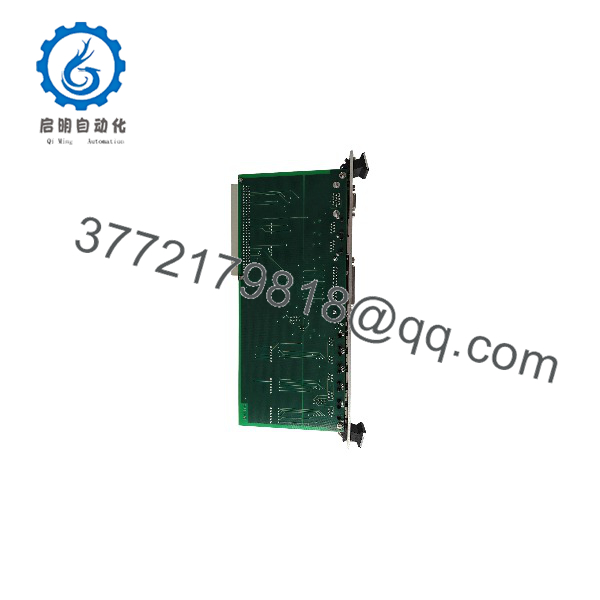
IOCN 200-566-000-113
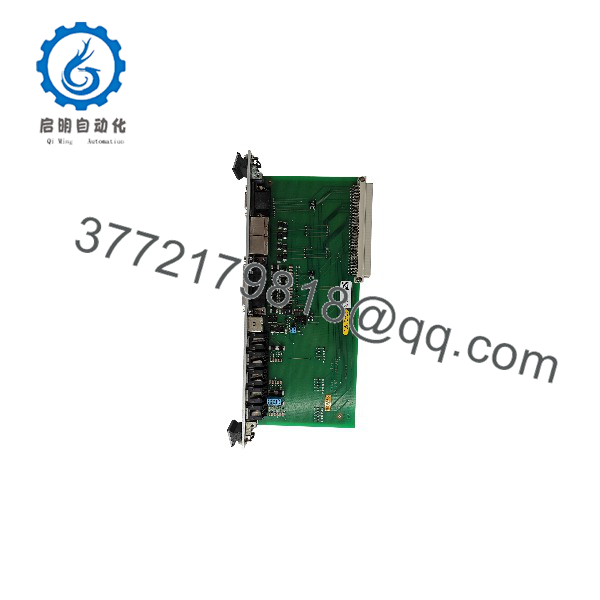
IOCN 200-566-000-113
Installation & Configuration Guide
Stage 1: Pre-Installation Preparation — Approximately 5–10 Minutes
⚠️ Safety First: Place the machinery and system in the approved maintenance state. Follow the plant’s lockout/tagout procedure and verify that power has been removed where required.
Tools Required:
- ESD wrist strap
- Suitable screwdriver
- Digital multimeter
- Wire labels
- Smartphone or camera
- system documentation
Data Backup:
- Record the complete part number: IOCN 200-566-000-113.
- Photograph the installed card and its connector wiring.
- Record the rack position.
- Record the associated modules and card revisions.
- Preserve existing configuration information before removal.
Stage 2: Removing the Old Module — Approximately 5 Minutes
- Confirm the system is in the approved maintenance state.
- Label connected wiring before disconnecting it.
- Disconnect the terminals carefully.
- Release the card’s mechanical retention mechanism.
- Pull the IOCN straight out of the rack.
- Inspect the connector and backplane for contamination or physical damage.
⚠️ Keep the original IOCN available during commissioning. Its label and hardware revision may be required if the replacement does not initialize correctly.
Stage 3: Installing the New Module — Approximately 5–10 Minutes
- Put on a grounded ESD wrist strap.
- Verify that the replacement reads IOCN 200-566-000-113.
- Confirm the rack position matches the original installation.
- Compare connector locations with the removed card.
- Carefully insert the card into the rack.
- Fully engage the mechanical retention mechanism.
- Reconnect wiring according to the original photographs and wiring documentation.
- Check every connection before applying power.
Self-Checklist:
- Complete part number verified
- Rack position verified
- Connector arrangement checked
- Wiring labeled and reconnected
- Card fully seated
- ESD precautions followed
Stage 4: Power-On & Testing — Approximately 10–15 Minutes
- Perform a final visual inspection.
- Verify there are no loose conductors or obvious shorts.
- Restore power according to the approved procedure.
- Check card and system status indications.
- Verify that the system recognizes the installed module.
- Confirm communication with associated monitoring/protection hardware.
- Check configured signal paths.
- Verify alarms and protection functions according to the plant commissioning procedure.
- Return the machinery to service only after the required functional checks pass.
⚠️ Do not bypass an IOCN configuration or compatibility alarm simply to restore the rack to RUN status. Investigate the card revision, rack position, associated modules, and configuration first.
Frequently Asked Questions (FAQ)
What is the Vibro-Meter IOCN 200-566-000-113?
It is an IOCN interface card for the Vibro-Meter platform. Its precise signal interfaces and function should be confirmed against the system documentation for the specific configuration.
Is 200-566-000-113 a complete ordering number?
Yes. 200-566-000-113 is the complete part number provided for this product. When purchasing, compare all digits rather than ordering from the shortened designation “IOCN” alone.
Can I replace another IOCN card with 200-566-000-113?
Only after confirming the complete part number and system compatibility. cards can have similar physical formats while serving different functions or revisions. Check the rack position, connector arrangement, associated cards, and OEM documentation.
Can the IOCN be hot-swapped?
Do not assume hot-swapping is permitted. The available source material does not establish a hot-swap procedure for IOCN 200-566-000-113. Follow the applicable Vibro-Meter installation procedure and plant maintenance requirements.
Is IOCN 200-566-000-113 obsolete?
The supplied source material does not establish the current commercial or OEM lifecycle status of this exact part number. For procurement, distinguish between New Original, New Surplus, and Refurbished/Tested stock rather than using a generic “new” description.
What should I verify before purchasing this IOCN?
Provide the supplier with the complete 200-566-000-113 part number, and ideally a photograph of the installed card label. Also verify the rack position, associated modules, connector configuration, and required condition. This avoids receiving a different IOCN revision that looks similar but does not match the installed system.



