WhatsApp: +86 16626708626
 Email:
 Phone: +86 16626708626
Description
Core Product Summary (Brand / Model / Key Attributes)
The Vibro-Meter VM600 IOCN (Meggitt) is a rear input/output (I/O) communication card designed to partner directly with the CMC16 central communication controller within the VM600 machinery protection and condition monitoring platform. Installed on the rear backplane of VM600 ABE60x rack mainframes, the IOCN card provides the physical electrical connections and terminal ports for network communications and external system interfaces.
This module exposes standard industrial networking ports—including Ethernet interfaces and serial communication channels—allowing the front-plugging CMC16 controller to stream real-time machinery vibration data, alarm statuses, and event logs to plant control networks (such as DCS and SCADA systems) via protocols like Modbus TCP and Modbus RTU.
Key Technical Specifications
| Parameter | Specification |
|---|---|
| Manufacturer | Vibro-Meter (Meggitt Sensing Systems) |
| Model / Part Designation | VM600 IOCN (Part Number Family: 200-560-xxx-xxx) |
| System Platform | VM600 Machinery Protection & Condition Monitoring System |
| Module Type | Rear Input/Output (I/O) Communication Card |
| Companion Card | Designed to pair with the VM600 CMC16 Central Communication Controller |
| Ethernet Interface | Dual 10/100Base-T Ethernet ports (RJ45 connectors) |
| Serial Communication | RS-232 / RS-485 serial communication ports via DB connectors or terminal blocks |
| Backplane Interface | VMEbus backplane signal routing to front CMC16 card |
| Operating Temperature Range | -20°C to +65°C (-4°F to +149°F) |
| Storage Temperature Range | -40°C to +85°C (-40°F to +185°F) |
| Relative Humidity | 0% to 95% non-condensing |
| Environmental Approvals | CE marked, hazardous location options available per system build |
Detailed Product Overview
The Vibro-Meter VM600 IOCN module acts as the physical communication termination backbone for the CMC16 controller card in VM600 rack systems. While the front CMC16 module processes network protocols, system diagnostics, and CPU management tasks, the rear IOCN card supplies the physical ports where plant Ethernet cables and serial data lines are terminated.
The module routes network traffic between external control systems and the VM600 backplane. Dual Ethernet ports support redundant network architectures or isolated maintenance/monitoring subnetworks, while serial ports enable legacy integration with plant supervisory systems. By keeping heavy field communication cabling isolated on the rear rack plane, the modular layout allows technicians to service or replace front processing cards without disrupting external network wiring.
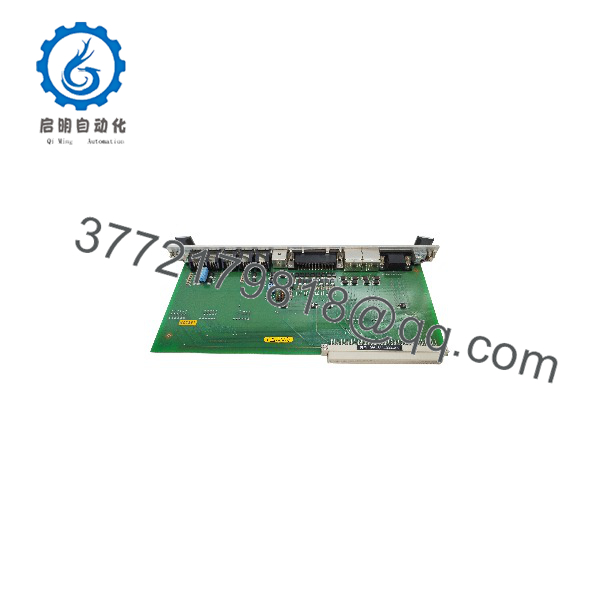
VM600 IOCN
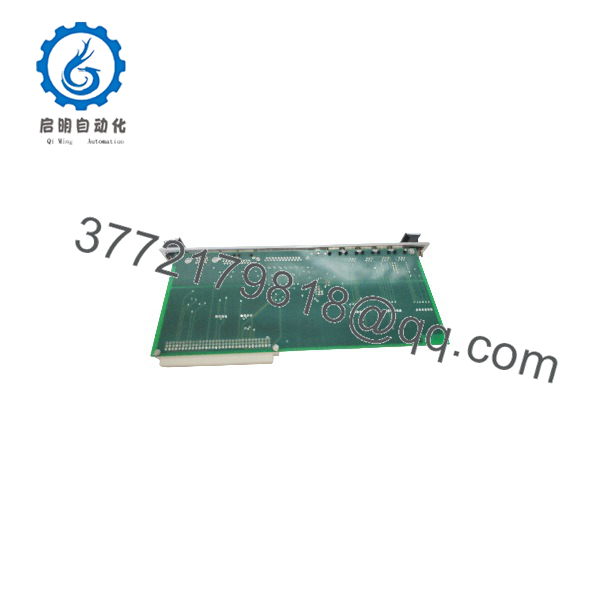
VM600 IOCN
Engineering Selection Highlights
- Direct CMC16 Pairing: Engineered specifically as the rear I/O termination partner for the VM600 CMC16 central communication controller card.
- Dual Ethernet Ports: Provides redundant or dual-path 10/100Base-T Ethernet connections for robust plant network integration.
- Serial Interface Support: Includes integrated RS-232/RS-485 serial communication lines for connection to auxiliary control devices or legacy SCADA systems.
- Rear-Rack Cabling Segregation: Mounts on the backplane of VM600 mainframes, isolating network patch cables from front-plugging measurement cards.
- Hot-Swappable Backplane Design: Integrates into standard VM600 ABE60x rack structures with secure backplane header engagement.
System Compatibility & Integration Requirements
| Item / Dependency | Verified Compatibility or Requirement | Practical Note |
|---|---|---|
| System Mainframe | Vibro-Meter VM600 ABE601 / ABE602 19″ Racks | Installed on the rear rack plane directly behind the associated CMC16 card |
| Front Processing Card | Vibro-Meter VM600 CMC16 Communication Controller | Must be paired with a matching CMC16 card in the corresponding front slot |
| Network Infrastructure | Industrial Ethernet Switches / SCADA Workstations | Connects via CAT5e/CAT6 shielded cables to plant control networks |
| Software Tools | Vibro-Meter MPS / CMS Software Suite | Configured via proprietary software platforms accessing the CMC16 |
Dimensions, Mounting & Connection Notes
- Form Factor: Rear-mounting Eurocard designed for installation into VM600 19-inch rack enclosures.
- Mounting Method: Secured to the rear backplane of the VM600 frame using mounting screws aligned with the corresponding front controller slot.
- Network Cabling: Ethernet patch cables (RJ45) and serial lines connect directly to the rear faceplate connectors of the IOCN module.
- Grounding: Functional shield grounding must be maintained via the rack chassis grounding system to prevent electromagnetic interference on communication lines.
FAQ
What is the function of the Vibro-Meter VM600 IOCN?
The IOCN is a rear input/output communication card that provides physical Ethernet and serial port terminations for a VM600 CMC16 controller card.
Can the IOCN module operate without a front CMC16 card?
No, the IOCN is a passive rear terminal module that requires the front-plugging CMC16 processing card to manage network traffic and protocol translation.
How do I connect the VM600 rack to a plant DCS or SCADA network?
Plant network cables connect directly to the RJ45 Ethernet ports located on the rear IOCN module associated with the rack’s CMC16 controller.
Where is the IOCN card installed in the rack?
It is installed on the rear side of the VM600 mainframe, directly opposite the front slot occupied by the CMC16 module.
Verification & Troubleshooting Notes
- Link & Activity LED Check: Inspect the port status LEDs on the rear IOCN module. Active link lights confirm proper physical connection to network switches or routers.
- Ethernet Cable Continuity: If Modbus TCP communication drops, verify cable integrity and ensure shielded CAT5e/CAT6 cables are securely latched into the RJ45 ports.
- Backplane Alignment Verification: Ensure the rear IOCN card is fully aligned and seated with its corresponding front CMC16 card across the rack backplane connectors.
- IP Configuration Verification: If network access fails, verify that network switch ports, subnet masks, and IP addresses assigned to the front CMC16 card match the plant network configuration.