
 WhatsApp: +86 16626708626
 Email:
  Phone: +86 16626708626
Description
Key Technical Specifications
| Parameter | Value |
| Manufacturer | Vision |
| Part Number | DVSC-TT-14C-09 |
| Display Type | Color Cathode Ray Tube (CRT) |
| Screen Diagonal | 14 inches (35.5 cm) |
| Video Interface | RGB Analog / Composite Video Sync |
| Operating Voltage | 100–240 V AC, 50/60 Hz |
| Power Consumption | 65 W maximum |
| Mounting Configuration | Industrial Panel Mount / Rack Chassis |
| Operating Temperature | 0 to +50 °C (32 to 122 °F) |
| Enclosure Protection | NEMA 12 / IP54 front panel rating |
| Signal Connectors | DB15 / BNC coaxial connections |
Product Introduction & Supply Chain Strategy
The Vision DVSC-TT-14C-09 is a dedicated 14-inch industrial color CRT display terminal engineered for legacy process control monitoring and HMI visual consoles. Designed to interface directly with older DCS, SCADA, and CNC automation architectures, this monitor processes multi-sync video signals to provide clear real-time operational feedback in harsh plant environments.
Procuring this module as New Surplus ensures immediate operational recovery without modifying existing console cutouts or video wiring. Because OEM production on CRT-based terminals has ended, buying genuine New Surplus eliminates the high risk of degraded phosphorus, burnt screens, or dried electrolytic capacitors inherent in third-party repair jobs. Holding a factory-sealed unit in reserve lowers your Total Cost of Ownership (TCO) by preventing weeks of downtime during a sudden monitor failure.
Installation & Configuration Guide
1.Stage 1: Pre-Installation (Prep & Safety):Prerequisite & Safety Lockout.
Perform Lock-Out/Tag-Out (LOTO) on the cabinet power distribution panel. Put on a grounded ESD wrist strap before handling internal signal lines. Take clear photographs of all rear cable connections, termination resistors, and DIP/jumper switch banks on the existing monitor before disconnecting any leads.
2.Stage 2: Removal:Mechanical Extraction.
Unplug the AC main power cord and label the RGB/Sync video connectors. Loosen the panel-mounting brackets along the perimeter of the existing chassis. Carefully extract the monitor straight back out of the rack cutout to avoid putting pressure on adjacent terminal blocks or scratching the front panel seal.
3.Stage 3: Installation (Clone & Seat):Hardware Mounting.
Inspect the New Surplus DVSC-TT-14C-09 for intact factory seals and pristine connector pins. Match any rear DIP switch configurations (such as 75-ohm termination or sync polarity settings) to mirror the old module. Slide the unit into the mounting cutout and secure all perimeter retaining clamps evenly to maintain the panel seal.
4.Stage 4: Power-On & Testing:System Verification.
Verify that the AC supply voltage reads within 100–240 V AC using a digital multimeter before plugging in the power lead. Reattach the video cables and energize the circuit. Confirm the display raster lights up without distortion, and verify that the HMI graphic syncs properly without horizontal or vertical jitter.
Firmware/Software Versions & Upgrade Notes
- Video Signal Compatibility: The DVSC-TT-14C-09 relies on hardware-level analog sync timing. Ensure that the host controller’s graphics card output matches the horizontal scan rates supported by this model (typically 15.75 kHz to 31.5 kHz).
- Hardware Revision Matching: Check the sub-revision suffix on the rear rating plate. Certain revision variants require specific BNC termination resistor settings on the backplane circuit board.
- Firmware Warning: This display hardware operates independently of software firmware. However, changing controller video output drivers during a hardware swap can cause “Out of Scan Range” errors. Do not update display driver software on the host system while replacing this hardware unit.
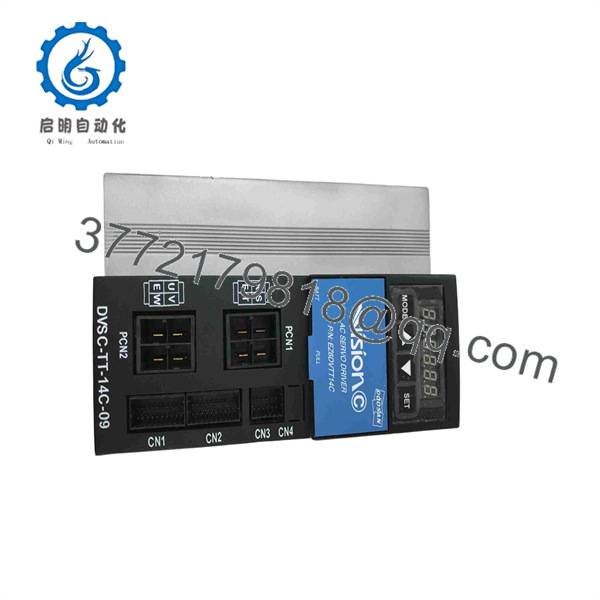
DVSC-TT-14C-09
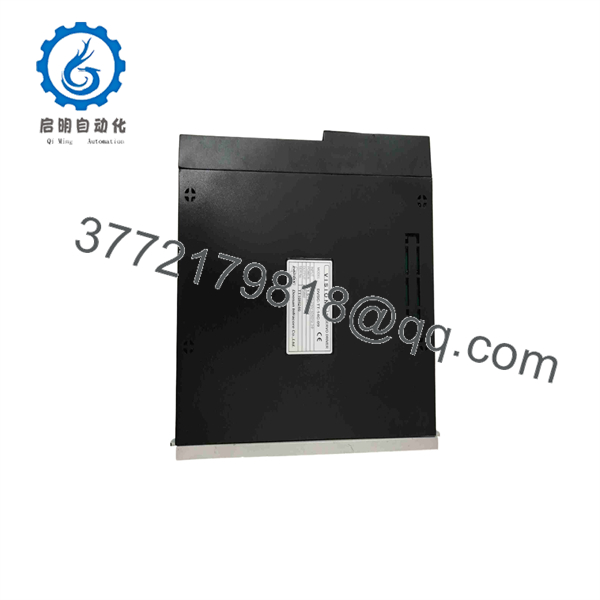
DVSC-TT-14C-09
Frequently Asked Questions (FAQ)
Q: Is this unit genuinely new, or has it been pulled and cleaned up?
A: This product is 100% Brand New Surplus. It has never been installed in an active control panel, pulled from a decommissioned facility, or subjected to component-level refurbishment. All backplane pins, chassis grounds, and CRT guns are in original factory condition.
Q: Why is New Surplus priced higher than repaired or refurbished alternatives on the market?
A: Refurbished CRTs usually carry old, high-hour flyback transformers and aged capacitors that fail under continuous thermal stress. Paying a slight premium for New Surplus buys you unused components with a full operational lifespan, shielding your plant from $10,000+ per hour in unexpected downtime.
Q: Is the DVSC-TT-14C-09 still manufactured by Vision?
A: No, this model is officially obsolete and no longer produced by the original manufacturer. Securing this New Surplus unit is a strategic last-time-buy option to keep your legacy system operating without undergoing an expensive cabinet overhaul.
Q: Can I hot-swap this display while the control system is powered on?
A: No. Always isolate the AC power feed before connecting or disconnecting video lines and main power leads. Hot-plugging CRT terminals can introduce electrical transients that damage both the display’s video input board and the host controller’s graphics interface card.
Q: What warranty coverage applies to this module?
A: We provide a 1-year functional warranty on all New Surplus units. Each monitor undergoes power-on self-testing and ESD-safe repacking before dispatch.



