
 WhatsApp: +86 16626708626
 Email:
  Phone: +86 16626708626
Description
3. Key Technical Specifications
| Parameter | Specification / Value |
|---|---|
| Manufacturer | WAGO |
| Part Number | 758-873 |
| Module Type | Industrial PC (IPC) Controller Unit |
| Operating Voltage | 24 VDC (-15% / +20%) |
| I/O System Compatibility | Direct connection to WAGO 750 / 753 Series I/O modules |
| Interfaces | 2x Ethernet RJ-45, 2x USB, Serial RS-232, CompactFlash / SD Slot |
| Operating System Support | Real-Time Linux / Windows CE / CoDeSys PLC Environment |
| Mounting Style | 35mm DIN Rail Mount (EN 60715) |
| Operating Temperature | 0°C to +55°C (+32°F to +131°F) |
| Degree of Protection | IP20 |
| Packaging | Factory Sealed Anti-Static Shielding Box |
4. Product Introduction & Supply Chain Strategy
This product is a Brand New Surplus unit. It is not used, not pulled from a decommissioned facility, and not refurbished. All modules undergo rigorous quality verification to ensure OEM-level reliability. The WAGO 758-873 IPC unit functions as a centralized control brain, combining PC processing power with direct connection to WAGO 750 series I/O slice modules for real-time motion control and data logging.
Securing this controller as New Surplus is a crucial risk-mitigation strategy for manufacturing facilities relying on legacy WAGO-I/O systems. A main IPC failure causes total process line shutdown. OEM lead times for mature or discontinued IPC controllers can extend into months, while migrating to a modern controller platform requires costly PLC software re-engineering and wiring redesigns. Refurbished IPC modules carry high risks of micro-processor heat damage, degraded flash memory, and failed power capacitors. Purchasing genuine New Surplus guarantees factory-level hardware performance and lower Total Cost of Ownership (TCO).
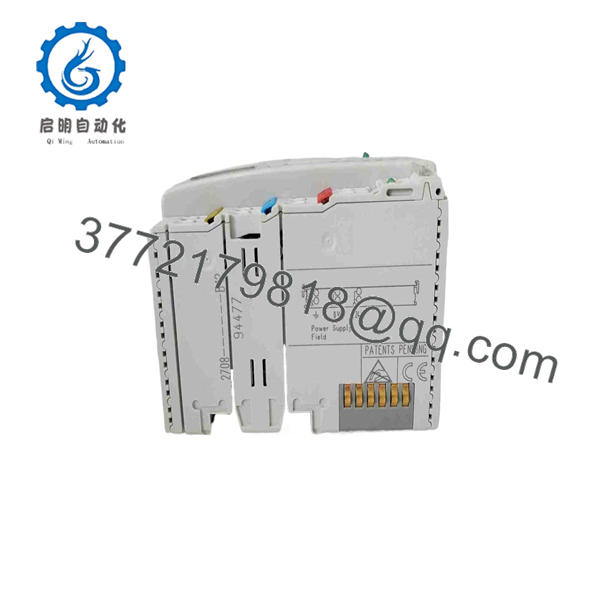
758-873
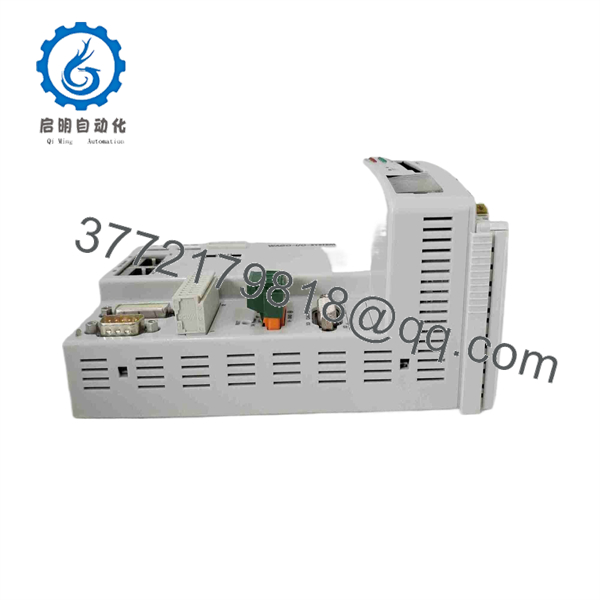
758-873
5. Installation & Configuration Guide
Stage 1: Pre-Installation (Prep & Safety)
- Disconnect the main 24 VDC control power supply and follow Lock-Out/Tag-Out (LOTO) procedures.
- Put on an ESD wrist strap before handling the IPC housing or insertion memory media.
- Backup the application software, IP network settings, and boot runtime files from the original controller’s memory card.
Stage 2: Removal
- Label and unplug all Ethernet cables, serial connections, USB peripherals, and 24 VDC power connectors.
- Release the orange locking lever or DIN-rail retaining latch at the base of the unit.
- Slide the IPC straight out along the rail to disengage it from adjoining WAGO 750 I/O modules without damaging the internal bus contacts.
Stage 3: Installation (Clone & Seat)
- Insert the configured system boot CF/SD card into the memory slot of the replacement 758-873 IPC.
- Snap the replacement unit onto the 35mm DIN rail and slide it firmly against the adjacent I/O modules until the side bus connector latches securely.
- Reattach all network cables, peripheral interface plugs, and the 24 VDC power supply connector.
Stage 4: Power-On & Testing
- Re-energize the 24 VDC power supply; monitor the front LED panel during system boot.
- Confirm the SYS/RUN LED turns solid Green and verify that fieldbus communication LEDs show healthy data exchange.
- Connect via WAGO Ethernet Settings software or CoDeSys to verify remote I/O node recognition and run diagnostic checks.
1
Pre-Installation & Setup
Power isolation & backup
1.Pre-Installation & Setup:Power isolation & backup.
Isolate 24 VDC cabinet power using LOTO protocols. Put on an ESD wrist strap and backup existing program files and IP addresses from the active controller.
2
Module Extraction
Cable & bus disconnect
2.Module Extraction:Cable & bus disconnect.
Unplug communication cables and power terminal blocks. Release the DIN-rail locking mechanism and slide the IPC away from the adjacent I/O bus expansion stack.
3
Hardware Mounting & Connection
Card insertion & rail mounting
3.Hardware Mounting & Connection:Card insertion & rail mounting.
Transfer the boot memory card to the new 758-873 IPC. Snap the controller onto the DIN rail, latch it to the I/O bus stack, and reconnect all wiring harnesses.
4
Validation & Operational Test
LED diagnostic & runtime check
4.Validation & Operational Test:LED diagnostic & runtime check.
Power up the 24 VDC supply. Confirm healthy RUN LED indications and verify active PLC runtime task execution via CoDeSys or web diagnostics.
6. Firmware/Software Versions & Upgrade Notes
- Software Compatibility: Fully compatible with WAGO-I/O-PRO (CoDeSys V2.3) programming environments and WAGO Ethernet Settings utilities.
- Boot Storage: Runtime programs and system IP configurations reside on the removable CompactFlash/SD storage media; ensure the memory card format matches system requirements.
- Power Supply Warning: Always ensure the 24 VDC supply voltage remains within the specified -15%/+20% tolerance; voltage sags under heavy I/O backplane load can cause unexpected IPC system reboots.
7. Frequently Asked Questions (FAQ)
Q: Is the WAGO 758-873 IPC module brand new or refurbished? A: This unit is 100% Genuine New Surplus. It has never been deployed in an active production environment, features pristine connector contacts, and ships in protective packaging.
Q: Why choose New Surplus over a refurbished industrial PC? A: Refurbished IPCs frequently suffer from thermal stress on internal processor chips, degraded onboard RAM, and worn flash memory sectors. In automated control loops, a corrupted IPC causes unpredictable system halts. New Surplus guarantees original hardware reliability and full operational lifespan.
Q: Does this IPC directly support WAGO 750 Series I/O expansion modules? A: Yes. The 758-873 features an integrated side bus interface designed to connect directly to standard WAGO 750 and 753 series digital, analog, and special function I/O slices.
Q: Can I load my existing application program using the memory card slot? A: Yes. By transferring the pre-configured boot card from your original unit into the replacement module, the IPC will load your control program and network parameters automatically upon power-up.
Q: What warranty coverage applies to this spare part? A: We back this WAGO 758-873 module with a comprehensive 1-year replacement warranty, delivering total operational security compared to standard short-term used surplus terms.



