
 WhatsApp: +86 16626708626
 Email:
  Phone: +86 16626708626
Description
Key Technical Specifications
| Parameter | Specification |
|---|---|
| Manufacturer | Watlow Anafaze |
| Model | CAS200 CLS216 |
| Product Family | CLS200 / CAS200 |
| Controller Type | Multi-loop temperature/process controller |
| Number of Control Loops | 16 |
| Additional Pulse Loop | 1 |
| Input Configuration | 16 single-ended inputs |
| Input Types | Thermocouple, linear DC voltage/current, pulse |
| PID Control | Yes |
| Auto-Tuning | Supported |
| Digital Inputs | Up to 8 |
| Digital Outputs | Up to 34 |
| Communications | EIA/TIA-232 / EIA/TIA-485 |
| Protocol | Modbus RTU supported by CAS200 |
| Ramp/Soak | Optional firmware feature |
| Advanced Control | Cascade, ratio, and differential control available with enhanced features |
| Operator Interface | 32-character VFD and eight-key keypad on applicable configuration |
| Software | WATVIEW |
| RTD Support | Not available on CLS216/CAS200 according to the communications manual |
The Watlow controller documentation specifies 16 single-ended inputs for CLS216, while CLS204 and CLS208 use differential inputs. The manual also states that RTD1 and RTD2 inputs are not available on CLS216/16CLS and CAS200/CAS.
The controller architecture provides up to 34 digital outputs and eight digital inputs, with EIA/TIA-232 and EIA/TIA-485 communications. CAS200 documentation also identifies Modbus RTU support.
Product Introduction
The Watlow Anafaze CLS216 is a high-density multi-loop temperature/process controller designed to manage up to 16 independent PID control loops. The CLS216 configuration uses 16 single-ended inputs and supports thermocouple and linear input types, making it suitable for multi-zone thermal equipment where individual loop control is required.
The controller also provides configurable digital I/O, serial communications, auto-tuning, alarms, and optional ramp/soak or enhanced control functions. For legacy equipment, the key replacement checks are input topology, firmware options, I/O assignments, communications settings, and stored job/configuration data.
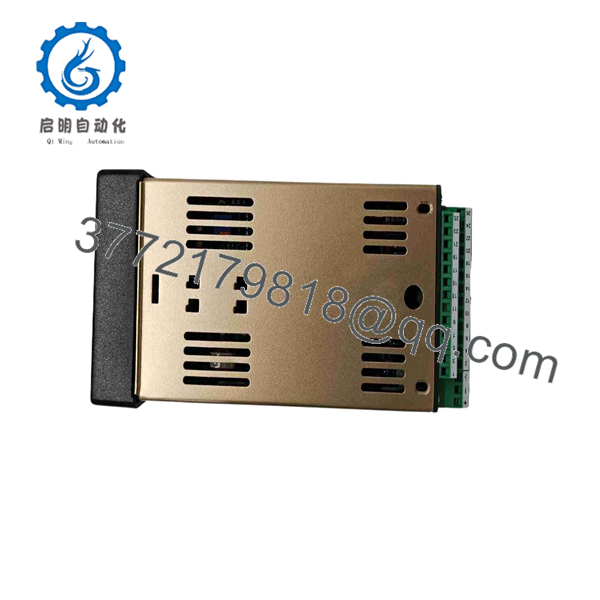
CAS200 CLS216
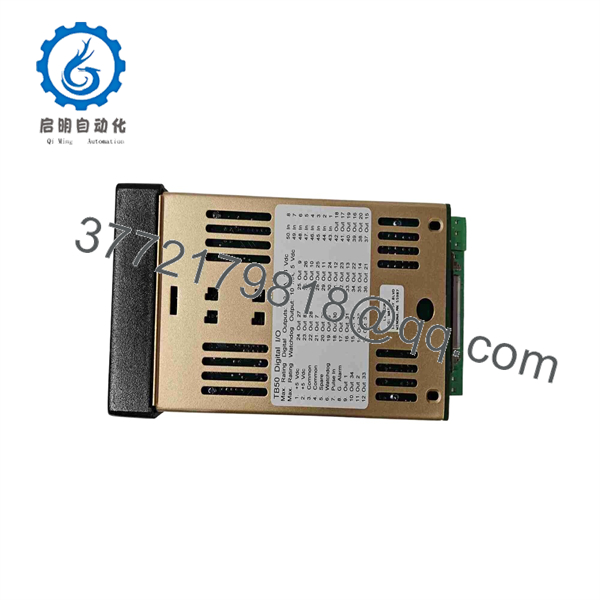
CAS200 CLS216
Installation & Configuration Guide
Stage 1 — Pre-Installation
- Record the existing / model, firmware revision, option configuration, and application settings.
- Back up all available controller configuration and job data through the supported serial interface/software.
- Record every temperature-input channel and its sensor type.
- Document digital-output assignments for heaters, alarms, cooling devices, and auxiliary functions.
- Record the existing EIA-232/EIA-485 communication parameters.
- Confirm that the replacement is the same input configuration.
⚠️ Critical: uses single-ended inputs. Do not assume that a CLS204 or CLS208 is a direct electrical substitute simply because it belongs to the CLS200 family.
Stage 2 — Removal
- Shut down the controlled process according to the plant’s operating procedure.
- Isolate controller power and associated heater/actuator circuits.
- Verify the absence of hazardous voltage before disconnecting wiring.
- Label all sensor and I/O conductors.
- Record connector positions and communication wiring.
- Remove the existing controller without disturbing adjacent low-level sensor wiring.
Stage 3 — Installation & Configuration
- Install the replacement controller in the existing panel location.
- Reconnect the 16 sensor channels according to the documented channel map.
- Verify thermocouple polarity and sensor type on every channel.
- Reconnect digital inputs and outputs using the original I/O assignment record.
- Restore EIA/TIA-232 or EIA/TIA-485 communication wiring.
- Restore controller configuration and job data where available.
- Verify PID parameters, alarm limits, heat/cool assignments, and output assignments.
- If Ramp/Soak or enhanced features were used, confirm that the replacement has the corresponding firmware option.
Stage 4 — Commissioning
- Power the controller with all process outputs in a safe state.
- Confirm the controller starts without configuration or hardware faults.
- Check each temperature input against a known process condition or suitable simulator.
- Verify that channel numbering matches the PLC/HMI/SCADA documentation.
- Test each digital output individually before enabling automatic control.
- Confirm communication with the supervisory system.
- Run PID loops at reduced process demand.
- Verify high/low alarms and sensor-failure detection.
- Test the normal operating sequence and any ramp/soak profiles.
- Return the process to normal operation only after all channels pass the commissioning checklist.
Estimated replacement time: 2–4 hours for a documented installation. Additional time may be required if the original configuration, firmware options, or I/O wiring records are unavailable.
FAQ
Q1. What is the Watlow ?
It is a Watlow Anafaze multi-loop temperature/process controller configuration capable of controlling 16 independent loops. The communications documentation groups and under the 16-loop configuration.
Q2. How many temperature inputs does have?
provides 16 single-ended inputs. This is an important distinction from CLS204 and CLS208, which use differential input configurations.
Q3. Does support Modbus?
Yes. Watlow documentation identifies Modbus RTU support for the , in addition to its serial communications architecture.
Q4. Does support RTD sensors?
The Watlow communications manual specifically states that the RTD1 and RTD2 input types are not available on /16CLS and /CAS. Therefore, verify the actual sensor type before planning a replacement.
Q5. How many digital outputs are available?
The CLS200 documentation specifies up to 34 configurable digital outputs and up to eight digital inputs. Outputs can be assigned for control, alarms, and other supported functions.
Q6. Is obsolete?
Watlow’s agency-approval index lists as obsolete, with an obsolescence date shown as October 14, 2014. This makes configuration verification and spare-unit planning particularly important for existing installations.
Q7. Can another CLS200 controller replace directly?
Not without checking the application. Input topology, firmware options, digital I/O assignments, communications configuration, and stored control jobs must match. Verify precise compatibility with the OEM documentation before installation.



