
 WhatsApp: +86 16626708626
 Email:
  Phone: +86 16626708626
Description
Key Technical Specifications
| Parameter | Value |
|---|---|
| Manufacturer | Westermo Teleindustri AB |
| Model Number | PS-02 |
| Product Type | Industrial power supply module |
| Application | Power supply for Westermo communication equipment |
| Input Voltage | Verify exact variant from product label |
| Output Voltage | Verify exact variant from product label |
| Mounting Method | Industrial cabinet / rack installation |
| Operating Environment | Industrial automation applications |
| Compatibility | Westermo legacy communication equipment |
| Connection Type | Screw terminal / industrial connector (variant dependent) |
| Protection Features | Industrial electrical protection design |
| Installation Location | Control cabinets, communication racks |
| Product Status | Legacy / replacement stock |
Technical Note:
Westermo produced several PS-series power accessories and legacy communication products. The exact electrical ratings for PS-02 depend on the hardware revision and associated Westermo equipment. Always verify the nameplate information before direct replacement.
Product Introduction
The Westermo PS-02 is a legacy industrial power supply module designed for use with Westermo industrial communication equipment. It provides the required DC power interface for industrial networking installations where controlled power delivery and reliable cabinet integration are required.
The PS-02 is typically encountered in older Westermo serial communication and industrial networking systems. For replacement projects, engineers should verify voltage ratings, connector pinout, and connected equipment requirements before installation because legacy Westermo accessories often have application-specific variants.
Installation & Configuration Guide
Stage 1: Pre-Installation Preparation (Estimated Time: 10 Minutes)
⚠️ Safety First
- Notify operations personnel before replacing the Westermo PS-02.
- Confirm the communication system can be temporarily interrupted.
- Apply lockout/tagout procedures to the cabinet power source.
- Remove input power.
- Wait at least 5 minutes for stored energy discharge.
Tools Required
- ESD wrist strap
- PH1 screwdriver
- Digital multimeter
- Wire labels
- Smartphone for installation photos
Data Backup
- Record the existing PS-02 installation.
- Photograph:
- Terminal wiring
- Power polarity
- Ground connections
- Adjacent Westermo devices
- Record:
- Input voltage
- Output voltage
- Connected device model numbers
Stage 2: Removing the Old Module (Estimated Time: 10 Minutes)
- Open the control cabinet.
- Verify power is removed using a multimeter.
- Label all power wires before disconnecting.
- Remove terminal connections carefully.
- Release the mounting hardware.
- Remove the PS-02 module.
Inspect:
- Terminal condition
- Wiring insulation
- Ground connection
- Cabinet contamination
- Signs of overheating
⚠️ Keep the original unit available until the replacement is fully tested.
Legacy communication systems often depend on wiring details that are not obvious from the module label alone.
Stage 3: Installing the New Module (Estimated Time: 10 Minutes)
- Wear an ESD wrist strap before handling the replacement.
- Verify:
- Westermo brand marking
- PS-02 model identification
- Voltage rating
- Connector arrangement
- Mount the replacement unit in the original position.
- Reconnect wiring according to the recorded photographs.
Configuration Verification (Critical Step)
Before power-up, confirm:
- Input polarity is correct.
- Output voltage matches connected equipment requirements.
- Grounding is restored.
- Terminal screws are tightened.
Self Checklist
- Correct PS-02 variant confirmed
- Voltage ratings verified
- Wiring polarity checked
- Ground connection secured
- Mounting hardware locked
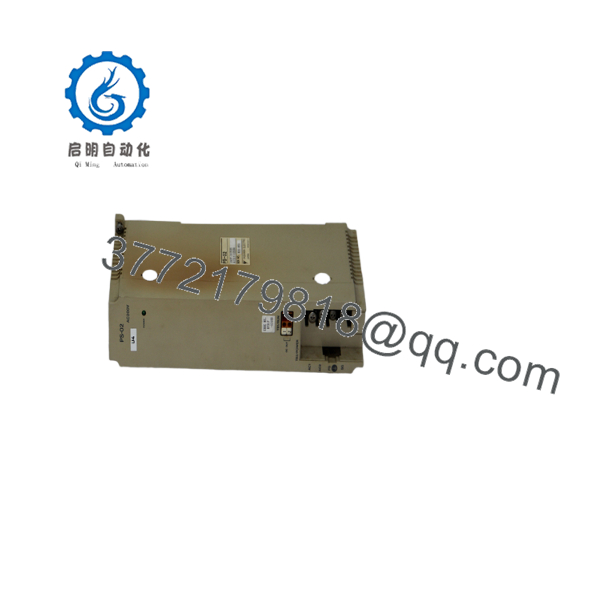
PS-02
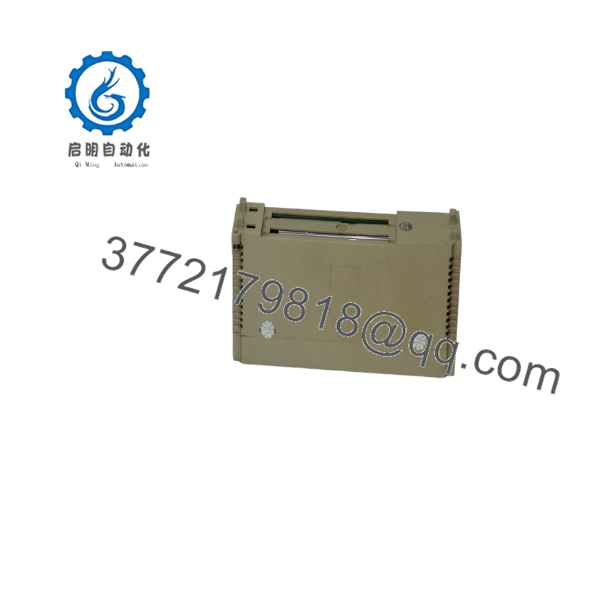
PS-02
Stage 4: Power-On & Testing (Estimated Time: 20 Minutes)
Pre-Power Check
- Measure input voltage.
- Verify no short circuit exists.
- Confirm output wiring is isolated correctly.
Power-On Steps
- Energize cabinet power.
- Measure PS-02 output voltage.
- Check connected Westermo communication equipment.
- Verify network device startup sequence.
- Confirm communication links recover.
⚠️ Troubleshooting Note
- No output voltage: check input supply and fuse protection.
- Communication failure after replacement: verify output voltage stability and connector pinout.
- Repeated shutdown: inspect load current and cabinet temperature.
Frequently Asked Questions (FAQ)
Q1: What is the Westermo PS-02 used for?
The Westermo PS-02 is a legacy power supply accessory used with industrial communication equipment. It provides power conversion or distribution required by specific Westermo installations.
Q2: Is the Westermo PS-02 still manufactured?
The PS-02 is considered a legacy Westermo component. Availability is generally through remaining inventory, surplus stock, or tested replacement units. For critical infrastructure, verify lifecycle status with the installed system documentation.
Q3: Can I hot-swap the Westermo PS-02?
No. Power modules should not normally be replaced under live power. Disconnect the supply before removing terminals. Incorrect handling can damage both the power unit and connected communication equipment.
Q4: Is PS-02 a universal replacement power supply?
No. Do not assume compatibility based only on the model number. Verify:
- Input voltage
- Output voltage
- Current rating
- Connector type
- Connected Westermo equipment model
Legacy industrial power accessories frequently have application-specific requirements.
Q5: Will replacing the PS-02 affect network configuration?
Normally, no. The PS-02 is a power component and does not store Ethernet, serial, or protocol configuration. However, power interruption may restart connected communication devices.
Q6: Why are Westermo PS-02 units harder to source?
The PS-02 belongs to an older generation of industrial communication hardware. Many plants continue operating legacy Westermo systems because replacement requires cabinet modifications, rewiring, and downtime planning.
Q7: What condition should I request when purchasing a replacement PS-02?
For critical automation systems, request:
- New Original / New Surplus: Unused OEM inventory with original labeling.
- Refurbished (tested): Inspected unit with electrical verification records.
Ask for product photos, serial number verification, and test documentation before installation.



