WhatsApp: +86 16626708626
 Email:
 Phone: +86 16626708626
Description
Key Technical Specifications
| Parameter | Value |
|---|---|
| Catalog number | SST-PB3-PCIE-2 |
| Brand | Woodhead / Molex / SST BradCommunications |
| Product type | PCIe PROFIBUS network interface card |
| Host bus interface | PCI Express 1× |
| PROFIBUS channels | 2 independent channels |
| Supported protocol family | PROFIBUS |
| Operating modes | PROFIBUS DP master, DP slave, and FDL |
| Baud rate range | 9.6 kbit/s to 12 Mbit/s |
| Physical interface | 2 PROFIBUS D-sub connectors, configuration-dependent |
| Software support | SST PROFIBUS configuration/diagnostic software, Windows drivers, COM DTM, and DLL interfaces |
| Diagnostic indication | On-board diagnostic LEDs |
| Supported PC platforms | Industrial PC or workstation with an available PCIe slot and supported Windows OS |
| Power source | Supplied by the PCIe slot; no separate external power supply required |
| Manufacturer status | Discontinued by manufacturer |
| Related model | SST-PB3-PCI-2, the PCI-bus two-channel predecessor/related interface |
| Typical applications | PLC/SCADA-to-PROFIBUS integration, DP master networks, DP slave simulation, and PROFIBUS diagnostics |
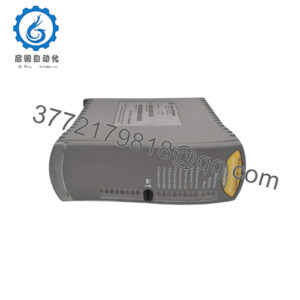
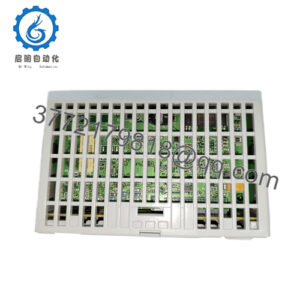
The SST-PB3-PCIE-2 is a two-channel PCIe PROFIBUS interface card from Woodhead/Molex SST. It supports PROFIBUS DP master, DP slave, and FDL operation at network speeds from 9.6 kbit/s to 12 Mbit/s.
Product Introduction
The Woodhead SST-PB3-PCIE-2 is a dual-channel PROFIBUS network interface card for PCI Express-equipped industrial PCs and engineering workstations. It enables a PC to operate as a PROFIBUS DP master, DP slave, or FDL participant, making it useful for PLC integration, commissioning, diagnostics, and legacy PROFIBUS system maintenance.
Its two independent channels allow simultaneous PROFIBUS tasks on one PCIe card. The card is commonly used where a modern PC must communicate with legacy PROFIBUS DP equipment without replacing the existing PLC, remote I/O, drives, or field devices.
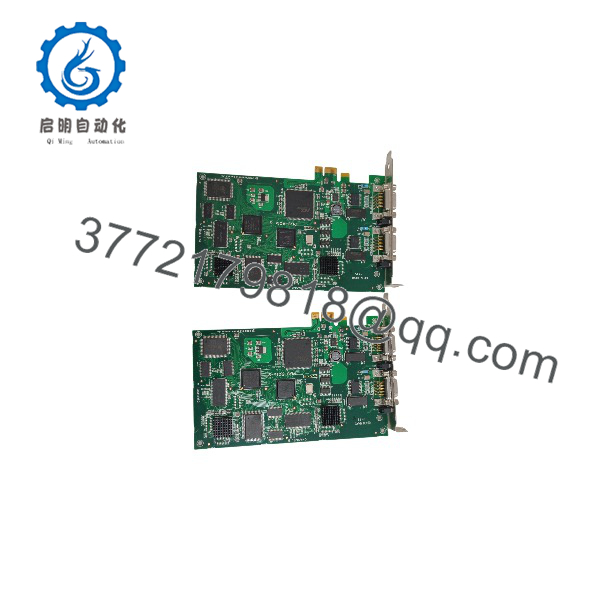
SST-PB3-PCIE-2
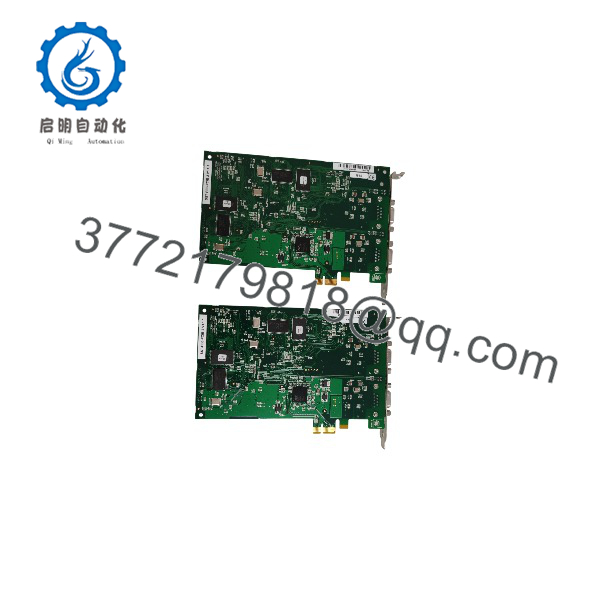
SST-PB3-PCIE-2
Installation & Configuration Guide
Stage 1: Pre-Installation Preparation
Estimated time: 15–30 minutes.
- ⚠️ Shut down the host PC and disconnect the AC power cord.
- Press the PC power button once after unplugging to discharge residual power.
- Apply lockout/tagout if the PC is installed in an energized control panel.
- Prepare an ESD wrist strap, ESD mat, Phillips screwdriver, PROFIBUS cables, terminating resistors, and the SST software/media.
- Record the installed SST driver version, PROFIBUS channel configuration, node addresses, baud rates, and GSD files.
- Back up the PROFIBUS project and any associated PLC/SCADA configuration.
- Verify that the host PC has an available PCIe 1× or larger slot and a supported Windows operating system.
⚠️ Do not install the card into a powered PCIe slot. PCIe hot-plug is not a supported installation method for this legacy interface card.
Stage 2: Removing the Old Card
Estimated time: 10–15 minutes.
- Shut down the PC and remove the AC power cord.
- Open the chassis side panel and attach an ESD wrist strap to a grounded chassis point.
- Label both PROFIBUS cable connections and record which connector belongs to channel 1 and channel 2.
- Disconnect the PROFIBUS cables from the card’s D-sub connectors.
- Remove the PCIe retaining screw or bracket fastener.
- Press the PCIe slot retention latch and withdraw the card straight from the slot.
- Inspect the PCIe edge connector, bracket, D-sub connectors, and chassis slot for damage or contamination.
⚠️ Keep the removed SST-PB3-PCIE-2 until the replacement has passed driver installation, PROFIBUS diagnostics, and live network communication checks.
Stage 3: Installing the New Card
Estimated time: 10–15 minutes.
- Verify the replacement is exactly SST-PB3-PCIE-2, the two-channel PCIe version—not SST-PB3-PCI-2 or the single-channel variant.
- Put on an ESD wrist strap before handling the card.
- Insert the card firmly into the PCIe slot until the edge connector is fully seated.
- Secure the bracket with the original chassis screw.
- Reconnect the labeled PROFIBUS cables to the correct channel connectors.
- Verify bus termination: enable termination only at the physical ends of each PROFIBUS segment.
- Close the chassis and reconnect AC power.
Self-checklist:
- Correct SST-PB3-PCIE-2 two-channel model confirmed
- PCIe card fully seated and bracket secured
- PROFIBUS cables connected to the correct channels
- Bus termination verified at segment ends
- Shield/ground continuity maintained
- Driver media and configuration backup available
Stage 4: Driver Installation & Testing
Estimated time: 30–60 minutes.
- Power on the PC and install the appropriate SST PROFIBUS driver package for the supported Windows version.
- Confirm that Windows recognizes both PROFIBUS channels.
- Open the SST configuration/diagnostic utility and verify the card is detected.
- Configure each channel independently: PROFIBUS mode, node address, baud rate, bus parameters, and GSD-based slave configuration.
- Download the configuration to the card.
- Use the diagnostic function to check bus activity, slave response, diagnostic entries, and communication errors.
- Test a controlled DP-master exchange with the PLC or verify DP-slave/FDL communication as applicable.
- Monitor both channels for at least 30 minutes before returning the system to production.
⚠️ If a channel reports no bus activity, check the PROFIBUS cable A/B polarity, shield grounding, terminating resistors, baud rate, node address conflicts, and PLC/DP-master configuration before replacing the card.
Frequently Asked Questions (FAQ)
Is the SST-PB3-PCIE-2 a PROFIBUS card?
Yes. It is a two-channel PCIe PROFIBUS network interface card from Woodhead/Molex SST, supporting PROFIBUS DP master, DP slave, and FDL operation.
How many PROFIBUS channels does it provide?
It provides two independent PROFIBUS channels on one PCIe card.
What baud rates does it support?
It supports PROFIBUS speeds from 9.6 kbit/s to 12 Mbit/s.
Can it operate as both DP master and DP slave?
Yes. The SST PROFIBUS interface family supports simultaneous execution of PROFIBUS DP master, DP slave, and FDL functions, subject to the configured application and driver capabilities.
Is the SST-PB3-PCIE-2 obsolete?
Yes. Radwell identifies it as discontinued by the manufacturer. Availability is generally limited to surplus, refurbished, or exchange stock.
Does it require an external power supply?
No. It is powered through the PCIe slot. Verify that the host PC’s PCIe slot and power supply can support the card under normal operating conditions.
Can I use it in a modern Windows 11 PC?
Do not assume driver compatibility. This is legacy SST/Woodhead hardware, and driver support depends on the SST software release and Windows version. Test the exact driver package on the target operating system before deploying it in production.
Why does the card cost more than a generic PCIe card?
It contains two independent PROFIBUS channels, PROFIBUS DP/FDL protocol support, SST diagnostic software integration, and industrial-network-specific hardware—not a generic Ethernet or serial PCIe controller.