
 WhatsApp: +86 16626708626
 Email:
  Phone: +86 16626708626
Description
Key Technical Specifications
| Parameter | Value |
|---|---|
| Part Number | 5466-1001 |
| Manufacturer | Woodward |
| Product Family | MicroNet-Plus Digital Controller |
| Module Type | 2-Slot Power Supply Module |
| Input Voltage | 110 VAC / 125 VDC |
| Output Voltage | 24 VDC |
| Output Current | 16 A maximum |
| Current Sharing | Yes (balances load across PSUs) |
| Maximum Stub Length | 300 mm |
| Dimensions | 461 mm (H) × 265 mm (W) × 59 mm (D) |
| Weight | 22 kg (in chassis) |
| Operating Temperature | 0 to 55°C |
| Network Isolation | 0-60 Hz: 1000 Vrms |
| Speed Sensing Range | 1 to 30 Vac |
| Safety Certification | SIL approved (with MicroNet Safety Module) |
| Certifications | LVD, EMC, ATEX |
| Country of Origin | United States (USA) |
| Front Panel LEDs | OK, Input Fault, Overtemperature, Power Supply Fault |
Product Introduction
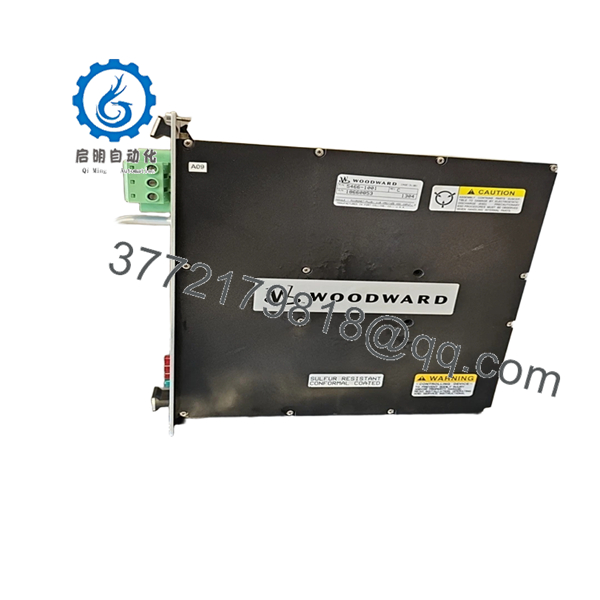
Woodward 5466-1001 is a 2-slot power supply module for the MicroNet-Plus Digital Controller platform. It accepts 110 VAC or 125 VDC input and delivers 24 VDC @ 16 A output to power the controller chassis. Current sharing circuitry automatically balances the load across multiple power supplies to reduce heat and improve reliability.
This module supports hot-swapping when one power supply fails—current sharing allows you to replace a failed unit while the control stays online. Four front-panel LEDs (OK, Input Fault, Overtemperature, Power Supply Fault) provide immediate status indication. The unit is SIL-approved when used with the MicroNet Safety Module and carries LVD, EMC, and ATEX certifications.

- 5466-1001
Troubleshooting Quick Reference
| Symptom | Possible Cause | Relevance to this Part | Quick Check Method | Recommendation |
|---|---|---|---|---|
| No 24 VDC output | Missing input power, blown fuse, or failed PSU | ✅ High | Measure 110 VAC/125 VDC at input terminals; check fuses | Verify input power first, then replace PSU if output is absent |
| OK LED off or flashing | Power supply fault or input fault | ✅ High | Check which LED is lit/flashing; read fault code | Replace PSU if fault LED stays on after verifying input |
| Overtemperature LED on | Cooling fan failure or blocked airflow | ✅ High | Check fan operation; inspect vents for dust/debris | Clean vents and verify fan rotation; replace if overheating persists |
| One PSU failing in redundant setup | Current sharing circuit failure or mismatched PSU | ✅ High | Compare output voltage between PSUs; check load balance | Replace the faulty PSU; ensure both units are same model/revision |
| Controller won’t power up | Both PSUs failed or backplane fault | ✅ High | Test each PSU independently; measure 24 VDC at backplane | Replace failed PSU(s); check backplane for shorts if both fail |
| Intermittent controller resets | Marginal output voltage or loose connections | ✅ High | Monitor 24 VDC under load; check for voltage drops >1 V | Replace PSU if voltage sags; tighten all terminal connections |
| Input Fault LED on | Input voltage out of range or reversed polarity | ✅ High | Measure input voltage; verify polarity at terminals | Correct input wiring and voltage; replace if fault persists |
Contact Woodward Turbine Help Desk at 1-970-498-3095 or [email protected] with photos and diagnostic logs for OEM support.
Frequently Asked Questions
Q: Is the Woodward 5466-1001 still in production?
A: This is legacy MicroNet-Plus hardware. Stock is typically new unused surplus or rebuilt inventory. Verify current availability with suppliers before ordering.
Q: What does this module do?
A: It powers a MicroNet-Plus digital controller chassis. It converts 110 VAC or 125 VDC input to 24 VDC @ 16 A output and provides current sharing so multiple PSUs can run in parallel with load balancing.
Q: Can I hot-swap this power supply?
A: Yes, when used in a redundant setup with current sharing. If one PSU fails, you can replace it while the control stays online. However, you must disconnect power when installing a brand-new unit initially.
Q: What do the four LEDs mean?
A: The front panel has OK (green), Input Fault (red), Overtemperature (amber), and Power Supply Fault (red). They light solid or flash when a fault is detected—use them for quick diagnostics.
Q: Can I mix this with other power supply models?
A: No. For current sharing to work properly, all power supplies in the chassis must be the same model and revision. Mismatched PSUs can cause load imbalance and failure.
Q: What input voltage options does it support?
A: It accepts either 110 VAC or 125 VDC input. Make sure your site power matches this before ordering—this is not a universal input unit.
Q: Why is this cheaper than buying new from the OEM?
A: This is legacy hardware available as new unused surplus or rebuilt inventory, not current OEM production. The lower price reflects limited availability, not a different operating principle.
Q: What should I check before ordering?
A: Confirm the exact part number (5466-1001), verify your chassis is MicroNet-Plus, check your input voltage (110 VAC vs 125 VDC), and confirm the module condition (unused vs rebuilt). Also verify the manual (26166V2) matches your system configuration and check warranty terms.



