
 WhatsApp: +86 16626708626
 Email:
  Phone: +86 16626708626
Description
Key Technical Specifications
- Model: 9907-1228
- Manufacturer: Woodward
- Product Category: Engine Control / Speed Control
- Application: Industrial engine and turbine control systems
- Control Function: Speed regulation and control-system interface
- Configuration: Model-specific; verify application configuration before replacement
- Input/Output: Verify against the installed controller and OEM wiring documentation
- Power Requirements: Verify from the applicable Woodward manual
- Communication Interface: Application-dependent; verify before installation
- Firmware/Configuration: Must be checked against the existing control system
- Operating Temperature: Verify against the applicable OEM specification
- Condition: Confirm New Original, New Surplus, or Refurbished status before purchase
Technical note: The supplied source provides the generation rules but does not contain verified technical specifications for Woodward 9907-1228. I would not invent voltage, I/O count, dimensions, firmware, or communication parameters without the applicable Woodward documentation.
Product Introduction
Woodward 9907-1228 is an industrial control component used in engine or turbine speed-control applications. The exact system function, electrical configuration, and supported accessories depend on the specific Woodward control platform in which the unit is installed.
For a replacement, match the complete part number rather than relying on physical appearance alone. Before installation, record the existing configuration, wiring, firmware information, and switch or jumper settings where applicable.
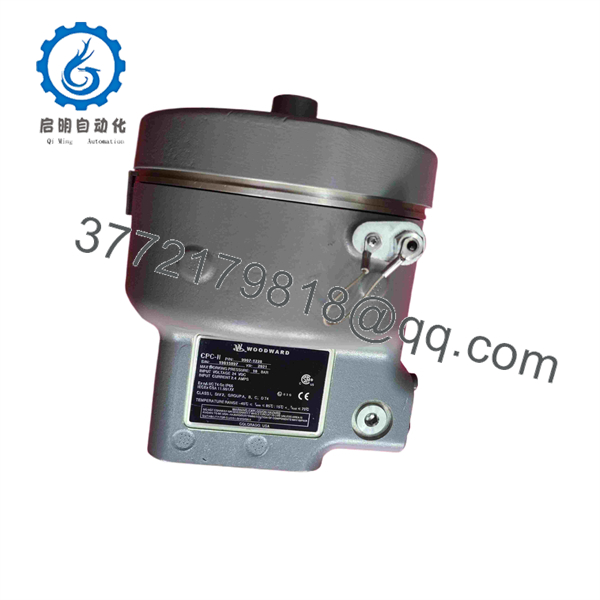
9907-1228
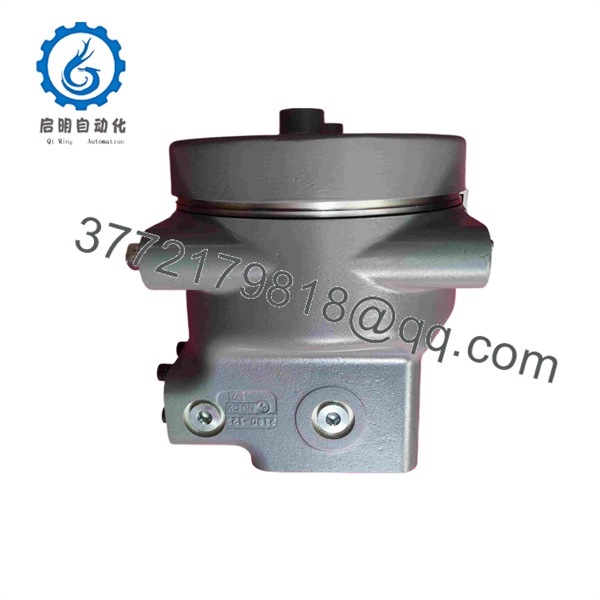
9907-1228
Installation & Configuration Guide
Stage 1: Pre-Installation Preparation — 5–10 minutes
⚠️ Safety First: Notify operations, place the equipment in a safe state, apply lockout/tagout, and allow stored electrical energy to discharge before handling the module.
Tools Required:
- ESD wrist strap
- Phillips screwdriver
- Digital multimeter
- Wire labels
- Smartphone or camera for configuration photos
Data Backup:
- Record the complete existing model and serial information.
- Photograph terminal wiring before disconnection.
- Photograph DIP switches, jumpers, and configuration settings if present.
- Record controller configuration and firmware information.
- Keep the removed unit available until commissioning is complete.
Stage 2: Removing the Old Module — 5 minutes
- Remove the applicable front cover or bezel.
- Label every wire before disconnecting it.
- Disconnect terminals without pulling on the conductors.
- Release the applicable rack, DIN-rail, or mounting mechanism.
- Remove the module straight out.
- Inspect connectors and mating hardware for contamination or physical damage.
⚠️ Do not discard the old 9907-series unit immediately. Its configuration and wiring provide the best reference if commissioning problems occur.
Stage 3: Installing the New Module — 5–10 minutes
- Put on an ESD wrist strap and verify the replacement part number.
- Compare the replacement unit against the removed module.
- Replicate documented switches, jumpers, and configuration settings exactly.
- Install the module into its mounting position.
- Confirm that connectors are fully seated.
- Reconnect wiring according to the approved wiring diagram.
- Check terminal tightness before energizing.
Self-Checklist:
- Exact model number verified
- Configuration documented
- Wiring labels checked
- Connectors fully seated
- Mounting hardware secured
- ESD precautions followed
Stage 4: Power-On & Testing — 10–15 minutes
- Perform a multimeter check for unintended shorts before applying power.
- Energize the control system according to the approved startup procedure.
- Observe all available status indicators.
- Verify the controller recognizes the installed module.
- Check configuration and firmware information.
- Perform a controlled speed-control test.
- Confirm stable operation under the applicable operating load.
⚠️ If the controller does not communicate or the engine control does not respond correctly, stop the commissioning sequence. Check the exact part number, wiring, configuration, firmware compatibility, and system-specific documentation before making further changes.
The source specifically requires firmware/configuration verification and warns against assuming that a replacement module will automatically match the existing system.
Frequently Asked Questions (FAQ)
Can I hot-swap the Woodward 9907-1228?
Do not assume that it is hot-swappable. The source instructions require the equipment to be placed in a safe state and power to be isolated before module removal. Verify the applicable Woodward manual for the specific installation before attempting any energized replacement.
Is Woodward 9907-1228 obsolete?
The supplied source does not establish the current lifecycle status of 9907-1228. Confirm availability and OEM lifecycle status before treating the model as obsolete.
Is this a direct replacement for another Woodward model?
Not automatically. A similar housing or application does not establish electrical or functional compatibility. Match the complete part number and verify the control-system documentation before substitution.
Will I lose the existing programming when replacing the module?
That depends on where the application configuration is stored. Back up the existing configuration before removing the old unit. Also photograph physical configuration settings because DIP switches and jumpers can affect node addresses, termination, and operating parameters.
Why should I verify the exact part number instead of buying a similar unit?
Woodward control hardware can have application-specific electrical interfaces and configuration requirements. A visually similar module can still have different wiring, firmware, or operating requirements. Exact model-number verification reduces the risk of commissioning delays.
Is a New Original unit different from refurbished stock?
Yes. “New Original” or “New Surplus” indicates unused OEM-origin stock, while “Refurbished (tested)” indicates previously used equipment that has undergone inspection and testing. The actual condition should be stated explicitly before purchase.



