
 WhatsApp: +86 16626708626
 Email:
  Phone: +86 16626708626
Description
Key Technical Specifications
| Parameter | Specification |
| Manufacturer | Yaskawa Electric |
| Model Number | CP-9200SH/CPU |
| Base Part / Board Number | DDCP-921310B / 87921-3111-S0402 |
| System Platform | MP920 Machine Controller Rack |
| On-Board Memory | 2 MB RAM (Battery Backed) |
| Operating Temperature | 0°C to +55°C (32°F to 131°F) |
| Storage Temperature | -25°C to +85°C (-13°F to 185°F) |
| Ambient Humidity | 30% to 85% RH (Non-condensing) |
| Backplane Power Consumption | 5V DC ±5%, 1.2 A max draw |
| Status Indicators | LED displays (RDY, RUN, ALM, ERR, BAT) |
| Mounting Style | MP920 Base Rack Slot Installation |
| Module Dimensions | 130 mm x 30 mm x 105 mm (approx.) |
| Unit Weight | 0.59 kg (1.30 lbs) |
Product Introduction
The Yaskawa CP-9200SH/CPU is the main processing unit for the legacy MP920 machine controller system, engineered to manage complex high-speed motion routines across multiple axes. It executes system control programs, coordinates real-time servo loops, and handles data exchange across the MP920 backplane. Designed for multi-axis machinery, it processes complex motion trajectories without lagging critical fieldbus cycles.
This CPU module remains a key component for legacy industrial production lines running Yaskawa servo networks. Rather than re-engineering a machine tool or packaging line for a modern control architecture, dropping in a replacement CP-9200SH/CPU preserves system logic, minimizes machine downtime, and eliminates retrofitting expenses.
Core Strategy 1: SOP Quality Transparency
To ensure our surplus and refurbished Yaskawa stock functions properly out of the box, every CP-9200SH/CPU goes through our 5-step bench evaluation:
- Inbound Traceability & Visual Inspection
- OEM serial number validation against original shipping lot data.
- Inspection under magnification for micro-cracks on the edge connectors, PCB trace discoloration, missing surface-mount components, or leaking battery terminals.
- Physical check of retaining clips, front faceplate keyways, and grounding tabs.
- Live Functional Testing
- Mounted into a verified Yaskawa MP920 test rack powered by an internal Yaskawa PSU.
- Power-On Self-Test (POST): Verification of proper initialization sequence—monitoring RDY and RUN status LEDs while checking for immediate hardware fault codes.
- Handshake & Processing Check: Connected to a bench setup via MPTST software to run a standard 24-hour routine, executing floating-point math and motion control instructions continuously while monitoring internal temperatures.
- Generation of a bench test report detailing run-time diagnostic logs.
- Electrical Parameter Testing
- Insulation Resistance: 500V Megger test between logic ground and rack frame (>10 MΩ rating).
- Power Rail Stability: Using a Fluke 115 multimeter, we verify backplane voltage drops remain under 100 mV under full CPU load.
- Firmware & Configuration Verification
- Document and log the onboard system firmware revision.
- Verify battery backup circuit retention by storing a sample program, disconnecting power for 12 hours, and confirming zero memory corruption upon power-up.
- Final QC & ESD Packaging
- Lead inspector verification and physical sign-off on the unit record card.
- Cleaned with non-conductive electronic cleaner and sealed in a static-shielding ESD bag.
- Packaged in custom-cut dense foam within a 200 lb test corrugated box to prevent physical stress during transport.
Detailed test photos and live-run video recordings are available upon request before dispatch.
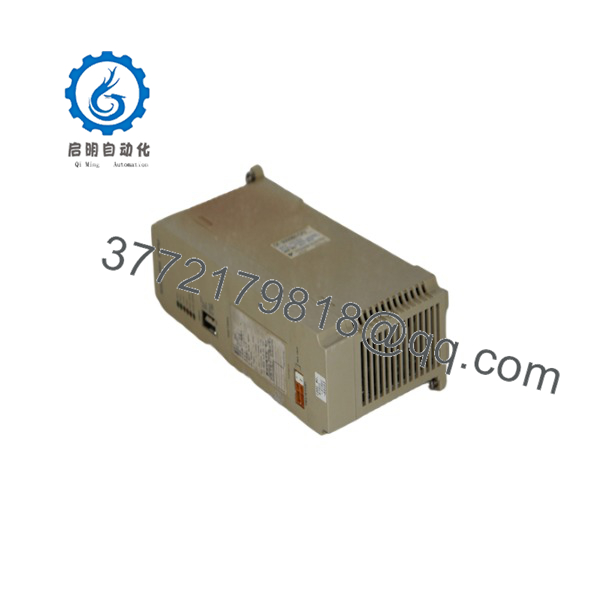
CP-9200SH/CPU
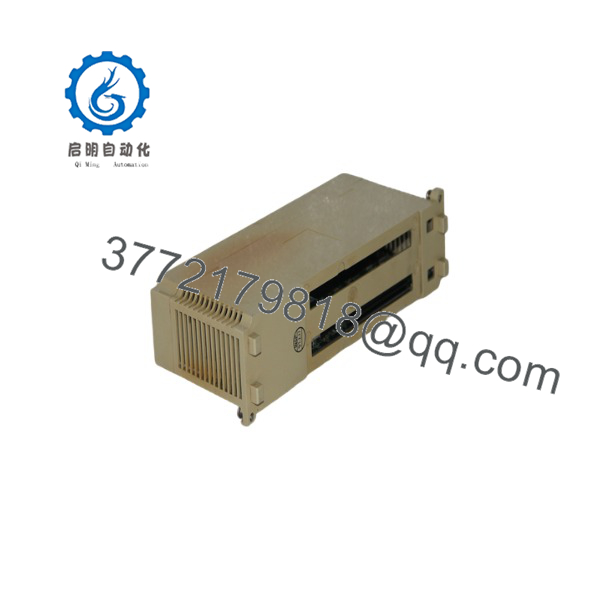
CP-9200SH/CPU
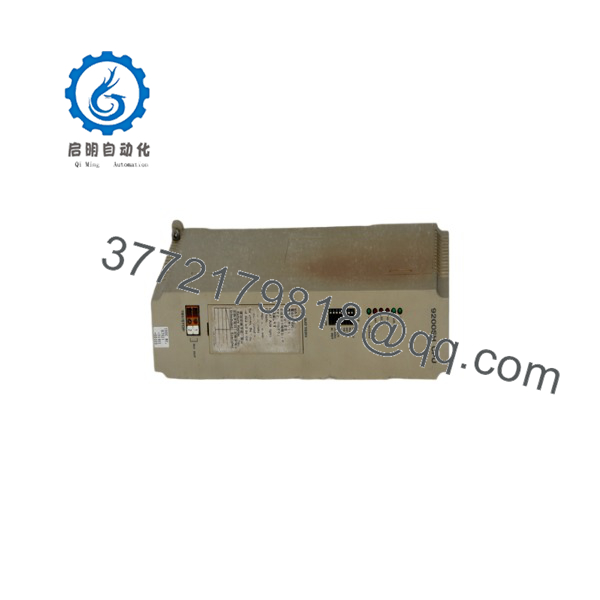
CP-9200SH/CPU
Troubleshooting Quick Reference
| Symptom | Possible Cause | Relevance to this Part | Quick Check Method | Recommendation |
| No LEDs illuminated on module front panel | Backplane power loss or blown internal CPU fuse | 🟡 Medium | Measure backplane voltage (5V DC) on adjacent rack slots with a multimeter. | If 5V DC is stable, internal CPU fuse/power stage is dead. Replace the CPU module. |
| BAT LED solid or flashing RED | Internal lithium RAM retention battery voltage dropped <2.8V DC | ✅ High | Measure voltage across battery terminals with power removed. | Replace 3.6V lithium battery immediately while system is powered up to avoid losing memory. |
| ERR / ALM LED flashing RED on boot | Memory corruption, firmware fault, or ASIC failure | ✅ High | Connect via MPTST / MotionGrid tool and read the CPU error stack. | Clear fault. If error code indicates parity failure or ASIC hardware exception, replace module. |
| Slave drive axis drops comms intermittently | Fieldbus noise, bad connector pin, or transceiver failure | 🟡 Medium | Swap bus cable to adjacent port; check shield ground continuity with a meter. | If fault stays with the specific CPU slot after swapping cables, the onboard comm transceiver circuit is worn. Replace CPU. |
| PLC enters STOP state after thermal rise | Ambient cabinet temperature high or internal thermal degradation | 🟡 Medium | Check cabinet ambient temp; monitor CPU heatsink with an IR thermometer. | If ambient temp is under 50°C but CPU surface exceeds 75°C, thermal compound/logic has failed. Replace unit. |
If diagnostic logs are inconclusive, snapshot the LED pattern, collect the error codes via your software, and call our engineering desk before pulling the module.
Core Strategy 2: Technical Pitfall & Survival Guide
Replacing an MP920 system CPU isn’t just a matter of swapping hardware—it requires careful setup to avoid system issues.
- Firmware Version Variations
- The Trap: Installing a CP-9200SH/CPU with a different firmware version than your original unit can cause communication failures with motion modules across the backplane.
- Avoidance: Read the label on the side of the original CPU card or check the firmware revision via software before pulling the bad unit. Match the revision level when ordering.
- ❗ I’ve seen projects where a tech swapped a CPU module and the system threw a ‘Communication Timeout’ for two days, just because the firmware slightly changed between revisions. Check the version first.
- Lithium Battery Memory Loss During Swap
- The Trap: Pulling a CPU out of a rack that has a depleted memory battery will wipe the SRAM program instantly, leaving you with an empty card.
- Avoidance: Verify that the system has an up-to-date program backup saved on a PC before turning off the rack. If the BAT LED was lit before power-down, assume the RAM is already cleared.
- ❗ If you do not have a backed-up project file for the machine, DO NOT pull the module. Connect your programming tool and extract the project first.
- Backplane Slot Pin Damage
- The Trap: The backplane connector on the uses fine-pitch pins. Inserting the CP-9200SH/CPU at an angle will bend or push back the pins.
- Avoidance: Align the card along the top and bottom guide rails carefully. Push straight back until the thumb screws line up without forcing the module.
- ❗ Don’t force it. If it doesn’t slide in smoothly, a pin is misaligned. Forcing it can damage both the card and the rack backplane.
- Electrostatic Discharge (ESD)
- The Trap: Older Japanese-designed motion controllers use sensitive CMOS ASICs that are easily damaged by static electricity.
- Avoidance: Use a grounded ESD wrist strap clipped to the enclosure frame before taking the module out of its static bag.
- ❗ Handling an uncovered card in the winter without a wrist strap can easily ruin a $2,000 unit. Use proper grounding precautions.
Keep these checks in mind to avoid common replacement mistakes during installation.
Frequently Asked Questions (FAQ)
Can I hot-swap the CP-9200SH/CPU while the rack is powered on?
No. The backplane does not support hot-swapping for the CPU module. Removing or inserting the CP-9200SH/CPU while 24V/5V DC power is applied to the rack can cause electrical arcing across the bus pins, potentially damaging the CPU or adjacent I/O modules. Always disconnect the main power source to the rack power supply module before servicing.
Will this replacement module ship with my machine’s motion program pre-loaded?
No. This unit comes wiped, factory reset, and tested with generic benchmark code. You must download your specific machine application program using Yaskawa’s programming software via the serial/bus interface, or transfer the battery-backed SRAM settings from your original unit. Ensure you have the .MWP or system backup project file ready before installation.
How do I handle the battery back-up so I don’t lose parameter memory during a swap?
If you are moving an old functional battery to the replacement CPU, perform the swap quickly or use an external supply if supported. The on-board super-capacitor retains memory for roughly 10 to 15 minutes without a battery connected. However, we strongly recommend installing a fresh 3.6V lithium battery pack during the hardware swap rather than reusing an old battery.
Why choose a New Surplus CP-9200SH/CPU over a system upgrade?
Upgrading a full Yaskawa system to modern MP3000 series hardware often requires re-engineering logic, replacing fieldbus networks, replacing servo drives, and updating cabinet wiring. This process can cost tens of thousands of dollars and cause extended machine downtime. Installing a verified New Surplus CP-9200SH/CPU allows your machinery to return to service immediately without logic code changes.
What is the difference between part number CP-9200SH/CPU and DDCP-921310B?
CP-9200SH/CPU is the commercial model designation used in Yaskawa product catalogs and hardware literature. DDCP-921310B (along with board numbers such as 87921-3111-S0402) refers to the internal factory manufacturing assembly part number stamped on the internal circuit board or rear tag. They refer to the same hardware unit.



