WhatsApp: +86 16626708626
 Email:
 Phone: +86 16626708626
Description
Key Technical Specifications
| Parameter | Specification |
| Manufacturer | Yaskawa Electric Corporation |
| Module Type | MP2200 Motion Controller CPU Module |
| Control Architecture | High-speed 32-bit RISC processor for motion + PLC execution |
| Motion Bus Interface | MECHATROLINK-II (10 Mbps high-speed motion fieldbus) |
| On-Board Ports | 100Base-TX Ethernet, RS-232C communication channel |
| Max Axis Capacity | Up to 256 axes (dependent on MECHATROLINK-II configuration) |
| Memory Architecture | Non-volatile program Flash RAM + Battery-backed SRAM |
| Logic Supply Voltage | Powered via MP2200 base rack backplane (5 V DC / 24 V DC internal) |
| Operating Temperature | 0 to +55 °C |
| Status Display | Multi-segment LED array (RUN, ALARM, ERR, MECHATROLINK status) |
Product Introduction & Supply Chain Strategy
This product is a Brand New Surplus unit. It is not used, not pulled from a decommissioned plant, and not refurbished. All modules undergo rigorous quality verification to ensure OEM-level reliability.
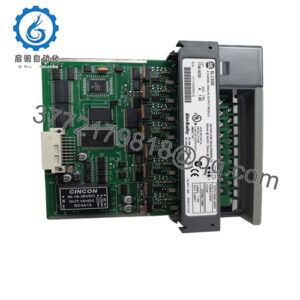
The Yaskawa JAPMC-CP2230-E is the primary CPU module for the MP2200 machine controller platform. Designed for complex motion environments like packaging lines, semiconductor handling, metal processing, and high-speed CNC machinery, it coordinates multi-axis motion profiling, electronic camming, interpolations, and high-speed ladder logic execution over the MECHATROLINK-II motion network.
From a Total Cost of Ownership (TCO) perspective, maintaining an on-site New Surplus JAPMC-CP2230-E is a critical risk-mitigation strategy for facilities operating MP2000-series automation. Because this series is no longer supported with short factory lead times, a CPU failure without immediate backup will halt an entire production line for weeks. Refurbished CPU cards from secondary markets often harbor degraded memory backup circuits, heat-stressed processors, or worn backplane contacts that cause random CPU fault traps under heavy calculation loads. Deploying a pristine New Surplus module guarantees factory-level operational lifespan, eliminates lead time variability, and ensures immediate drop-in restoration without machine re-engineering.
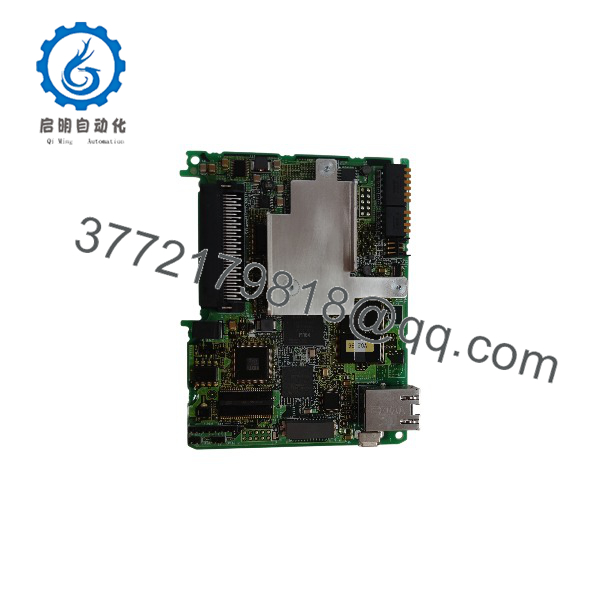
JAPMC-CP2230-E
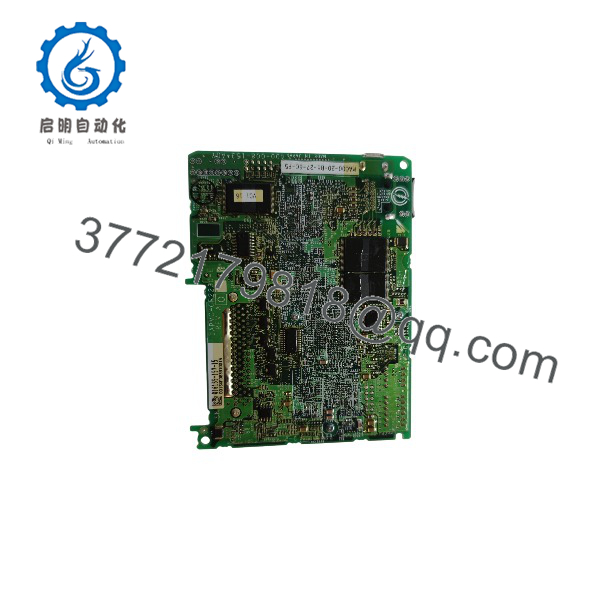
JAPMC-CP2230-E
Installation & Configuration Guide
Stage 1: Pre-Installation (Prep & Safety)
- Execute complete Lock-Out/Tag-Out (LOTO) procedures on the MP2200 base rack power supply unit and associated motor drive cabinets.
- Wait a minimum of 10 minutes to ensure all system power supplies and drive bus capacitors are fully discharged. Verify zero potential using a calibrated multimeter.
- Put on an ESD-grounded wrist strap connected directly to the control cabinet frame.
- Record all physical DIP switch settings (SW1 and SW2 for IP address setup, node configuration, and boot modes) on the front panel of the existing CPU module using clear photographs.
Stage 2: Removal
- Disconnect Ethernet patch cables, RS-232C serial cables, and MECHATROLINK-II network lines from the front of the CPU module.
- Unthread the top and bottom mounting screws securing the JAPMC-CP2230-E CPU inside the MP2200 rack slot.
- Carefully pull the module straight forward out of the rack chassis along its guide rails to prevent bending internal backplane pin arrays.
Stage 3: Installation (Clone & Seat)
- Remove the New Surplus JAPMC-CP2230-E from its anti-static shielding packaging in an ESD-protected zone.
- Mirror all hardware DIP switch configurations (SW1/SW2) from the old card onto the new module to ensure identical IP addressing and boot options.
- Check that the memory backup battery is fresh and properly connected on the new module.
- Align the CPU module with the CPU slot guide rails in the MP2200 base unit and slide it firmly until the backplane connectors fully seat. Tighten the retaining screws.
Stage 4: Power-On & Testing
- Reattach all network cables (Ethernet, MECHATROLINK-II, serial) to their designated ports on the front panel.
- Apply logic power to the rack. Monitor the CPU LED boot sequence.
- Verify that the “RUN” LED illuminates solid green and “ERR/ALM” LEDs remain unlit. Connect via Yaskawa MPTST / MPE720 engineering software to upload/verify the runtime application program and confirm active MECHATROLINK node communications.
Firmware/Software Versions & Upgrade Notes
- Engineering Software Compatibility: Fully supported within Yaskawa MPE720 (Version 5.x or Version 7.x depending on overall system architecture).
- Firmware Revision Alignment: The JAPMC-CP2230-E internal firmware revision must match or exceed the build version referenced in the MPE720 system project definition. Running mismatched firmware builds can trigger system parameter load errors or halt cyclic task execution.
- Firmware Flashing Risks: Do not attempt CPU firmware flashes during an emergency hardware replacement. Flashing CPU firmware on legacy motion platforms can erase internal flash registers, clear user program memory, or disrupt non-volatile motion calibration parameters. Transfer project backups directly via MPE720 instead.
Frequently Asked Questions (FAQ)
Q: Why is this New Surplus JAPMC-CP2230-E priced higher than used CPU boards found online, but lower than OEM special orders?
A: Our pricing reflects the direct supply-chain cost of sourcing, verifying, and stocking pristine, unused OEM components. Refurbished or used CPU boards are frequently salvaged from dismantled machinery and suffer from thermal degradation, aging memory capacitors, and stressed solder joints. While a refurbished board may be cheaper upfront, a CPU failure causes total machine shutdown. Our New Surplus stock provides original OEM operational life at a lower cost than legacy factory quotes.
Q: Is this Yaskawa CPU module guaranteed to be brand new?
A: Yes. This module is 100% Brand New Surplus. It has never been installed in an active control panel, never energized on a production line, and carries zero operational wear. It originates from verified surplus reserves, machine builder system overstocks, and canceled automation projects.
Q: Will the new automatically retain my machine logic and motion programs?
A: No. A new CPU module out of the box contains no user application code. You must transfer your machine program, system parameters, and motion registers to the new CPU using Yaskawa MPE720 software via Ethernet/RS-232C, or transfer the memory card/battery-backed SRAM data from the old CPU module.
Q: Can I hot-swap the CPU module while the rack is powered on?
A: No. Removing or inserting the main CPU module while power is applied to the backplane is strictly prohibited. Live insertion will cause electrical transients across the high-speed backplane bus, damaging internal processing ICs and risking corruption of connected expansion modules.
Q: What warranty coverage comes with this New Surplus CPU?
A: We back this New Surplus with a comprehensive 1-Year functional warranty. Every module undergoes multi-point technical verification—including physical pin inspection, ESD safety checks, and power-on logic validation—to ensure full plug-and-play reliability upon deployment.