
 WhatsApp: +86 16626708626
 Email:
  Phone: +86 16626708626
Description
Key Technical Specifications
| Parameter | Specification Value |
| Manufacturer | Yaskawa Electric / Motoman |
| Part Number | JARCR-XSC01 |
| Controller Platform | Motoman XRC 2001 Controller |
| Input Voltage | 24 V DC (±10%) |
| Logic Consumption | 15 W (Nominal) |
| Axis Control Capacity | Up to 6 synchronized axes |
| Communication Bus | High-speed optical / serial encoder bus |
| Onboard Battery | 3 V lithium battery for RAM parameter backup |
| Form Factor | Rack-mount PCB with integrated front panel I/O |
| Operating Temperature | 0 to +55 °C (+32 to +131 °F) |
| Relative Humidity | 10% to 90% non-condensing |
Product Introduction & Supply Chain Strategy
The Yaskawa JARCR-XSC01 serves as a core servo control board within Motoman XRC 2001 industrial robot controllers. It manages real-time motion control signals, safety interlock loops, and high-speed communication handshakes between the main controller rack and axis servo drives across robotic welding, material handling, and assembly cells.
Securing the JARCR-XSC01 as New Surplus guarantees immediate recovery without undergoing complete, capital-intensive robot controller retrofits. Authentic New Surplus stock eliminates the critical failure points common to second-hand boards—such as aged onboard backup batteries, degraded memory chips, and fatigued solder joints—saving your facility from multi-thousand-dollar unscheduled production outages.
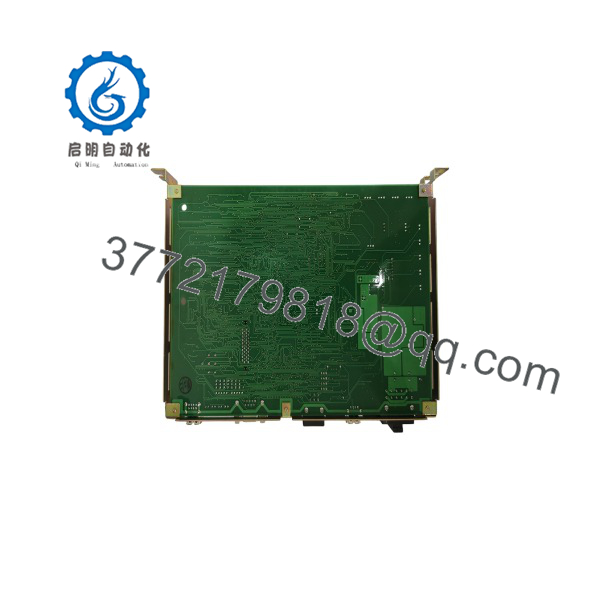
JARCR-XSC01
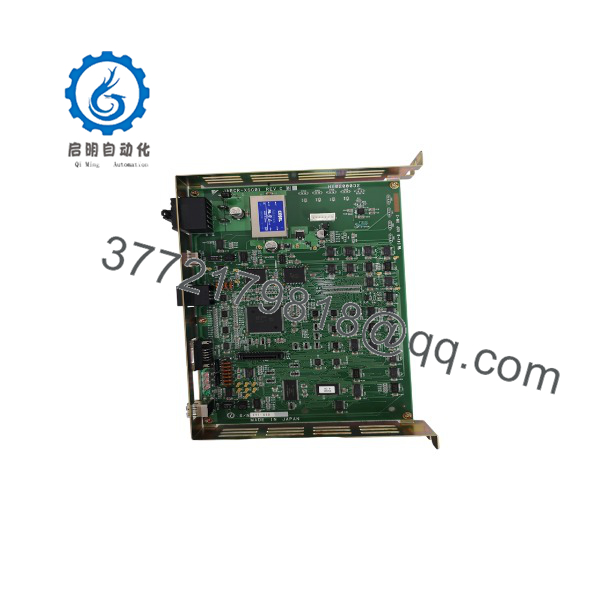
JARCR-XSC01
Installation & Configuration Guide
Stage 1: Pre-Installation (Prep & Safety)
- Perform full Lock-Out/Tag-Out (LOTO) on the XRC 2001 main disconnect switch and wait 5 minutes for internal bus capacitors to discharge.
- Put on a grounded ESD wrist strap before handling the circuit board.
- Take high-resolution photographs of all onboard DIP switches, rotary switches, jumper pins, and cable connection points on the original JARCR-XSC01 card.
Stage 2: Removal
- Disconnect front panel ribbon cables and terminal connectors by holding the connector housings directly—do not pull on the wires.
- Unfasten the retaining screws securing the board to the controller rack frame.
- Gently pull the extraction handles straight out to unseat the edge connector from the backplane without twisting the PCB.
Stage 3: Installation (Clone & Seat)
- Match all DIP switch arrays, rotary selector positions, and jumper configurations on the new JARCR-XSC01 board to mirror the original settings exactly.
- Align the board edges along the rack guide channels and push the card inward smoothly until it seats against the backplane connector.
- Tighten the rack mounting screws to 0.6 N·m torque and reconnect all interface and encoder cables.
Stage 4: Power-On & Testing
- Verify cabinet 24 V DC power supply stability prior to restoring main control power.
- Power up the XRC 2001 controller and monitor the onboard diagnostic LEDs: confirm normal status illumination and ensure no red error LEDs remain lit.
- Connect the programming pendant to verify communication, check axis zero points, and perform a low-speed dry-run test of the robot manipulator.
Firmware/Software Versions & Upgrade Notes
- Recommended Firmware Version: Revision B00 / C00 (matching the specific revision level of your existing XRC system software).
- Compatibility Notes: The JARCR-XSC01 is tailored specifically for the Yaskawa Motoman XRC 2001 controller platform. Mixing hardware board revisions with incompatible controller system software versions may cause motion parameter errors or communication handshake failures.
- Upgrade/Downgrade Risks: Do not reflash system software during an emergency board swap. Always back up existing robot parameters to a memory card prior to replacement; loading mismatched system logic onto a new board can clear home position calibration data.
Frequently Asked Questions (FAQ)
Why is this New Surplus priced higher than refurbished cards found online?
Refurbished robot boards are harvested from old, high-cycle production lines and carry severe risks of internal component aging and hidden thermal damage. Our Yaskawa stock consists strictly of verified New Surplus—original, uninstalled cards kept in static-controlled storage. Paying a slight premium for New Surplus prevents line shutdowns that can cost tens of thousands of dollars per hour.
Are these Yaskawa boards guaranteed to be original factory units?
Yes. Every unit we supply is guaranteed to be an original Yaskawa OEM product. They are uninstalled surplus items maintained in static-safe packaging and subjected to comprehensive visual and backplane pin inspections prior to dispatch.
What is the current manufacturing lifecycle status for the ?
This part number has been discontinued by Yaskawa as an EOL (End-of-Life) component. Direct factory lead times are extensive, often requiring complete upgrade to newer controller platforms. Storing 1-2 spare units on-site acts as a key buffer stock strategy to keep legacy robot cells running smoothly.
Can I replace the board while the robot controller is powered on?
No. Hot-swapping the board while the rack is powered can cause electrical arcs, destroy backplane pins, and corrupt robot absolute encoder positioning data. Always power down the cabinet completely and follow LOTO procedures before servicing.
Will I lose my robot’s programmed positions when swapping this control board?
Position and program data are stored in non-volatile memory and supported by the controller’s memory backup battery. However, if the onboard battery on the replacement board is low, parameter loss can occur. We strongly recommend performing a full system data backup to the teach pendant or PC before replacing the card.
What warranty is provided with this New Surplus board?
This New Surplus Yaskawa control board comes backed by a full 1-year replacement warranty, alongside a verified quality test report to confirm complete operational reliability.



