WhatsApp: +86 16626708626
 Email:
 Phone: +86 16626708626
Description
Key Technical Specifications
| Parameter | Value |
|---|---|
| Manufacturer | Yaskawa Electric |
| Model | JUSP-NS310 |
| Servo family | Sigma II |
| Compatible SERVOPACK | SGDH |
| Module type | Application / option module |
| Network interface | DeviceNet |
| Application | Servo positioning / motion control |
| Function designation | Indexer with DeviceNet |
| Approx. mass | 0.32 kg |
| Approx. dimension D | 133 mm |
| Approx. dimension A | 144 mm |
| Installation | SGDH SERVOPACK option-module position |
| Product status | Discontinued |
The dimensional information comes directly from Yaskawa’s Sigma II Application Modules documentation. The document lists JUSP-NS310, describes it as an Indexer with DeviceNet, and gives approximately 0.32 kg mass and 133 mm for dimension D.
Yaskawa also groups JUSP-NS310 with the Sigma II NS100, NS300, NS500, and NS600 application modules. Its FAQ explains that NS-series application modules can use electronic gearing and position commands in user units when the SERVOPACK operates in position mode.
Important Compatibility Note
JUSP-NS310 should not be confused with JUSP-NS300.
Both are associated with DeviceNet, but Yaskawa identifies the NS310 as an Indexer with DeviceNet, while the NS300 is a different DeviceNet application/interface module. They should not be treated as interchangeable simply because both use DeviceNet.
Product Introduction
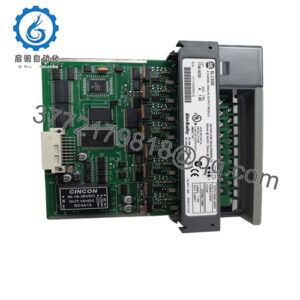
The Yaskawa JUSP-NS310 is a Sigma II application module designed for compatible SGDH SERVOPACKs, combining servo indexing/positioning functions with a DeviceNet interface. It is intended for machine builders and maintenance teams operating legacy Sigma II motion-control systems.
The module sits within the SERVOPACK architecture rather than functioning as a standalone PLC. Correct SGDH compatibility, application configuration, DeviceNet network settings, and positioning parameters must be verified before replacement.
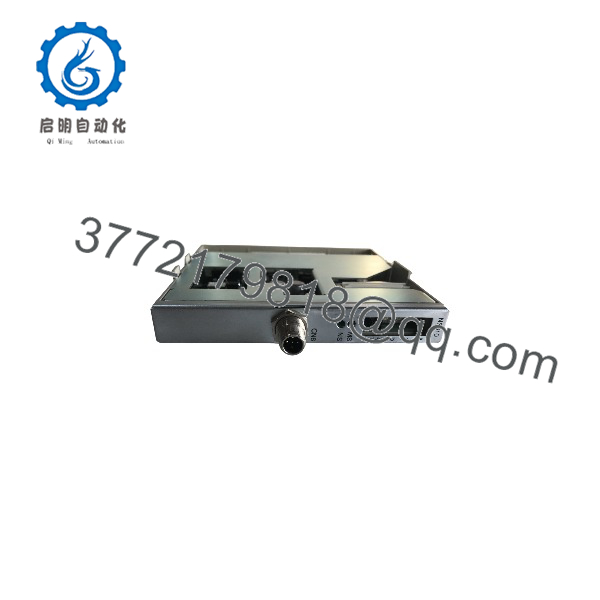
JUSP-NS310
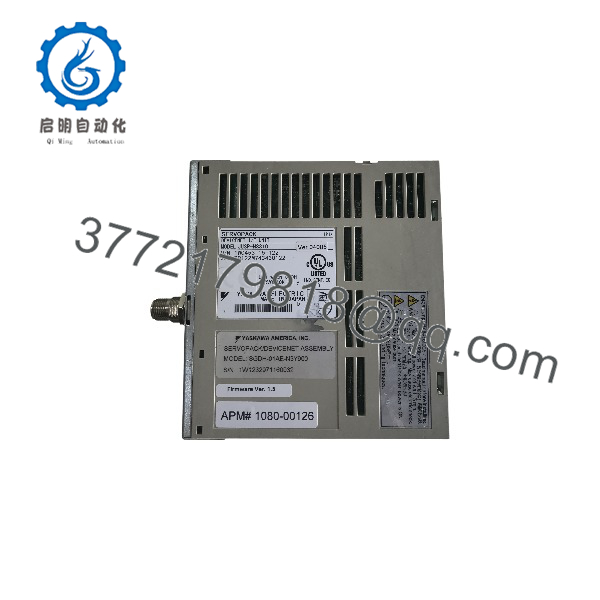
JUSP-NS310
Installation & Configuration Guide
Stage 1 — Verify the existing system
- Confirm that the installed drive is a Yaskawa SGDH-series SERVOPACK.
- Record the complete SGDH model number and revision.
- Confirm that the existing application uses the JUSP-NS310 architecture.
- Back up servo parameters and application/indexing data.
- Record DeviceNet node/address settings and network wiring.
- Apply LOTO procedures before opening the SERVOPACK.
Estimated preparation time: 30–45 minutes.
⚠️ Do not install based solely on the DeviceNet requirement. The SGDH model and application configuration must also match.
Stage 2 — Remove the existing option module
- Disconnect control power according to the SGDH service procedure.
- Verify that the drive has discharged before accessing the option area.
- Photograph the existing module and connector arrangement.
- Disconnect the relevant communication connections.
- Remove the existing option module without forcing the connector or mounting hardware.
⚠️ Servo amplifiers contain hazardous voltages even after incoming power is removed. Follow the SGDH discharge and electrical-safety procedure.
Stage 3 — Ins
- Inspect the replacement module for bent pins, contamination, corrosion, or mechanical damage.
- Confirm the marking on the module.
- Install the module into the compatible SGDH option position.
- Secure the module according to the SERVOPACK hardware procedure.
- Reconnect DeviceNet wiring.
- Check shielding, grounding, connector seating, and network polarity.
The Yaskawa dimensional drawing identifies the as an option card/module for SGDH and specifies the mechanical dimensions needed for installation planning.
Stage 4 — Configure and test
- Restore the required servo parameters.
- Configure the DeviceNet network parameters.
- Verify the node address and communication settings.
- Confirm the controller can establish DeviceNet communication.
- Test servo enable and basic status feedback.
- Test low-speed positioning before returning the machine to production.
- Verify index positions, electronic gearing, limits, and motion direction.
- Run the machine through its normal operating sequence.
Estimated commissioning time: 1–3 hours, depending on the existing application.
Yaskawa documentation notes that position-mode operation can use logical user units through electronic gearing. Therefore, restoring the correct application parameters matters as much as installing the hardware.
FAQ
What is Yas?
It is a Sigma II application module for SGDH SERVOPACKs, identified by Yaskawa as an Indexer with DeviceNet.
a DeviceNet communication card?
Yes, but it is more specific than a basic communication adapter. Yaskawa classifies it as an Indexer with DeviceNet, providing DeviceNet connectivity together with motion/indexing functionality.
compatible with every Yaskawa SERVOPACK?
No. It belongs to the Sigma II / SGDH application-module architecture. The exact SGDH model and system configuration should be checked before installation.
Can JUSP-NS300 rep?
Do not assume so. Although both are associated with DeviceNet, Yaskawa gives them different functional descriptions. is the DeviceNet indexer, while NS300 is a separate DeviceNet interface/application module.
discontinued?
Yes. Yaskawa’s official Japanese lifecycle table lists among Sigma-II products discontinued on March 20, 2015, with maintenance-parts supply and repair support listed through March 20, 2025.
Does repla require parameter configuration?
Normally, yes. The replacement should be checked against the original servo and application parameters, including positioning, electronic gearing, DeviceNet configuration, and machine-specific settings.
What should I verify before purchasing a replacement?
Provide the nameplate photo, the complete SGDH SERVOPACK model, existing module revision, and a photo of the DeviceNet connection. This is especially important for discontinued Sigma II equipment because application compatibility can depend on the installed drive and software configuration.