
 WhatsApp: +86 16626708626
 Email:
  Phone: +86 16626708626
Description
Key Technical Specifications
| Parameter | Value |
|---|---|
| Manufacturer | Yaskawa Electric Corporation |
| Motoman Part Number | JZNC-XIU01B |
| Alternate Identification | 142155-1 |
| Product Type | Robot Controller I/O Unit Module |
| Compatible Controller Family | XRC Robot Controller |
| Application | Industrial robot control cabinet |
| Function | External input/output interface expansion |
| System Compatibility | Yaskawa Motoman XRC series |
| Communication | Controller backplane interface |
| Mounting | Robot controller cabinet installation |
| Power Supply | Controller internal supply |
| I/O Configuration | Model-dependent |
| Operating Environment | Industrial control cabinet environment |
| Replacement Type | Exact model matching required |
The Yaskawa JZNC-XIU01B is identified as an I/O module for XRC robot controllers and is listed by Yaskawa Motoman as a controller spare part with part number 142155-1.
Product Introduction
The Yaskawa JZNC-XIU01B is an I/O unit module designed for Yaskawa Motoman XRC robot controller systems. It provides interface capability between the robot controller and external machine signals used in industrial automation applications.
This module is commonly sourced for maintaining legacy Motoman robotic cells where controller replacement is not economically practical. Before installation, verify the exact XRC controller model, I/O configuration, connector arrangement, and existing parameter backup.
Installation & Configuration Guide
Stage 1: Pre-Installation Preparation — 10 minutes
⚠️ Safety First
- Notify production personnel about the robot downtime.
- Move the robot to a safe maintenance position.
- Apply lockout/tagout procedures to robot controller power.
- Remove AC input power from the controller cabinet.
- Wait for internal capacitors to discharge.
- Verify absence of hazardous voltage using a properly rated multimeter.
Tools Required
- ESD wrist strap
- PH1 screwdriver
- Digital multimeter
- Wire labels
- Smartphone for reference photos
- Maintenance laptop if controller backup is required
Data Backup
- Record the complete JZNC-XIU01B label information.
- Photograph the installed module position.
- Photograph all I/O terminal wiring.
- Record XRC controller model and software version.
- Save robot parameters and I/O assignments.
- Document external device connections.
⚠️ Important: XRC systems depend heavily on controller-specific parameter files. Do not remove the original module before recording the existing configuration.
Stage 2: Removing the Old Module — 5–10 minutes
- Open the XRC controller cabinet.
- Confirm power isolation.
- Identify the JZNC-XIU01B installation location.
- Label every connected cable.
- Disconnect I/O connectors carefully.
- Release module retaining hardware.
- Remove the module straight from the rack/interface position.
- Inspect connectors for dust, oxidation, or damaged pins.
⚠️ Keep the original module until the replacement is fully tested. It remains the best reference for troubleshooting.
Stage 3: Installing the New Module — 10 minutes
- Wear an ESD wrist strap.
- Confirm the replacement marking matches JZNC-XIU01B.
- Compare connector locations with the removed unit.
- Verify the module position in the XRC rack.
Configuration Clone (Critical)
- Confirm I/O assignment parameters.
- Verify external signal mapping.
- Check controller software compatibility.
- Confirm robot application parameters.
- Insert the module carefully.
- Secure mounting hardware.
- Reconnect all terminal blocks.
- Verify connector seating.
Self-Checklist
- Correct module model verified
- XRC compatibility confirmed
- Wiring labeled and restored
- Connectors fully seated
- Cabinet grounding verified
Stage 4: Power-On & Testing — 15 minutes
- Perform a final cabinet inspection.
- Energize controller power.
- Observe XRC controller diagnostics.
- Check for module recognition.
- Enter maintenance mode.
- Verify I/O monitor status.
- Test external input signals.
- Test output activation.
- Run a controlled robot cycle.
⚠️ Troubleshooting Note
- Module not detected: Check rack position and connector seating.
- Incorrect I/O operation: Verify XRC parameter assignment.
- Communication fault: Confirm controller software compatibility.
- Unexpected machine behavior: Compare original I/O mapping documentation.
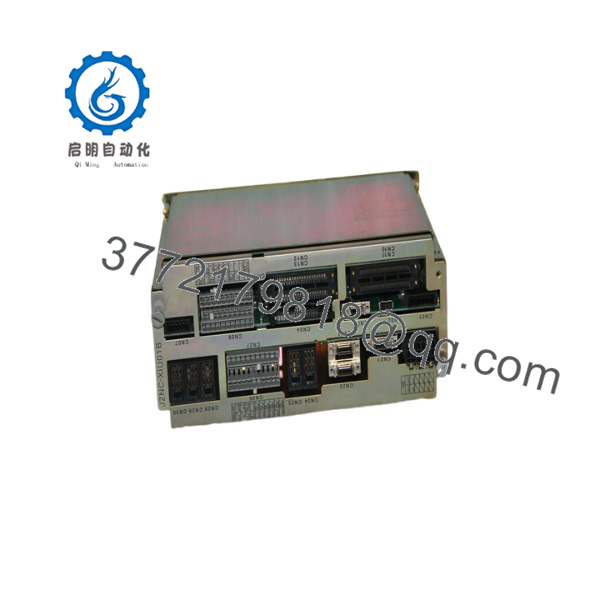
JZNC-XIU01B
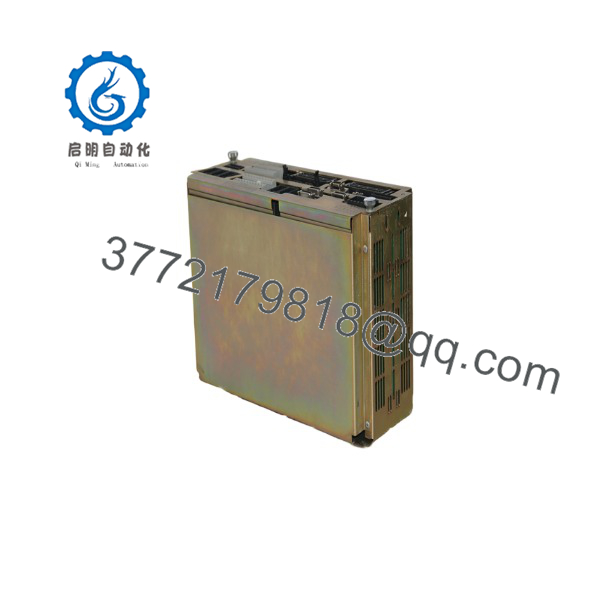
JZNC-XIU01B
Frequently Asked Questions (FAQ)
Can I hot-swap the Yaskawa ?
No. The should be replaced with controller power removed. XRC controller modules are not generally treated as hot-swappable components.
Is the obsolete?
Yes. The module belongs to the legacy Yaskawa Motoman XRC controller generation. Remaining supply usually comes from surplus inventory, repair stock, or tested used equipment.
Is a complete ordering number?
Yes, it identifies the XRC I/O module, but engineers should still verify the complete robot controller configuration. The same module may be installed in different robot-cell architectures with different I/O assignments.
Will I lose my robot program when replacing the I/O module?
Normally, the robot program is stored in the controller memory rather than the I/O module. However, I/O assignments and external signal configuration must be verified after replacement.
Can I replace with another Yaskawa I/O module?
Not automatically. Different Yaskawa controller generations use different module architectures. Confirm XRC compatibility, connector type, and software support before substitution.
Why is the price lower than a new OEM module?
Legacy automation components are often sourced from discontinued equipment, factory spare inventory, or refurbishment channels. Pricing depends on condition. A New Original/New Surplus unit and a tested refurbished unit should be evaluated separately.
What information should I provide when ordering a ?
Provide:
- Complete module label photo
- Yaskawa XRC controller model
- Robot model
- Current software version
- Module installation photo
- I/O configuration details
These checks prevent receiving a similar-looking module that cannot communicate correctly with the existing XRC system.



