WhatsApp: +86 16626708626
 Email:
 Phone: +86 16626708626
Description
Key Technical Specifications
| Parameter | Specification |
| Manufacturer | Yaskawa Electric / Motoman Robotics |
| Compatible Controller | Motoman XRC Controller Series |
| Display Type | Monochrome / Grayscale graphic LCD with backlight |
| Safety Features | Integrated dual-circuit Emergency Stop button & 3-position deadman switch |
| Input Interface | Industrial membrane keypad with tactile function keys |
| Operating Voltage | 24 V DC (Supplied directly via controller umbilical cable) |
| Cable Interface | Multi-pin circular connector for XRC controller port |
| Enclosure Rating | IP65 equivalent (Dust-tight and splash-resistant) |
| Operating Temperature | 0 to +45 °C |
| Storage Temperature | −10 to +60 °C |
Product Introduction & Supply Chain Strategy
This product is a Brand New Surplus unit. It is not used, not pulled from a decommissioned plant, and not refurbished. All modules undergo rigorous quality verification to ensure OEM-level reliability.
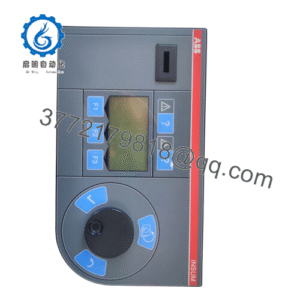
The Yaskawa Motoman JZNC-XPP02B is the primary handheld programming teach pendant for Motoman XRC series robotic controllers. It allows automation engineers and operators to manually jog robot axes, teach motion waypoints, edit INFORM programming logic, and diagnose active alarm codes directly at the robot cell.
From a Total Cost of Ownership (TCO) perspective, holding an on-site New Surplus JZNC-XPP02B is a critical operational safeguard for facilities utilizing XRC robotic cells. Teach pendants are high-wear peripherals frequently subjected to accidental drops, cable strain, and liquid exposure. If a pendant fails on a running cell, operators lose the ability to clear safety stops, recover from axis collisions, or reset programs. Refurbished pendants from secondary markets frequently suffer from sticky membrane keys, intermittent deadman switches, and dim LCD backlights that fail under continuous use. Securing a genuine New Surplus unit ensures full mechanical and electrical lifespan, eliminates lead time variability, and guarantees immediate drop-in replacement without cell downtime.
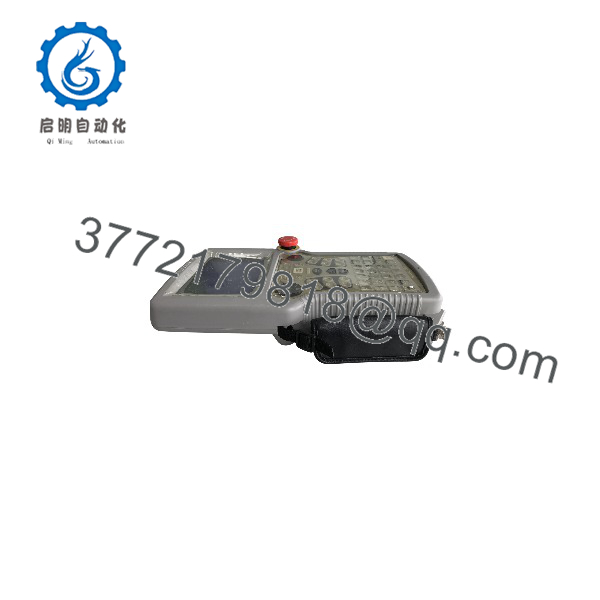
JZNC-XPP02B
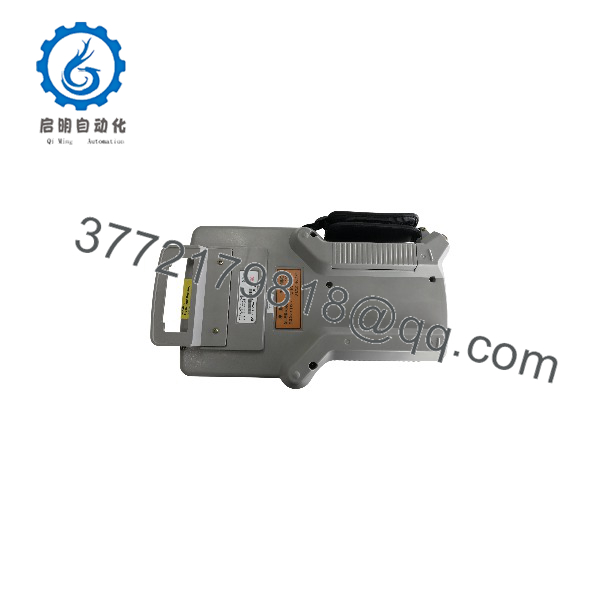
JZNC-XPP02B
Installation & Configuration Guide
Stage 1: Pre-Installation (Prep & Safety)
- Execute complete Lock-Out/Tag-Out (LOTO) procedures on the main XRC robot controller cabinet power disconnect switch.
- Wait a minimum of 5 minutes to ensure all internal logic and drive power circuits have fully discharged.
- Inspect the New Surplus JZNC-XPP02B pendant body, cable harness connector, and safety switches for any transport damage.
- Verify that the safety circuit wiring and Emergency Stop loop on the XRC controller are operating normally before swapping terminals.
Stage 2: Removal
- Unlatch or unthread the circular bayonet locking collar on the teach pendant connector at the front panel of the XRC controller.
- Carefully pull the connector straight out from the mating receptacle to prevent bending internal interface pins.
- Remove the failed pendant and its umbilical cable assembly from the hanger bracket on the robot enclosure.
Stage 3: Installation (Clone & Seat)
- Mount the New Surplus JZNC-XPP02B onto the controller hanger bracket, ensuring the cable strain relief is properly seated.
- Align the keyway on the multi-pin circular connector with the receptacle on the XRC controller front panel.
- Insert the connector firmly and twist the locking collar clockwise until it clicks into its fully locked position.
Stage 4: Power-On & Testing
- Re-energize the main power on the XRC robot controller. Observe the pendant startup screen.
- Confirm that the display boots up cleanly into the XRC system menu without screen artifacts or memory errors.
- Perform a safety circuit functional test: verify that depressing the Emergency Stop button instantly trips the main contactor, and test both the released and fully squeezed positions of the 3-position deadman switch in manual TEACH mode.
Firmware/Software Versions & Upgrade Notes
- System Compatibility: Native plug-and-play operation across all Motoman XRC robot controller software revisions.
- Display & Language Parameters: Display resolution and language fonts are driven directly by the main XRC system software stored on the controller CPU card.
- Hardware Revisions: Ensure the keying and pin density on your circular connector match the standard XRC port layout. Replacing a JZNC-XPP02B with identical model numbers requires no firmware flashing or parameter changes on the pendant itself.
Frequently Asked Questions (FAQ)
Q: Why is this New Surplus JZNC-XPP02B priced higher than refurbished pendants online, but lower than OEM legacy quotes?
A: Our pricing reflects the direct supply-chain value of providing an authentic, unused OEM teach pendant. Refurbished pendants are typically harvested from old welding or material handling cells, carrying worn membrane switches, cracked housings, and degraded deadman contacts. While refurbished units are cheaper upfront, a sticky E-stop or failed key switch can halt an entire production line or compromise cell safety. Our New Surplus stock delivers original OEM operational life at a lower cost than legacy factory special orders.
Q: Is this Yaskawa Motoman pendant guaranteed to be brand new?
A: Yes. This unit is 100% Brand New Surplus. It has never been installed in an active robot cell, never used for daily shop floor programming, and carries zero industrial wear or key membrane fatigue. It originates from verified surplus reserves, integrator project overstocks, and spare parts buffer inventories.
Q: Can I hot-swap or unplug the pendant while the XRC controller is powered on?
A: No. Unplugging the teach pendant while the XRC controller is powered will immediately open the dual-circuit Emergency Stop safety chain, causing a hard safety trip on the controller. Furthermore, live disconnection risks electrical arcing across the communications pins, which can damage the interface port on the main processing card. Always switch off controller logic power before disconnecting the pendant.
Q: Does replacing the teach pendant alter my programmed robot job files or axis calibration data?
A: No. All INFORM job files, user frames, tool files, and axis pulse calibration data are stored in non-volatile memory on the XRC controller main CPU board, not inside the teach pendant. Swapping to a new pendant restores user interface controls without affecting any stored robot programs.
Q: What warranty coverage comes with this New Surplus teach pendant?
A: We provide a full 1-Year functional warranty on this New Surplus teach pendant. Every terminal undergoes multi-point inspection—including physical housing checks, key tactile verification, and pin integrity validation—to guarantee immediate drop-in usability out of the box.