WhatsApp: +86 16626708626
 Email:
 Phone: +86 16626708626
Description
Key Technical Specifications
| Parameter | Value |
|---|---|
| Manufacturer | Yaskawa Electric / Motoman |
| Part Number | JZNC-XRK01D-1 |
| Alternate Identifier | JZNCXRK01D1 |
| Product Type | XRC robot-controller CPU rack |
| Controller Family | YASNAC XRC |
| Input Voltage | 200–230 V AC |
| Frequency | 50/60 Hz |
| Rated Current | 2.1 A |
| Rack Function | Houses CPU, power supply, and controller boards |
| Power Supply | CPS-150F, supplier-reported |
| System Control Board | JANCD-XCP01C-1, supplier-reported |
| Robot Interface | XRC controller architecture |
| Pendant Interface | Motoman XRC teach-pendant system |
| Servo Interface | XRC servo-control circuitry |
| Installation | Dedicated robot-controller cabinet |
| Country of Manufacture | Japan, supplier and marketplace reported |
| Operating Temperature | Verify against the XRC controller manual |
| Dimensions | Not independently verified for the complete rack assembly |
| Weight | Not independently verified |
| Lifecycle | Legacy / obsolete |
| Replacement Rule | Match rack, installed boards, power supply, firmware, and XRC configuration |
Supplier records identify JZNC-XRK01D-1 as a YASNAC XRC CPU rack rated for 200–230 V AC, 50/60 Hz, and 2.1 A. Several listings associate the assembly with a CPS-150F power supply and JANCD-XCP01C-1 control board; confirm the actual contents because rack listings may be sold empty or with different board revisions.
Product Introduction
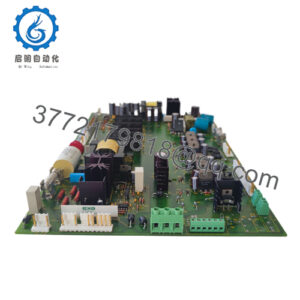
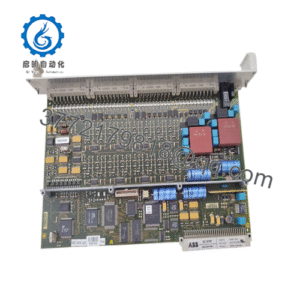
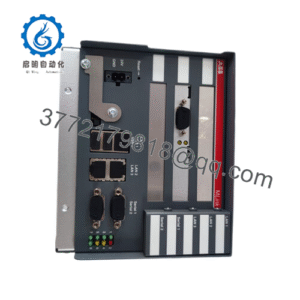
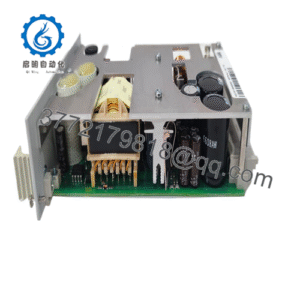
The Yaskawa JZNC-XRK01D-1 is a legacy YASNAC XRC robot-controller CPU rack for Motoman robotic systems. It provides the cabinet-level platform for the XRC CPU, control power supply, system-control board, servo interface, I/O coordination, and teach-pendant communication.
This assembly is used when an XRC controller rack, rack wiring, or internal control hardware requires replacement. Verify the installed CPS-150F, JANCD-XCP01C-1 or equivalent board, rack connectors, robot model, software revision, and pendant configuration before purchasing a complete replacement.
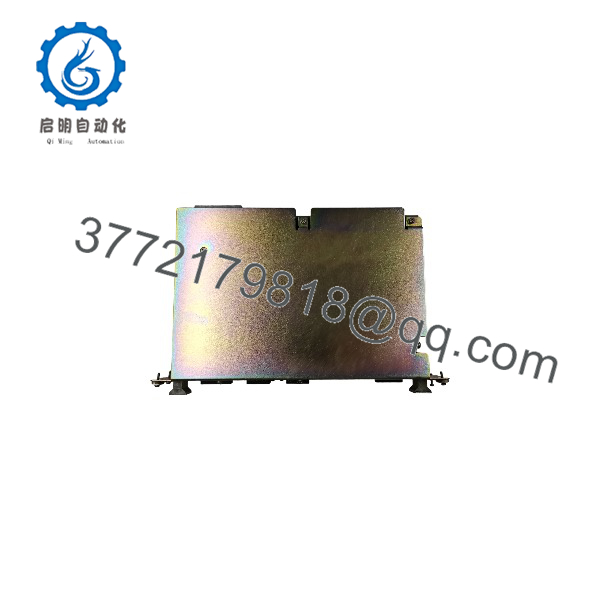
JZNC-XRK01D-1
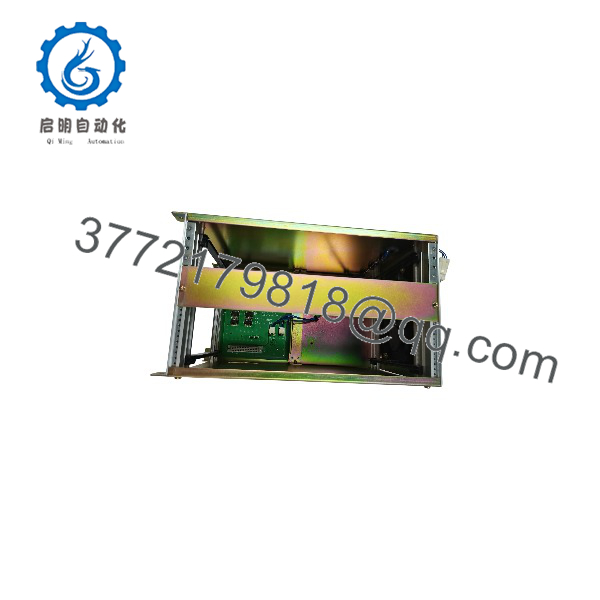
JZNC-XRK01D-1
Troubleshooting Quick Reference
| Symptom | Possible Cause | Relevance to This Part | Quick Check Method | Recommendation |
|---|---|---|---|---|
| Controller is completely dead | Missing 200–230 V AC, input fuse, disconnect, contactor, or rack power-supply fault | ✅ High | Measure line voltage at the controller input and check fuses and contactor operation | Verify cabinet power before replacing the rack |
| CPS-150F does not start | Failed power supply, incorrect input voltage, shorted downstream board, or loose connection | ✅ High | Measure AC input and approved DC outputs at the CPS-150F; inspect supply LEDs | Test the power supply separately before replacing the complete rack |
| Pendant remains blank | Control-power failure, pendant cable, CPU board, or rack backplane fault | ⚠️ Medium | Check CPS-150F outputs, pendant cable continuity, and CPU-board startup indicators | Isolate pendant wiring and rack power before condemning the rack |
| XRC system alarm appears immediately | CPU board, memory, board revision, configuration, or rack backplane issue | ⚠️ Medium | Record the exact alarm code and compare installed boards and revisions | Match the complete controller configuration, not only the rack enclosure |
| Servo power will not turn on | E-stop, gate circuit, external safety chain, servo amplifier fault, or CPU command issue | ⚠️ Low to medium | Verify safety-chain inputs and servo alarms before testing rack hardware | Check external safety and servo equipment first |
| Robot cannot communicate with servo amplifiers | Rack backplane, system-control board, servo interface, cabling, or amplifier fault | ✅ Medium | Review XRC diagnostics and inspect board-to-amplifier interface wiring | Test the interface path before replacing the rack assembly |
| I/O points are unavailable | I/O board, cable, rack slot, configuration, or controller fault | ⚠️ Low to medium | Check I/O diagnostics and test adjacent modules or field wiring | Do not replace the CPU rack solely for a local I/O fault |
| Controller resets during operation | Aging power supply, loose board seating, overheating, vibration, or rack fault | ✅ Medium | Trend outputs, inspect board seating, and review alarm history | Correct power and mechanical issues before replacement |
| Replacement rack powers up but will not run | Different CPU board, firmware, memory contents, option card, or system parameters | ✅ High | Compare board labels, firmware, memory media, and XRC configuration with the original | Transfer only verified backups and match all installed boards |
| Fuses blow after installation | Shorted power supply, wiring error, damaged board, or incorrect input voltage | ✅ High | Isolate downstream loads and test insulation or continuity according to the service manual | Do not repeatedly reset fuses; locate the short first |
| Intermittent faults occur during robot movement | Vibration, loose rack connector, damaged cable, or cracked solder joint | ⚠️ Medium | Inspect connectors and cable strain relief; correlate alarms with motion | Repair mechanical and cabling faults before replacing electronics |
| Rack has corrosion or physical damage | Poor storage, coolant, humidity, or cabinet contamination | ✅ High | Inspect bus connectors, board guides, wiring, and power-supply terminals | Reject questionable stock or require refurbishment documentation |
Critical warning: This rack operates from 200–230 V AC and contains hazardous internal voltages. Lock out the controller, verify the absence of voltage, and follow the Motoman XRC service procedure before removing the , CPU board, or internal wiring.
For technical support, provide photos of the complete rack, nameplate, label, installed JANCD boards, rack connectors, pendant alarm screen, robot controller model, and measured AC/DC voltages.
Frequently Asked Questions (FAQ)
What is the Yaskawa JZNC-XRK01D-1?
It is a YASNAC XRC robot-controller CPU rack used in Motoman robotic systems. The rack houses the control power supply and CPU/control boards that manage robot programs, motion calculations, I/O, servo communication, and the teach pendant.
Does the rack include the and JANCD-XCP01C-1?
Many supplier listings associate this part number with a power supply and JANCD-XCP01C-1 control board, but contents vary by seller. Request a complete internal photo and an itemized bill of materials before purchasing.
Is JZNC-XRK01D-1 compatible with every XRC robot?
No. Compatibility depends on the robot controller cabinet, CPU board, servo system, I/O configuration, teach pendant, firmware, and stored system data. Verify the original rack label and all installed boards before approving a replacement.
Can I replace only the rack instead of the complete controller?
Possibly, if the original , CPU board, interface cards, wiring, and configuration are transferable and compatible. In many cases, replacing an empty rack does not solve a CPU or power-supply problem. Confirm which component has failed before ordering the complete assembly.
What input power does it require?
Supplier records list 200–230 V AC at 50/60 Hz with a 2.1 A rating. Verify the actual controller nameplate and site electrical drawings before energizing a replacement, especially where the cabinet has been modified.
Is this rack obsolete?
Yes. It is a legacy YASNAC XRC component, and market inventory commonly consists of used, refurbished, new-other, or service-exchange equipment. Request the exact condition, internal board list, revision photos, test scope, warranty, and return terms.
What should a supplier test before shipment?
Testing should include visual inspection, rack connector inspection, AC input verification, output measurements, CPU-board boot sequence, pendant communication, XRC alarm review, servo-interface communication, and I/O or board recognition where applicable. The report should identify the rack serial number, installed boards, firmware or memory media, test controller, and final QC status.