
 WhatsApp: +86 16626708626
 Email:
  Phone: +86 16626708626
Description
Key Technical Specifications
| Parameter | Specification |
|---|---|
| Model | ADV569-P00 |
| Manufacturer | Yokogawa Electric Corporation |
| Product Type | Digital output module |
| Compatible ST | ST7 |
| Output Channels | 64 |
| Output Type | Transistor contact |
| Output Rating | 30 V DC, 100 mA maximum/channel |
| Channel Grouping | Common-minus side every 16 channels |
| Channel Isolation | Group isolation by 16-channel block |
| Pulse Width | 8 ms to 7,200 s |
| Pulse Resolution | 8 ms |
| Output Response | ≤16 ms |
| ON/OFF Delay | Up to approximately 1 ms for pulse operation |
| Module Consumption | 800 mA maximum at 5 V DC |
| External Connection | Dedicated KS9 cable |
| Mounting/System | ST7-compatible I/O architecture |
| Primary Function | Digital switching, pulse-width, time-proportional output |
The electrical and functional data above are consistent across Yokogawa documentation and multiple technical listings. In particular, the 30 V DC / 100 mA output rating, 64-channel configuration, ST7 compatibility, and 16-channel common-minus grouping are explicitly identified for ADV569.
The -P portion is important: it indicates the version with pulse-width and time-proportional output functions. The available documentation gives a pulse-width range of 8 ms to 7,200 s, with 8 ms resolution.
Product Introduction
The Yokogawa ADV569-P00 is a 64-channel digital output module designed for ST7-compatible I/O applications. It uses transistor outputs rated at up to 30 V DC and 100 mA per channel, with outputs arranged in 16-channel common-minus groups. The dedicated KS9 connection provides the interface between the module and the associated field wiring.
The -P00 configuration is particularly relevant where the control application requires pulse-width or time-proportional output, rather than simple discrete switching. Before replacement, verify the complete suffix, ST7 configuration, KS9 cable arrangement, output load, and the required pulse parameters.
Installation & Configuration Guide
Stage 1 — Pre-Installation Preparation (~10 min)
- Confirm the complete part number: ADV569-P00.
- Verify that the existing I/O architecture uses an ST7-compatible connection.
- Check the cabinet drawings and identify the corresponding I/O slot.
- Record all 64-channel assignments that are actually in service.
- Verify which output groups are being used and identify their common-minus connections.
- If pulse-width or time-proportional control is used, record the existing pulse parameters.
- Verify the connected field loads do not exceed 30 V DC / 100 mA per output.
- ⚠️ Apply the plant’s lockout/tagout procedure before disconnecting field wiring or removing the module.
Stage 2 — Removing the Old Module (~5 min)
- Place the controlled equipment in its approved safe state.
- Isolate the associated control-system power as required by the site procedure.
- Confirm the module and rack are de-energized before handling connectors.
- Label the KS9 cable and any associated field wiring.
- Disconnect the dedicated cable without applying excessive force to the connector.
- Remove the ADV569 from the I/O rack using the manufacturer’s prescribed extraction method.
- Inspect the connector, rack contacts, and cable for contamination or mechanical damage.
Stage 3 — Installing the New Module (~5 min)
- ⚠️ Use appropriate ESD protection while handling the ADV569-P00.
- Compare the replacement’s nameplate and suffix with the removed module.
- Confirm that P00, rather than another configuration, is required.
- Install the module into the correct ST7-compatible position.
- Secure the module according to the rack’s mechanical retention method.
- Reconnect the KS9 cable.
- Verify that the connector is fully seated and mechanically secured.
- Check the output-group wiring against the original channel documentation.
Stage 4 — Power-On & Testing (~10–15 min)
- Restore control-system power according to the plant startup procedure.
- Confirm that the host system recognizes the expected I/O module.
- Verify module status indications before enabling field outputs.
- Test one representative output from each active 16-channel group.
- Confirm correct ON/OFF behavior at the field device.
- For pulse applications, verify the configured pulse width and timing against the required process value.
- Check that no output exceeds the specified 30 V DC / 100 mA rating.
- ⚠️ For valve, actuator, heater, or other process-critical loads, perform a controlled functional test before returning the full output set to automatic operation.
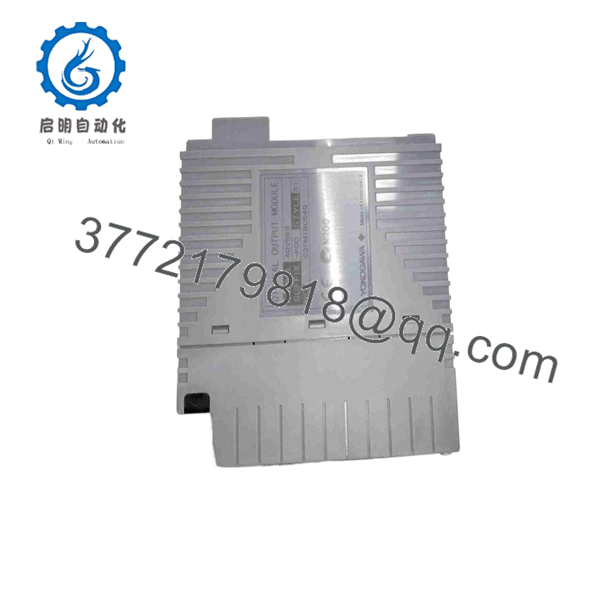
ADV569-P00
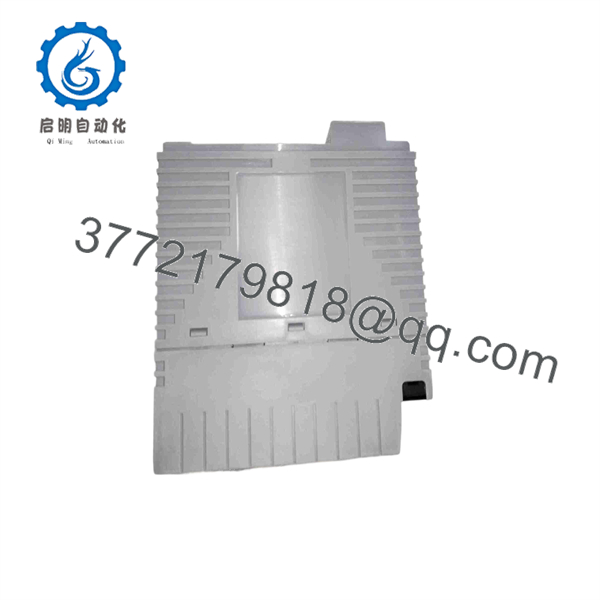
ADV569-P00
FAQ
What is the Yokogawa -P00?
It is a 64-channel digital output module for ST7-compatible I/O systems. The outputs are transistor-contact type and are grouped with a common-minus connection every 16 channels.
What is the output rating of -P00?
Each output is rated up to 30 V DC and 100 mA. The connected field load must remain within the documented electrical limits.
What does the “-P” in -P00 mean?
The P specifies the version with pulse-width and time-proportional output functionality. This is different from a basic discrete-output configuration and should be preserved when replacing a module in a control loop that uses timed output.
What is the pulse-width range?
Published specifications list a pulse-width range of 8 ms to 7,200 seconds, with an 8 ms pulse resolution. An additional ON/OFF delay of up to approximately 1 ms is also specified in technical listings.
How are the 64 outputs grouped?
The outputs use a common-minus arrangement for every 16 channels. Therefore, field wiring should be checked by output group rather than treating all 64 points as one common circuit.
What cable use?
The module uses a dedicated KS9 cable/interface arrangement. Verify the installed cable before ordering a replacement because the module’s field connection is part of the ST7-compatible architecture.
Can I re with another variant?
Do not assume so. The complete suffix matters because the -P configuration provides pulse-width/time-proportional functionality. Before substitution, compare the complete model code, ST7 compatibility, channel grouping, output rating, KS9 connection, and application requirements.



