
 WhatsApp: +86 16626708626
 Email:
  Phone: +86 16626708626
Description
Key Technical Specifications
| Parameter | Specification / Value |
| Manufacturer | Yokogawa Electric Corporation |
| Part Number | ALE111-S50 (Style: Standard Type / Suffix: -S50) |
| System Platform | CENTUM VP / CENTUM CS 3000 Field Control Stations (FCS) |
| Interface Ports | 2 x RJ45 Ports (Supports dual-redundant network configurations) |
| Transmission Speed | 10BASE-T / 100BASE-TX Auto-Negotiation |
| Power Consumption | Max 4.5 W (Supplied via FCS node backplane) |
| Communication Protocols | Modbus TCP/IP, Ethernet/IP, and proprietary Yokogawa subsystem protocols |
| Operating Temperature | 0 to +55 °C (+32 to +131 °F) |
| Form Factor / Mounting | Direct plug-in card for Field Control Unit (FCU) baseplates |
| Weight | Approx. 0.30 kg (0.66 lbs) |
Product Introduction & Supply Chain Strategy
The Yokogawa ALE111-S50 is a high-performance Ethernet communication module designed to seamlessly link Yokogawa CENTUM VP and CENTUM CS 3000 Field Control Stations (FCS) with third-party subsystems, PLCs, analyze units, and plant network infrastructure. Equipped with dual RJ45 interfaces, this module enables robust, deterministic Modbus TCP/IP and subsystem communications over standard Ethernet media.
Securing the ALE111-S50 as New Surplus provides plant engineering and procurement teams with immediate, risk-free hardware availability. DCS network modules serve as critical data gateways; relying on second-hand or reconditioned networking cards risks silent data corruption, packet loss, or total subsystem communication blackouts. Keeping a factory-fresh, unused ALE111-S50 on-site protects process uptime, slashes off-spec production risks, and reduces overall Total Cost of Ownership (TCO).
Installation & Configuration Guide
1.Pre-Installation & Safety Preparation:Disconnect node power and observe ESD protocols.
- Lock out and tag out electrical supply to the targeted Field Control Unit (FCU) or node chassis.
- Wear a grounded ESD wrist strap to shield onboard Ethernet controller ICs from static electricity.
- Record and mark network cabling to match primary (Port 1) and secondary/redundant (Port 2) Ethernet lines.
2.Card Removal & Slot Inspection:
- Release the locking levers at the top and bottom of the module faceplate.
- Pull the card smoothly along the slot guide rails to unseat the rear backplane connectors.
- Inspect the backplane gold pins inside the baseplate slot for dust, corrosion, or mechanical damage.
3.Hardware Seating & Network Reconnection:
- Slide the replacement ALE111-S50 module into the designated slot until the rear connectors mate securely.
- Press the top and bottom locking levers closed to clamp the card firmly into the chassis.
- Plug in the RJ45 Ethernet cables until the retaining clips click locked.
4.Power-On Validation & System Commissioning:
- Power up the FCS node unit and observe the module diagnostic LEDs (STATUS, RDY, ACT, LINK).
- Verify through the System View engineering station that the ALE111-S50 status reads “OK” without communication timeout alarms.
- Execute ping tests and verify live subsystem data polling across both active and redundant network channels.
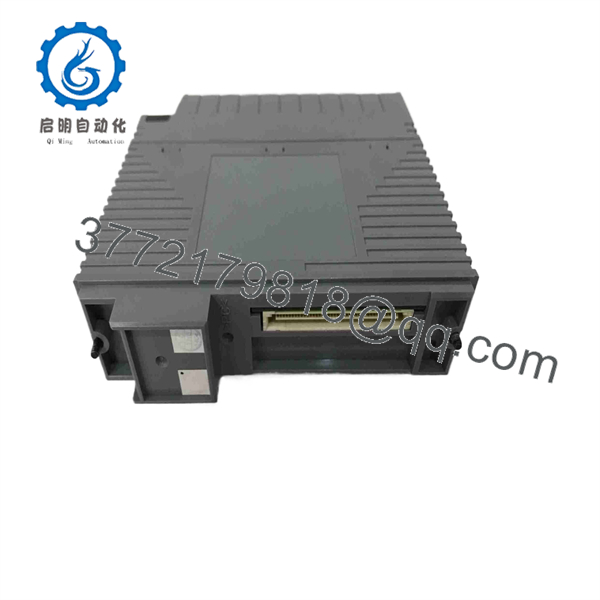
ALE111-S50
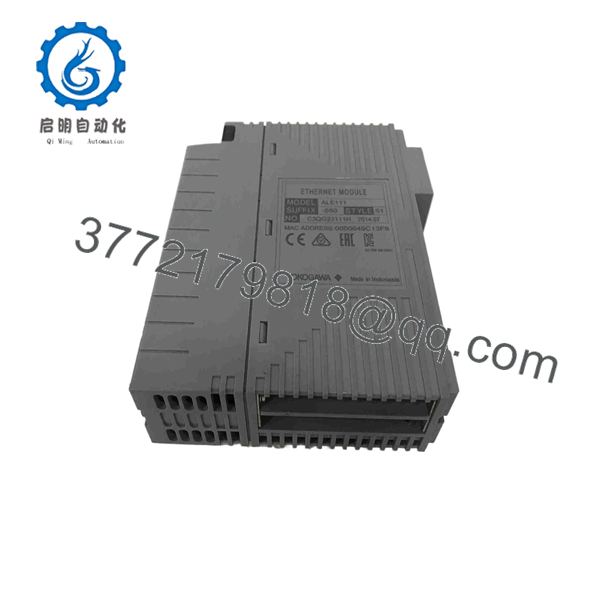
ALE111-S50
Firmware/Software Versions & Upgrade Notes
- Suffix Code Meaning: The “-S50” suffix indicates a Standard Type module with standard temperature specifications and standard function code execution. Ensure the module suffix matches your System Generation (SysGen) hardware definition file.
- Redundancy Setup: For dual-redundant operation, two cards are typically installed as a pair in adjacent odd/even slots (e.g., Slot 1 and Slot 2). Confirm that card paired configurations are correctly assigned in Yokogawa System View.
- Firmware Maintenance: Card operational firmware is initialized automatically by the Field Control Station upon system bootup; no manual field flashing of the communication card is required.
Frequently Asked Questions (FAQ)
Is thisawa module authentic OEM and completely unused?
Yes, this module is New Surplus (Original New). It is genuine, factory-original Yokogawa inventory sourced from canceled project reserves or strategic spare holdings. It has never been installed in a live DCS cabinet or exposed to industrial environmental contaminants.
Why is New Surplus preferred over a refurbished DCS Ethernet card?
Industrial Ethernet modules operate continuously in elevated cabinet temperatures. Refurbished boards often contain heat-aged pulse transformers, degraded capacitors, and worn RJ45 jack contacts that lead to intermittent link drops and packet retransmissions. Buying New Surplus guarantees factory-fresh component reliability and 100% network uptime.
the hot-swappable while the DCS is running?
If the Field Control Station is configured with dual-redundant communication modules, you can safely online-replace the offline module without interrupting active process control. However, if installed in a single-card configuration, replacing the card will temporarily sever subsystem communications. Always follow official Yokogawa hot-swap procedures.
the support Modbus TCP/IP communication?
Yes. When paired with the appropriate Yokogawa subsystem communication package in CENTUM softthe serves as a Modbus TCP/IP master or slave interface.
What warranty is provided with this surplus component?
We back this unit with a 1-Year Comprehensive Replacement Warranery card undergoes visual inspection, connector verification, and backplane power-on testing prior to dispatch.



