
 WhatsApp: +86 16626708626
 Email:
  Phone: +86 16626708626
Description
Key Technical Specifications
| Parameter | Specification / Value |
| Manufacturer | Yokogawa Electric Corporation |
| Part Number | ALP121-S00 (ALP121 Standard Suffix S00) |
| System Compatibility | CENTUM VP, CENTUM CS 3000 Distributed Control Systems (DCS) |
| Protocol Support | PROFIBUS DP-V0, DP-V1 Master Functionality |
| Baud Rate | 9.6 kbit/s up to 12 Mbit/s (Auto-detection) |
| Max Connected Devices | Up to 125 PROFIBUS DP Slaves |
| Power Consumption | Max 4.5 W @ 5 V DC internal backplane rail |
| Interface Port | 1 x 9-Pin D-Sub Female (RS-485 PROFIBUS DP interface) |
| Isolation | Optical isolation between internal bus and field network |
| Operating Temperature | 0 to +55 °C (+32 to +131 °F) |
| Weight | Approx. 0.30 kg (0.66 lbs) |
Product Introduction & Supply Chain Strategy
The Yokogawa ALP121-S00 is a dedicated PROFIBUS DP master communication module designed for integration into Yokogawa CENTUM VP and CENTUM CS 3000 Field Control Stations (FCS). By serving as an intelligent bridge between the DCS backplane and field-level automation networks, the ALP121-S00 enables real-time cyclic data exchange and acyclic diagnostic communication with smart transmitters, motor control centers (MCCs), and variable frequency drives.
Carrying this module as New Surplus offers significant strategic inventory advantages for process facility managers. A failure on a fieldbus interface card can blind operators to dozens of field instruments, triggering widespread plant interlocks. Sourcing factory-fresh, unused surplus stock provides instant deployment capabilities, bypasses lengthy OEM manufacturing factory lead times, and eliminates the hidden degradation risks associated with second-hand cards—ensuring a lower Total Cost of Ownership (TCO).
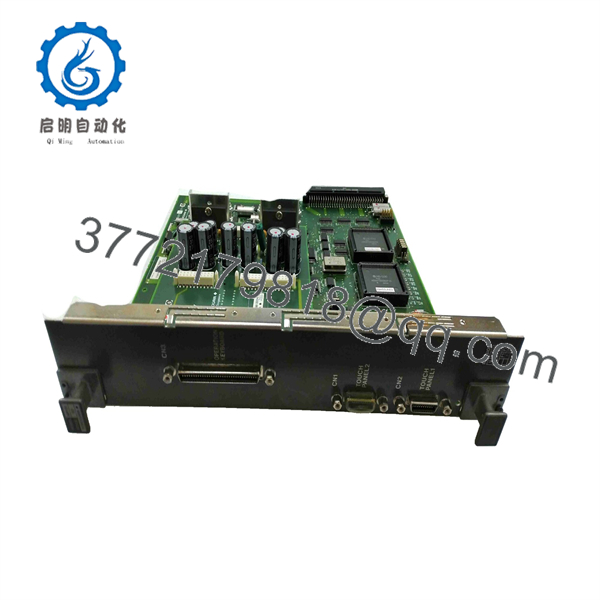
ALP121-S00
ALP121-S00
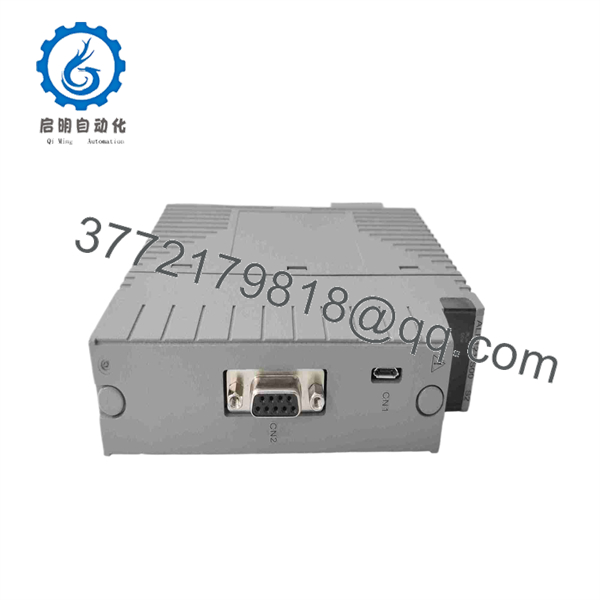
ALP121-S00
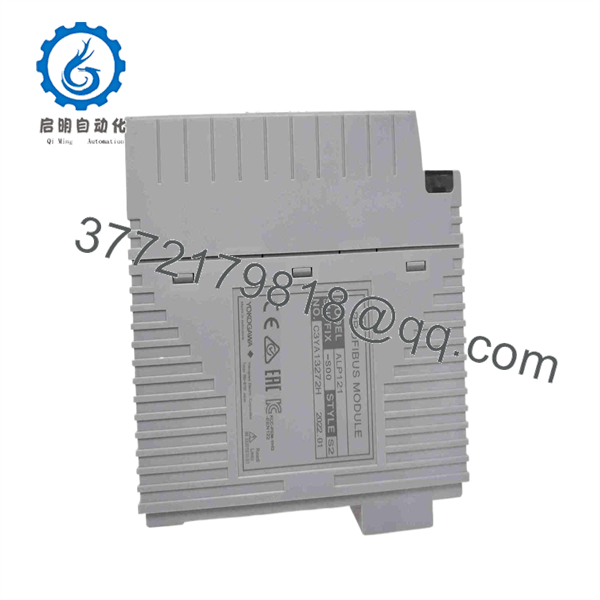
ALP121-S00
Installation & Configuration Guide
1.Pre-Installation & Safety Preparation:De-energize target baseplate slot and wear grounded ESD strap.
- Lock out and tag out power to the target Yokogawa node unit or I/O baseplate slot.
- Attach a grounded ESD wrist strap to prevent static electricity from damaging onboard microprocessors and bus transceivers.
- Verify that the 9-pin D-sub PROFIBUS cable connector is clean and that bus termination resistors are correctly set at the network cable ends.
2.Card Extraction & Slot Inspection:
- Loosen the retaining connector screws on the PROFIBUS DB9 cable and remove it from the existing card.
- Release the top and bottom card locking levers on the front faceplate of the old ALP121 module.
- Slide the card smoothly out along the baseplate guide rails without twisting or touching the rear edge connector.
3.Hardware Insertion & Cable Attachment:
- Align the replacement ALP121-S00 module with the card guides on the designated baseplate slot.
- Slide the card in firmly until the faceplate locking levers snap locked, securing the backplane pin connection.
- Reattach the 9-pin D-Sub PROFIBUS communication cable and tighten the retaining screws hand-tight.
4.Power-On & Network Commissioning:
- Restore power to the node unit and observe the front panel LEDs: STATUS should light steady green, and RDY should indicate normal initialization.
- Verify communication with downstream PROFIBUS slaves using the CENTUM VP System Generation (SysGen) software or PROFIBUS Configurator tool.
- Perform a diagnostic loop check to confirm cyclical I/O signal transfer between field devices and the FCS logic blocks.
Firmware/Software Versions & Upgrade Notes
- System Generation (SysGen) Mapping: The -S00 requires proper node and slot assignment within Yokogawa’s System Generation software environment. Ensure the GSD (General Station Description) files for all connected slave devices match the configuration database loaded in the FCS.
- Redundancy Considerations: If operating in a paired, dual-redundant PROFIBUS configuration, verify that both primary and standby modules share identical hardware revision codes to prevent switchover synchronization errors.
- Baud Rate Matching: High-speed PROFIBUS networks operating at 12 Mbit/s require strict adherence to segment cable lengths and quality shielding. Ensure proper network grounding to prevent fieldbus dropouts.
Frequently Asked Questions (FAQ)
Is this Yokogawa -S00 module authentic OEM and unissued?
Yes, this module is New Surplus (Original New). It is an authentic Yokogawa module sourced from canceled refinery projects or strategic facility spare reserves. It has never been deployed in active process control service.
Why is buying New Surplus preferable to a cheaper refurbished PROFIBUS card?
Communication cards operating in DCS control cabinets face constant thermal exposure. Refurbished boards frequently suffer from dried-out surface-mount capacitors and heat-stressed RS-485 transceiver chips that can cause intermittent communication dropouts. Buying New Surplus guarantees factory-original component lifespan and 100% network reliability.
Doe require on-board jumper settings before installation?
No physical DIP switches or jumpers are required for basic address setup. Hardware slot identification and network configuration parameters are assigned through Yokogawa’s CENTUM system software upon startup.
Can I hot-swap this card while the Field Control Station is running?
Hot-swapping is permitted only if the specific baseplate slot and software configuration support online card replacement, and if the card is part of a redundant pair. If operating on a single, non-redundant PROFIBUS link, replacing the card will cause an immediate loss of fieldbus communication to all downstream slave devices.
What warranty coverage comes with this surplus unit?
We back this unit with a 1-Year Comprehensive Replacement Warranty. card undergoes rigorous visual inspection and backplane power-rail validation prior to dispatch.



