
 WhatsApp: +86 16626708626
 Email:
  Phone: +86 16626708626
Description
Key Technical Specifications
| Parameter | Value |
|---|---|
| Manufacturer | Yokogawa Electric Corporation |
| Model | CP451-10 |
| Module Type | FCS Processor / CPU Module |
| Compatible System | CENTUM CS 3000 / CS 1000 |
| Processor Architecture | 32-bit RISC processor |
| Main Function | Real-time process control execution |
| Memory | 64 MB RAM / 32 MB Flash (typical configuration) |
| Control Execution | Function block and sequence control processing |
| Control Period | Configurable, typically 100 ms to 500 ms |
| Communication Interface | Dual V-net ports, EWS service port, RS-232C |
| Redundancy | 1:1 hot standby configuration |
| Programming Environment | Yokogawa CS Engineering Station |
| Control Logic | FBD / SFC |
| Mounting | FCS base unit installation |
| Power Supply | 24 VDC system supply |
| Operating Temperature | 0 °C to +55 °C |
| Diagnostics | POWER, RUN, ALM, RDY, SYNC indicators |
| Application Areas | Chemical, oil & gas, power, pharmaceutical process control |
The Yokogawa CP451-10 is identified as a processor module for Yokogawa CENTUM CS 3000/CS 1000 distributed control systems. It performs real-time control execution, I/O processing, and communication with higher-level systems through Yokogawa control networks.
Product Introduction & Supply Chain Strategy
The Yokogawa CP451-10 is a Field Control Station (FCS) processor module used in CENTUM DCS architectures. It executes regulatory control, sequence logic, I/O management, and communication tasks required for continuous industrial processes. The module supports redundant processor configurations for applications where controller availability is critical.
For plants operating legacy CENTUM systems, maintaining New Surplus CP451-10 inventory reduces exposure to unexpected CPU failures and extended procurement cycles. Because DCS controller modules are tightly linked to engineering databases and control strategies, keeping an original replacement module can reduce migration pressure and avoid unnecessary system changes.
Installation & Configuration Guide
Stage 1: Pre-Installation — Preparation & Safety
- Apply plant lock-out/tag-out procedures when performing cabinet maintenance.
- Verify the FCS cabinet power status before removing any module.
- Record the current CPU configuration:
- Station address
- Communication settings
- Redundancy status
- Hardware revision
- Backup the CENTUM engineering database before replacement.
- Photograph:
- CP451-10 module position
- V-net connections
- Status LED conditions
- Adjacent module arrangement
- Wear an ESD wrist strap before handling the processor module.
Stage 2: Removal
- Confirm whether the system uses a redundant CP451-10 configuration.
- Place the controller into the approved maintenance state.
- Disconnect communication cables carefully.
- Release the module locking mechanism.
- Remove the processor module straight from the base unit.
- Inspect:
- Backplane contacts
- Connector pins
- Cooling airflow path
- Cabinet contamination
Stage 3: Installation — Clone & Seat
- Verify the replacement label matches .
- Insert the module into the correct FCS slot.
- Ensure the connector fully seats into the backplane.
- Reconnect V-net and service connections.
- Confirm redundant processor synchronization wiring if applicable.
- Verify the module position matches the original configuration.
- Restore power according to Yokogawa maintenance procedures.
Stage 4: Power-On & Testing
- Observe CPU diagnostic LEDs:
- POWER
- RUN
- RDY
- ALM
- SYNC (redundant systems)
- Confirm FCS communication status.
- Verify I/O communication.
- Check controller alarms.
- Confirm process values update correctly.
- Test control loops and sequence functions.
- Perform redundancy switchover testing if applicable.
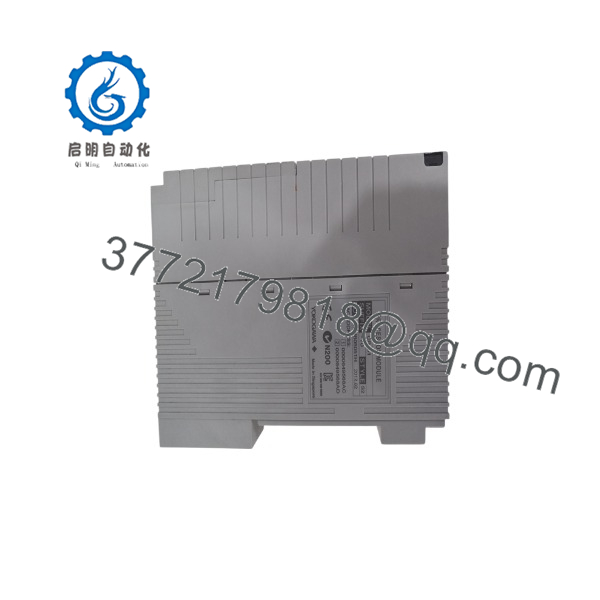
CP451-10
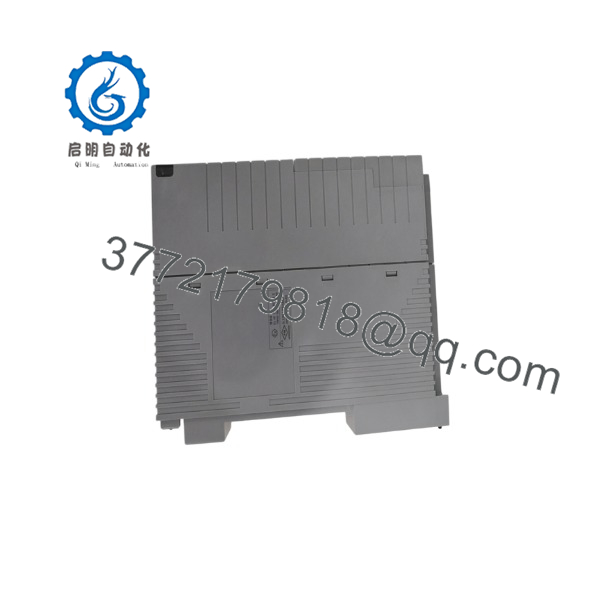
CP451-10
Firmware/Software Versions & Upgrade Notes
Firmware status: firmware is dependent on the installed Yokogawa CENTUM system release and controller revision.
Recommended practice before replacement:
- Record the existing firmware revision.
- Record CENTUM CS engineering software version.
- Backup FCS database configuration.
- Document communication settings.
- Verify compatibility with the installed I/O modules.
Typical engineering environments include Yokogawa CS 3000 engineering tools, with compatibility dependent on system revision.
Compatibility considerations:
- replacement should match the existing CENTUM system generation.
- Do not introduce a different processor revision without checking software compatibility.
- Communication configuration changes can affect FCS/HIS communication.
Upgrade warning:
A processor replacement is not the correct time to perform an unrelated CENTUM software upgrade. Firmware or engineering software changes should be planned separately, tested offline where possible, and approved through plant change-management procedures.
Frequently Asked Questions (FAQ)
1. What is the Yokogawa ?
The is a Yokogawa CENTUM DCS Field Control Station processor module. It executes control programs, manages I/O processing, and communicates with other DCS components.
2. Which Yokogawa systems use ?
The module is commonly associated with CENTUM CS 3000 and CS 1000 FCS architectures. Compatibility should always be verified against the installed controller configuration.
3. Is an obsolete part?
is considered a legacy DCS processor module. Some suppliers identify newer replacement options, making lifecycle planning important for plants that still operate this hardware.
4. Can be replaced while the plant is running?
Only under an approved redundant configuration and Yokogawa maintenance procedure. A single active processor should not be removed without confirming system redundancy and operational risk.
5. Does retain the control program?
The module executes the control program, but the primary engineering database and project configuration are maintained through the Yokogawa engineering environment. Always perform a verified backup before replacement.
6. Why purchase New Surplus instead of a lower-cost alternative?
For a DCS processor, purchase price is only one part of the decision. A compatible original module reduces risks associated with firmware mismatch, configuration recovery, commissioning time, and unexpected production interruption.
7. What should be checked before ordering ?
Confirm:
- Exact model:
- Hardware revision
- CENTUM system version
- FCS model
- Redundancy configuration
- Existing firmware revision
- Current module photographs
Maintaining one spare as buffer stock is often justified when controller failure would create significant production downtime.



