
 WhatsApp: +86 16626708626
 Email:
  Phone: +86 16626708626
Description
Key Technical Specifications
| Parameter | Value |
|---|---|
| Manufacturer | Yokogawa Electric Corporation |
| Base Model | CP451 |
| Product Type | Field Control Station processor module |
| Primary System Family | Yokogawa CENTUM VP / CENTUM CS 3000 Field Control Station architecture |
| Supported FCS Type | AFV10S and AFV10D, based on Yokogawa security-advisory identification |
| Associated Control Platform | Vnet/IP-based Field Control Station with FIO support |
| Processor Role | Executes process-control, sequence, interlock, alarm, and FCS communications functions |
| Reported Legacy Replacement Path | CP451-50 replaces CP451-10; verify exact system compatibility before substitution |
| Standard Variant Reference | CP451-50: standard type with no explosion protection, according to secondary-market product reference |
| Special Variant Reference | CP451-51: ISA Standard G3 option is reported for the suffix-1 variant; verify from Yokogawa documentation for the installed system |
| Firmware Compatibility | Depends on CENTUM VP / CS 3000 system release, FCS firmware, Vnet/IP firmware, and engineering environment |
| Vulnerability Remediation Reference | Yokogawa advises CP451 systems with Vnet/IP firmware F1 revision R31 or earlier to update to R33 or later for the Ripple20 advisory |
| Meltdown/Spectre Assessment | Yokogawa lists used in AFV10S and AFV10D as not affected in its published assessment |
| Module Weight | Approximately 1 kg, as reported by secondary-market references |
| Mounting | Installed in compatible Yokogawa Field Control Unit / Field Control Station hardware |
| Replacement Requirement | Match complete suffix, FCS type, system release, firmware, redundancy architecture, Vnet/IP configuration, node settings, and engineering database |
Yokogawa identifies as a processor module used in AFV10S and AFV10D Field Control Stations. Yokogawa’s vulnerability advisory specifies that systems using Vnet/IP firmware F1 R31 or earlier should be updated to R33 or later, while a separate Yokogawa assessment lists as not affected by Meltdown/Spectre.
Product Introduction
Yokogawa CP451 is a processor module for AFV10S and AFV10D Field Control Stations in Yokogawa CENTUM VP and related CENTUM CS 3000 process-control architectures. It executes the FCS control application and supports field I/O processing, sequence logic, interlocks, alarms, and controller communications through the installed Vnet/IP and FIO system design.
The base number is not enough for a safe replacement. -10 S2, -50, and -51 can have different suffix meanings, environmental options, firmware requirements, and supported system releases. Record the exact label, FCS type, firmware, redundancy arrangement, and engineering project before removing the installed processor.
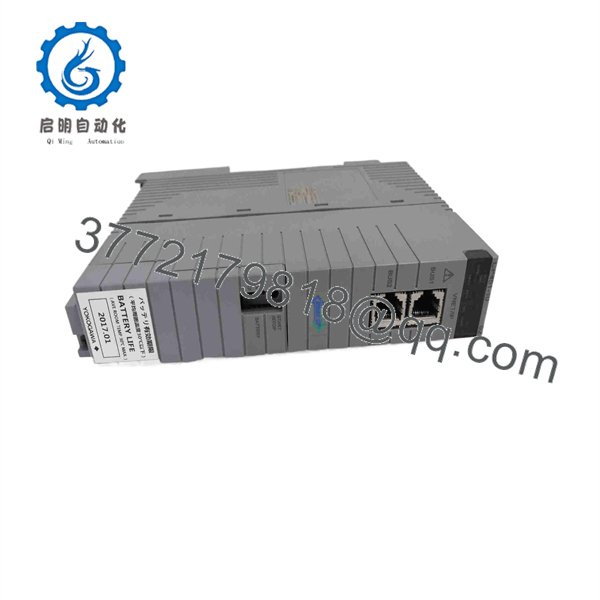
CP451
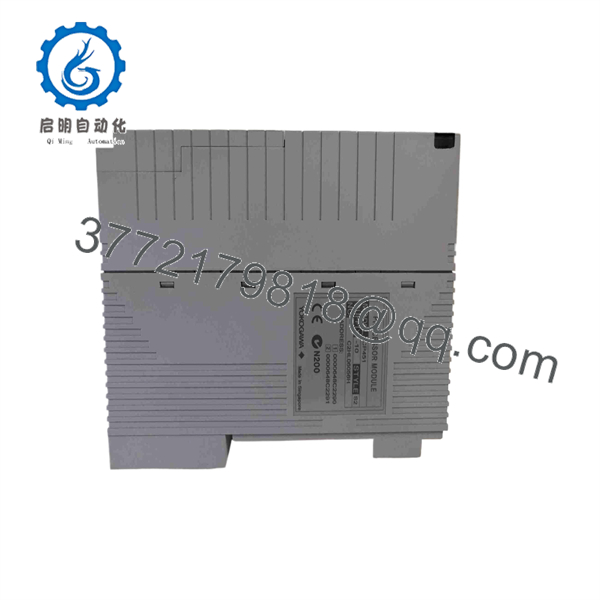
CP451
Troubleshooting Quick Reference
| Symptom | Possible Cause | Relevance to This Part | Quick Check Method | Recommendation |
|---|---|---|---|---|
| FCS does not start or remains offline | Missing FCU power, failed power supply, loose processor seating, backplane fault, processor fault, corrupted startup configuration | ✅ High | Check FCU power-supply status and rack LEDs; verify supply rails using the approved Yokogawa procedure; inspect module seating with power removed | Verify power and backplane health before replacing . |
| Engineering Station cannot communicate with the FCS | Vnet/IP network issue, wrong node address, duplicate IP or Vnet/IP configuration, switch fault, Vnet/IP interface issue, processor failure | ✅ Medium | Review CENTUM diagnostics, network alarms, switch-port status, and node configuration; compare with redundant or neighboring FCS stations | Diagnose network and configuration issues before replacing the processor module. |
| FCS runs but one or more I/O nodes are unavailable | FIO node power loss, I/O bus issue, remote-node configuration error, field I/O module fault, cable problem | ❌ Low | Check affected node power, FIO diagnostics, I/O module LEDs, bus connections, and node configuration | Do not replace first. A processor fault usually affects broader FCS operation than one isolated I/O node. |
| Processor module reports a fault after replacement | Wrong module suffix, unsupported FCS firmware, system-release mismatch, failed startup sequence, poor backplane contact | ✅ High | Record diagnostic messages; compare old and new labels, firmware, FCS model, and CENTUM VP/CS 3000 release | Confirm compatibility before attempting firmware or configuration changes. |
| Redundant FCS does not perform expected takeover | Redundancy configuration issue, partner processor mismatch, synchronization failure, power or network issue, inconsistent firmware | ✅ High | Review redundancy status and synchronization diagnostics; compare both processor part numbers, suffixes, firmware revisions, and node settings | Do not assume bumpless transfer. Resolve mismatch before returning the redundant pair to service. |
| FCS becomes unstable after a firmware update | Firmware package mismatch, interrupted update, incompatible engineering database, Vnet/IP firmware mismatch | ✅ High | Review update records, system alarms, installed firmware revisions, and Yokogawa compatibility guidance | Use only Yokogawa-approved update procedures. If available, restore the verified previous revision under vendor guidance. |
| I/O response is slow or scan-related alarms appear | Excessive control load, engineering configuration change, network congestion, faulty I/O node, processor issue | ✅ Medium | Review CPU load, task execution, event logs, I/O update status, and recent engineering changes | Analyze configuration and load first. Replace only if evidence shows a processor-specific hardware fault. |
| Intermittent FCS resets | Power dip, loose module, excessive cabinet temperature, grounding problem, backplane issue, internal processor fault | ✅ High | Trend power supply under load; inspect airflow and cabinet temperature; examine event logs for reset patterns | Correct power, cooling, and grounding issues first. Replace if resets follow the module in a controlled, approved test. |
| New module boots but control application is missing | Engineering database not restored, wrong startup media, application download incomplete, module configuration mismatch | ✅ High | Confirm database revision, download status, node assignment, and application checksum from the Engineering Station | Restore the approved system project. A hardware swap does not automatically restore the FCS application. |
| Module shows physical damage or overheats | Wrong power rail, contaminated backplane, failed regulator, inadequate cooling, moisture, internal failure | ✅ High | De-energize; inspect for discoloration, corrosion, odor, and damaged contacts; verify cabinet supply and cooling | Replace damaged hardware, but identify the root cause before installing the spare. |
❗ Firmware warning: Yokogawa identifies Vnet/IP firmware F1 revisions R31 or earlier as affected by the Ripple20 advisory and recommends update to R33 or later. Do not update a live FCS casually. Confirm exact system release, approved patch sequence, redundancy state, backup status, and Yokogawa guidance before any firmware change.
❗ Module-suffix warning: -10 S2, -50, and -51 are not interchangeable based on the visible base number alone. Secondary-market references state -50 replaces -10, but final compatibility depends on the installed AFV system, firmware, environmental option, and system release. Verify through the OEM documentation and the plant’s approved spare-parts list.
❗ Redundancy warning: If the FCS is redundant, record both processor labels and their firmware before touching either module. A mismatched pair can prevent correct synchronization or takeover. Never remove both processors at once.
❗ Configuration warning: The processor hardware does not replace the engineering work. Preserve the CENTUM project database, controller download, node configuration, Vnet/IP data, alarm records, and startup procedure. I have seen a spare processor boot perfectly but leave an FCS unavailable because the engineering backup belonged to a different system revision.
❗ Network warning: Do not diagnose every FCS communication issue as a failure. Check Vnet/IP cabling, network switches, interface modules, node identity, redundancy status, and engineering-station diagnostics first.
❗ ESD warning: Wear a grounded wrist strap, use ESD-safe packaging, and never place the module on cardboard or painted cabinet steel. I have seen a technician solve a seating issue, then damage a spare board during handling. Legacy processor modules are not forgiving.
Keep these checks in mind and you will save yourself 90% of typical rework time. If the fault remains unresolved, provide technical support with the full label, FCS model, rack position, processor and redundancy diagnostics, CENTUM system release, Vnet/IP firmware revision, event logs, cabinet power readings, and the verified engineering backup revision.
Frequently Asked Questions
What is the Yokogawa ?
Yokogawa is a processor module used in AFV10S and AFV10D Field Control Stations in Yokogawa CENTUM VP and related CENTUM CS 3000 environments. It performs FCS processing for control, sequence, interlock, alarm, communications, and installed I/O functions.
It is not a generic PLC CPU. It must be matched to the exact Yokogawa Field Control Station architecture and installed system release.
What systems use the ?
Yokogawa’s published product-security information identifies in AFV10S and AFV10D FCS types. Other Yokogawa technical documentation lists -E□ as a processor module in the applicable Field Control Unit architecture.
Before ordering, verify the actual FCS model from the cabinet label, system configuration, Engineering Station hardware tree, and plant spare-parts list. Do not infer compatibility from a controller name alone.
Is -50 a replacement for -10?
Secondary-market references iden as a replacement for -10. However, that should be treated as a procurement lead, not final engineering authorization. Confirm exact system release, environmental option, firmware, engineering database, redundancy arrangement, and Yokogawa-approved compatibility documentation before instal in pof .
A new suffix can be electrically compatible yet still require an approved firmware level or system update.
Can I hot-swap a processor module?
Do not hot-swap a unless the exact Yokogawa hardware, FCS redundancy arrangement, current system state, and plant procedure explicitly permit it. Removing a processor can interrupt process control, alarm handling, I/O updates, and communications.
For a redundant FCS, verify which processor is active, confirm partner synchronization, obtain operations authorization, and follow the Yokogawa-approved replacement process. For a non-redundant FCS, plan a controlled shutdown. Never remove both units from a redundant pair at the same time.
Will replacing erase the control application?
The replacement processor may not contain your site’s complete control application, configured node identity, Vnet/IP settings, or approved firmware. The engineering project normally resides in the CENTUM engineering environment and must be backed up, verified, and downloaded according to the system procedure.
Before replacement, archive:
- Full model and suffix for both redundant processors
- or system identification
- CENTUM VP or CENTUM CS 3000 system release
- FCS processor firmware and Vnet/IP firmware revision
- Engineering project/database revision and checksum
- Node address, network configuration, and communications details
- Controller diagnostics, active alarms, and event history
- Redundancy synchronization status
- Rack position, power-supply status, and wiring photos
Is affected by Meltdown or Spectre?
Yokogawa’s published assessment lists processors used in and Field Control Stations as not affected by the Meltdown/Spectre CPU vulnerabilities. This is separate from other product-security advisories and does not mean the system requires no patch management.
For Ripple20, Yokogawa identifies Vnet/IP firmware F1 R31 or earlier as affected and recommends updating to R33 or later. Confirm the exact installed firmware and vendor guidance before changing a production system.
Why is a New Surplus cheaper than factory supply?
New Surplus inventory can come from unused system spares, cancelled DCS expansions, warehouse releases, system-integrator stock, distributor overstock, or plant modernization projects. Lower price often reflects secondary-market sourcing, stock age, and product lifecycle status rather than an automatic defect.
For a New Original / New Surplus , request:
- Actual photos of the full label, including suffix and any environmental marking
- Photos of front/rear connectors, backplane edge, revision label, and packaging
- Hardware revision, serial number, manufacturing date, and firmware information where available
- Confirmation whether it is Factory Sealed, New Original / New Surplus, or Refurbished (tested)
- Evidence of no corrosion, bent contacts, heat damage, altered labels, rework marks, or missing hardware
- Warranty duration, return conditions, confirmed quantity, and actual dispatch lead time
What test process should a supplier complete before shipment?
A supplier should use an OEM-compatible, traceable test process:
- Inbound inspection and traceability: Verify the Yokogawa label, complete suffix, serial number, revision, source records, and factory markings. Inspect for corrosion, altered labels, cracked housing, damaged connectors, bent backplane contacts, heat discoloration, missing hardware, UV yellowing, or rework marks.
- Rack fit and power test: Install the in a compatible / Field Control Station test rack. Confirm correct mechanical fit, normal startup indications, stable power draw, and no abnormal heating. Do not apply power outside the manufacturer-approved rack environment.
- Boot and firmware verification: Record processor startup state, firmware revision, Vnet/IP firmware revision, and diagnostic status. Confirm the unit completes boot without internal faults and retains valid configuration through a controlled restart.
- Controller communications test: Connect the processor to a representative CENTUM test environment. Confirm Engineering Station communication, Vnet/IP connectivity, controller recognition, node configuration, and stable diagnostic reporting.
- I/O and application test: Download a non-production test application and verify representative FIO communication, input processing, output response, control execution, alarms, and sequence behavior. Test only with a controlled test process or simulator.
- Redundancy test: Where compatible test equipment is available, test with a matched redundant processor. Confirm synchronization, controlled switchover, diagnostic behavior, and restoration to normal redundant status. Do not claim bumpless transfer unless the exact tested system configuration demonstrates it.
- Load and thermal test: Operate the processor with representative application and I/O load for more than 24 hours where the test rack permits. Monitor event logs, communications, CPU load, resets, temperature, and redundancy state.
- Final QC and packaging: Require inspector sign-off, ESD-safe packaging, protective connector covers, foam or bubble wrap, heavy-duty corrugated boxing, and a dated QC-passed label. Test photos, firmware records, diagnostics, and the official test report should be available upon request.



