
 WhatsApp: +86 16626708626
 Email:
  Phone: +86 16626708626
Description
Key Technical Specifications
| Parameter | Value |
| Manufacturer | Yokogawa Electric Corporation |
| Part Number | CP451-50 (Style S1 / S2 / S3 variants) |
| System Compatibility | CENTUM VP, CENTUM CS 3000 (Field Control Unit FFCS) |
| Processor Configuration | Single or Dual-Redundant (Pair Configuration) |
| System Bus Interface | V-net / HF-bus / Control Network Interface |
| Memory Capacity | High-speed static RAM with battery backup |
| Power Supply Requirements | Supplied via Field Control Unit (FCU) Backplane (5 V DC / 24 V DC) |
| Current Consumption | ~1.5 A @ 5 V DC |
| Operating Temperature | 0°C to +50°C (32°F to 122°F) |
| Operating Humidity | 20% to 80% RH (Non-condensing) |
| Weight / Mounting | ~0.85 kg (1.87 lbs) |
Product Introduction & Supply Chain Strategy
The Yokogawa CP451-50 is a real-time process control processor module built for Yokogawa CENTUM VP and CS 3000 Distributed Control Systems (DCS). Operating inside Field Control Units (FCUs), the CP451-50 executes complex loop control, batch logic, and field communication drivers required for petrochemical refineries, power generation facilities, and continuous processing plants.
This product is a Brand New Surplus unit. It is not used, not pulled from a decommissioned plant, and not refurbished. All modules undergo rigorous quality verification to ensure OEM-level reliability. Stocking a CP451-50 as New Surplus is an essential safety policy for process plants running mission-critical Yokogawa control loops. Sourcing refurbished DCS processors introduces catastrophic risks, such as degraded micro-capacitors and intermittent memory read faults that can cause sudden node dropouts. Installing an uncommissioned, factory-fresh CPU module preserves pair-redundancy synchronization, eliminates unannounced trips, and protects against millions in lost production.
Installation & Configuration Guide
- Stage 1: Pre-Installation (Prep & Safety)
- Verify whether the target FCU rack is configured for single or dual-redundant operation.
- Wear a grounded ESD wrist strap before handling the replacement CP451-50 card.
- Record and document all station domain and node address settings on the existing CPU module assembly.
- Stage 2: Removal
- In a dual-redundant setup, confirm the target CPU slot is in “STANDBY” mode before removal.
- Unlatch the top and bottom card ejector handles on the CP451-50 front panel.
- Slide the module smoothly out of the FCU backplane guides without touching exposed circuit components.
- Stage 3: Installation (Clone & Seat)
- Ensure DIP switch configurations on the new match the original unit exactly.
- Align the replacement CPU card with the FCU slot guide rails and push firmly until the backplane connectors seat completely.
- Lock the top and bottom ejector handles to secure the module into the rack chassis.
- Stage 4: Power-On & Testing
- Observe the front panel diagnostic LEDs (HRDY, RDY, CTRL, COPY) as the module initializes.
- In redundant configurations, verify the auto-synchronization cycle completes and the new CPU enters “STANDBY” or “CONTROL” state.
- Run system diagnostics in Yokogawa System View / CENTUM Engineering Workstation to clear any lingering hardware fault codes.
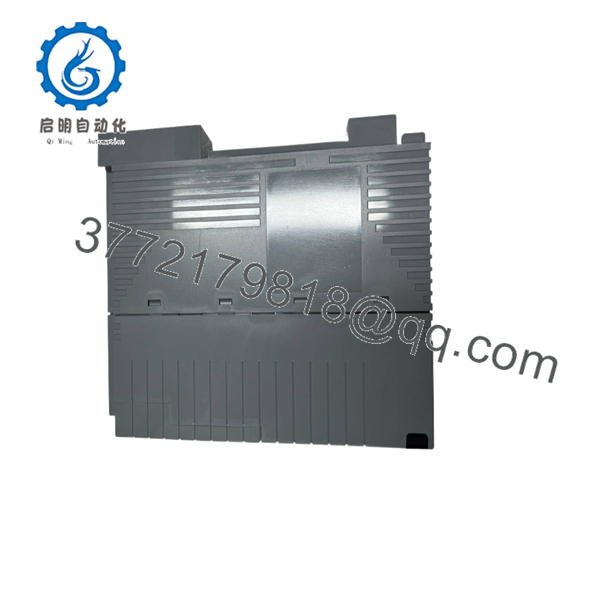
CP451-50
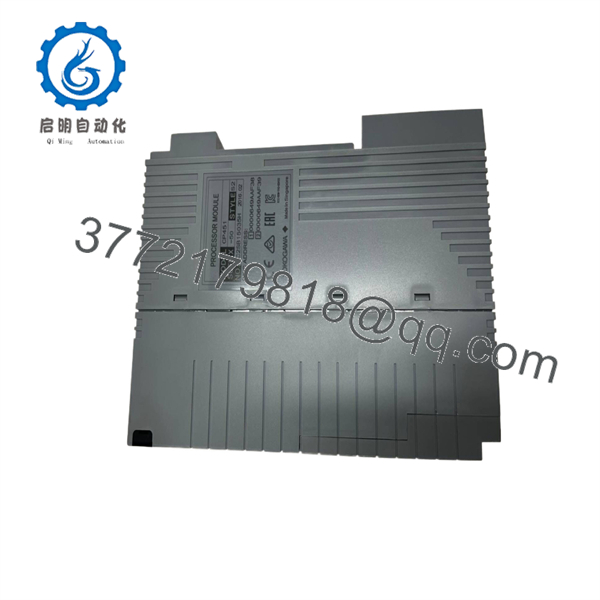
CP451-50
Firmware/Software Versions & Upgrade Notes
- System Software Environment: The requires compatible System Software Revisions within CENTUM CS 3000 or CENTUM VP. Ensure your software maintenance release supports the specific card style code (e.g., S1 vs S2).
- Dual-Redundancy Firmware Matching: When operating modules in redundant pairs, both CPU modules must run identical internal firmware revisions. Mismatched revision levels will prevent memory mirroring and cause redundancy link failure.
- Style Code Verification: Always verify suffix codes (e.g., /S1) prior to physical swap-outs. Upgrading or swapping style codes on live nodes can trigger communication errors on the V-net control network.
Frequently Asked Questions (FAQ)
Q: Why choose a New Surplus over a lower-cost refurbished module?
A: DCS processors are the heart of plant automation. Refurbished units frequently contain aged memory ICs and thermal stress cracks hidden under cosmetically clean covers. A $500 savings on a refurbished processor can result in an emergency plant shutdown costing hundreds of thousands of dollars.
Q: Are these Yokogawa processors guaranteed to be brand new?
A: Yes. These are original New Surplus units stored in static-shielded, climate-controlled environments. Packaging is unsealed only for quality control inspection and physical verification prior to shipping.
Q: Can I hot-swap the while the Yokogawa DCS is running?
A: In a dual-redundant FCU setup, you can hot-swap the STANDBY CPU module without interrupting continuous process control. However, in a single-processor setup, replacing the CPU requires stopping the control unit. Always verify controller redundancy status before pulling any card.
Q: What does the suffix style code (e.g., /S1, /S2) signify on the ?
A: Yokogawa uses style codes to designate hardware component revisions and minor board layout enhancements over time. While most style codes offer backward compatibility, paired redundant CPUs must share matching hardware specifications.
Q: What warranty coverage is provided with this unit?
A: Every Yokogawa New Surplus module is backed by a full 1-year replacement warranty.



