
 WhatsApp: +86 16626708626
 Email:
  Phone: +86 16626708626
Description
3. Key Technical Specifications
| Parameter | Value |
|---|---|
| Manufacturer | ABB |
| Model | 07KT98B |
| Order Number | GJR5253100R3160 |
| Product Family | Advant Controller 31 (AC31) |
| Product Type | PLC Basic Unit / CPU |
| Power Supply | 24 V DC |
| Digital Inputs | 24 (3 isolated groups of 8) |
| Digital Outputs | 16 transistor outputs (2 isolated groups of 8) |
| Configurable Digital I/O | 8 channels |
| Analog Inputs | 8 configurable (0–10 V, 0–20 mA, 4–20 mA, Pt100, differential, digital input modes) |
| Analog Outputs | 4 configurable (0–10 V, 0–20 mA, 4–20 mA) |
| Program Memory | 1 MB |
| User Data Memory | 1 MB + 256 kB RETAIN + 128 kB Flash |
| Communication | CS31 System Bus |
| Mounting | DIN rail (EN 50022) |
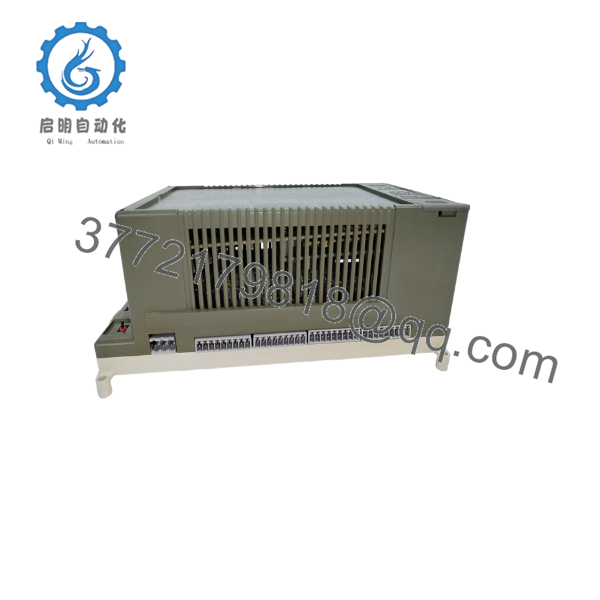
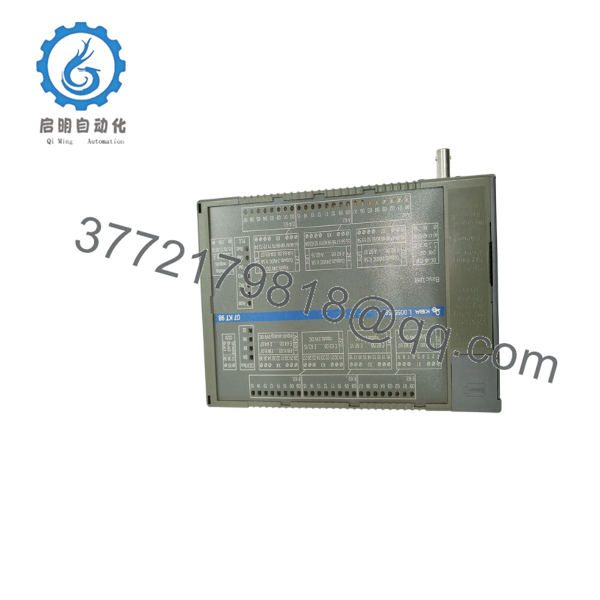
The 07KT98B is the AC31 PLC basic unit featuring integrated CPU, digital I/O, analog I/O, and CS31 fieldbus communication. It operates from a 24 VDC supply and can function as a standalone PLC, a CS31 bus master, or a remote processor.
4. Product Introduction
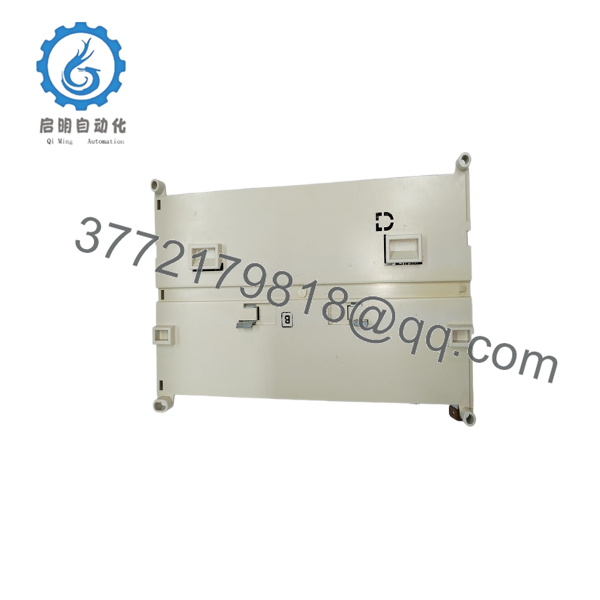
The ABB 07KT98B (GJR5253100R3160) is a compact PLC from the Advant Controller 31 family. Unlike modular CPU-only controllers, it combines the processor, digital inputs, digital outputs, analog inputs, and analog outputs into a single DIN-rail-mounted unit, making it suitable for compact machine automation and distributed process control.
In many existing AC31 installations, the 07KT98B continues to operate in water treatment, HVAC, material handling, and utility systems. Although the platform has reached its phase-out stage, it remains a common spare part for maintaining legacy installations.

- 07KT98B
- 07KT98B
- 07KT98B
5. Installation & Configuration Guide
Stage 1 – Pre-Installation Preparation (10 minutes)
⚠️ Safety First
- Notify operations of planned downtime.
- Apply Lock-Out/Tag-Out procedures.
- Remove the 24 VDC power supply.
- Verify all field wiring is de-energized.
Required Tools
- ESD wrist strap
- Phillips screwdriver
- Digital multimeter
- Wire labels
- Laptop with ABB AC31 programming software
Backup Tasks
- Upload the PLC program.
- Save configuration files.
- Record communication parameters.
- Photograph all terminal wiring.
Stage 2 – Removing the Existing Controller
- Disconnect the 24 VDC supply.
- Label every terminal connection.
- Disconnect field wiring.
- Release the DIN-rail latch.
- Remove the controller vertically.
⚠️ Keep the original controller until the replacement has completed functional testing.
Inspect:
- DIN rail grounding
- Terminal blocks
- Power wiring
- CS31 communication wiring
Stage 3 – Installing the New 07KT98B
- Verify the replacement model is 07KT98B.
- Mount it securely on the DIN rail.
- Reconnect all field wiring according to the wiring records.
- Connect the CS31 communication bus.
- Restore the 24 VDC supply.
Installation Checklist
- ☑ Model verified
- ☑ Wiring checked
- ☑ DIN rail secured
- ☑ Power polarity confirmed
- ☑ Communication cable connected
Stage 4 – Commissioning
- Apply 24 VDC power.
- Verify the Power LED.
- Confirm the RUN indicator.
- Connect the programming software.
- Download or restore the application if required.
- Test digital I/O.
- Test analog signals.
- Verify CS31 communication.
⚠️ Troubleshooting
RUN LED Off
- Check 24 VDC power.
- Inspect CPU diagnostics.
- Verify firmware compatibility.
Communication Failure
- Verify CS31 cable polarity.
- Check node addressing.
- Confirm bus termination.
- Inspect communication connectors.
6. Frequently Asked Questions (FAQ)
Q1. What is the ABB 07KT98B used for?
The 07KT98B is an integrated PLC basic unit that combines CPU, digital I/O, analog I/O, and communication interfaces. It can operate as a standalone controller, a CS31 bus master, or a remote processor in an Advant Controller 31 automation system.
Q2. Is the 07KT98B obsolete?
Yes. ABB has phased out the AC31 platform, so the 07KT98B is considered a legacy product. New surplus and professionally refurbished units are still available through industrial spare-parts suppliers.
Q3. Can I replace a 07KT98B without changing the PLC program?
In most cases, yes—provided the replacement has a compatible hardware revision and firmware. Before removing the original controller, back up the application, document communication settings, and verify the firmware version to avoid unexpected startup issues.
Q4. What memory does the controller provide?
The controller includes:
- 1 MB program memory
- 1 MB user data memory
- 256 kB RETAIN memory
- 128 kB Flash EPROM
These memory resources support typical AC31 machine and process automation applications.
Q5. Does the 07KT98B include built-in I/O?
Yes. The controller integrates:
- 24 digital inputs
- 16 transistor outputs
- 8 configurable digital I/O
- 8 configurable analog inputs
- 4 configurable analog outputs
This integrated design reduces the need for additional expansion modules in smaller control systems.
Q6. What should I verify before purchasing a replacement?
Confirm the following:
- Exact order number (GJR5253100R3160)
- Hardware revision
- Firmware version
- CS31 network compatibility
- Application program backup
- Required I/O configuration
- Power supply specifications
These checks help ensure the replacement controller can be commissioned with minimal downtime and without requiring changes to the existing AC31 control architecture.



