
 WhatsApp: +86 16626708626
 Email:
  Phone: +86 16626708626
Description
3. Key Technical Specifications
| Parameter | Value |
|---|---|
| Manufacturer | ABB |
| Product Number | 3BHE009017R0102 |
| ABB Type Designation | XVC724BE102 |
| Catalog Description | VLSCD-BOARD XV C724 BE102 |
| Product Type | Voltage Level Short Circuit Detection Board |
| PCB Construction | SMD, conformal varnish coating |
| Primary Function | Fast short-circuit detection within MV power converter |
| Installation Location | Phase module within ABB medium-voltage drive |
| Compatible Systems | ABB ACS2000 medium-voltage drives (verify BOM before replacement) |
| Communication | Internal interface with converter control electronics |
| Mounting | Internal PCB assembly |
| Customs Tariff | HS 85049090 |
ABB identifies 3BHE009017R0102 (XVC724BE102) as a VLSCD (Voltage Level Short Circuit Detection) Board with a conformal-coated SMD construction. The board is used as part of the protection circuitry in ABB medium-voltage drive systems.
4. Product Introduction
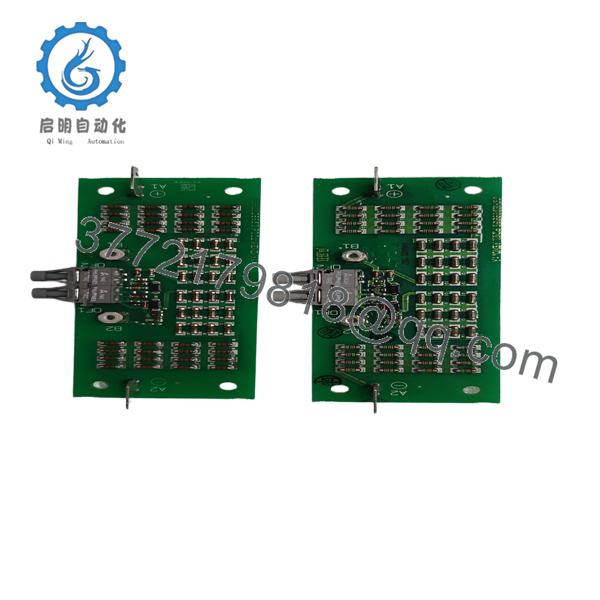
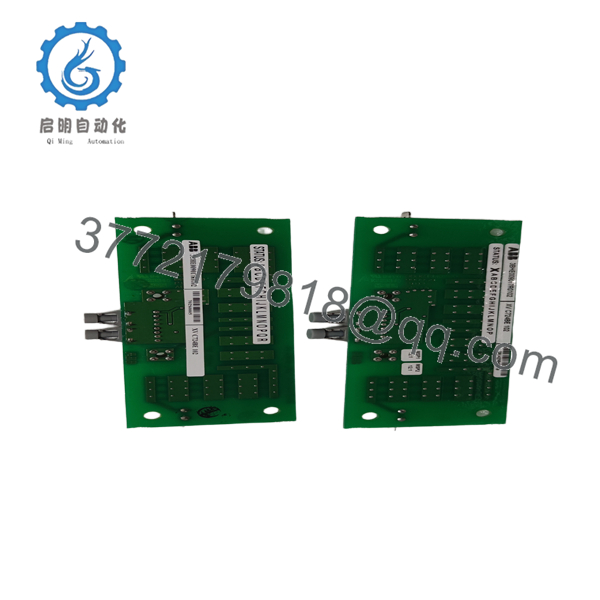
The ABB 3BHE009017R0102 XVC724BE102 is a dedicated Voltage Level Short Circuit Detection (VLSCD) board used in ABB medium-voltage variable frequency drives. Its primary task is to detect abnormal voltage conditions and short-circuit events within the converter power stage, allowing the drive protection system to react before damage propagates through the power electronics.
In ABB ACS2000 drive platforms, this board is installed inside the phase module and works with the converter control hardware to monitor high-energy switching circuits. Because it forms part of the drive’s protection chain, replacement should only be performed after confirming the exact spare-part BOM and hardware revision.

- 3BHE009017R0102 XVC724BE102
- 3BHE009017R0102 XVC724BE102
5. Installation & Configuration Guide
Stage 1 – Pre-Installation Preparation (20 Minutes)
⚠️ Safety First
- Schedule production downtime.
- Open the incoming medium-voltage breaker.
- Apply Lockout/Tagout procedures.
- Wait at least 15 minutes for DC-link discharge.
- Verify zero voltage with an approved HV meter.
Tools Required
- Grounded ESD wrist strap
- PH1 screwdriver
- Fluke 115 digital multimeter
- Insulation tester
- Torque screwdriver
- Smartphone for documenting wiring
Data Backup
Before replacement:
- Record drive firmware revision.
- Export converter parameters.
- Photograph all optical fiber and ribbon cable connections.
- Record cabinet location and slot number.
- Verify the cabinet BOM.
Stage 2 – Removing the Existing Board (15 Minutes)
- Remove the converter access panel.
- Label every connector.
- Disconnect optical fibers carefully.
- Remove mounting screws.
- Withdraw the board vertically without stressing adjacent PCBs.
Inspect:
- PCB connectors
- Fiber-optic ports
- Mounting guides
- Adjacent protection boards
- Signs of arc damage
⚠️ Retain the original board until the drive completes full operational testing.
Stage 3 – Installing the Replacement Board (20 Minutes)
- Wear a grounded ESD wrist strap.
- Verify the complete identification:
3BHE009017R0102 / XVC724BE102
- Confirm hardware revision compatibility.
- Install the board into the correct slot.
- Reconnect optical fibers and internal connectors.
- Tighten mounting hardware to the specified torque.
Installation Checklist
- Part number verified
- Hardware revision confirmed
- Optical fibers connected
- Connectors fully seated
- Board securely mounted
Stage 4 – Power-On & Testing (30 Minutes)
Pre-Power Inspection
- Verify insulation resistance.
- Confirm optical fiber routing.
- Check connector engagement.
- Inspect adjacent power modules.
Startup Procedure
- Energize auxiliary supplies.
- Verify controller diagnostics.
- Confirm the VLSCD board initializes without faults.
- Apply DC bus power.
- Perform low-load functional testing.
- Monitor protection diagnostics.
- Return the drive to service after successful verification.
⚠️ Troubleshooting Note
If the converter reports protection-board communication or short-circuit detection faults immediately after startup, inspect the board connectors and optical interfaces before assuming board failure. In practice, partially seated connectors are more common than defective replacement boards.
6. Frequently Asked Questions (FAQ)
Q1. What is the ABB 3BHE009017R0102 XVC724BE102 used for?
It is a Voltage Level Short Circuit Detection (VLSCD) Board used in ABB medium-voltage drive systems. It continuously monitors converter voltage conditions and provides fast fault detection for the protection system.
Q2. Which ABB drive systems use this board?
Public ABB spare-parts documentation lists this board within the ACS2000 medium-voltage drive phase module assembly. Always verify compatibility against the drive’s serial number and spare-parts BOM before ordering.
Q3. Can I hot-swap this board?
No.
The board is installed inside the medium-voltage converter and forms part of the protection circuit. Power must be completely removed and the DC bus fully discharged before servicing.
Q4. Does this board require parameter configuration after replacement?
Normally, no user programming is required because the board performs a dedicated hardware protection function. However, verify that the converter recognizes the board correctly during startup diagnostics and confirm compatibility with the installed controller firmware.
Q5. Why is verifying the exact part number important?
ABB medium-voltage drives contain several protection boards with similar dimensions. Installing the wrong board can prevent converter startup or disable critical protection functions. Always match both the product number (3BHE009017R0102) and the ABB type designation (XVC724BE102).
Q6. Why are these boards commonly available as surplus inventory?
Most available units originate from strategic spare-part inventories, canceled medium-voltage projects, or modernization programs. Before purchasing, request serial-number verification, inspection records, and functional test documentation.
Q7. What documentation should accompany shipment?
For critical medium-voltage applications, request:
- Product number verification
- Hardware revision confirmation
- Visual inspection report
- Functional power-up verification
- PCB inspection photographs
- ESD packaging certification
- QC inspection report
- Cabinet compatibility confirmation for the target ABB drive model



