
 WhatsApp: +86 16626708626
 Email:
  Phone: +86 16626708626
Description
3. Key Technical Specifications
| Parameter | Value |
|---|---|
| Manufacturer | ABB |
| Model | 3BUS213621-101 |
| Product Type | Fieldbus Communication Kit |
| Function | Industrial fieldbus communication interface |
| Installation | Modular panel/rack installation |
| Supported Networks | Depends on configured fieldbus interface (Profibus DP, DeviceNet, Modbus RTU, Ethernet adapters through ABB fieldbus architecture) |
| Diagnostics | Front-panel status and communication indicators |
| Configuration | Fieldbus-specific interface configuration |
| Operating Environment | Industrial control cabinet |
| Application | PLC, DCS, Motor Control, Automation Systems |
| Compliance | Verify according to ABB documentation |
| Product Status | Legacy industrial communication component |
ABB identifies 3BUS213621-101 as an official product number. Public product information is limited, while distributor references describe it as a Fieldbus Kit used for industrial communication integration. Always verify the exact hardware revision before ordering for critical applications.
4. Product Introduction
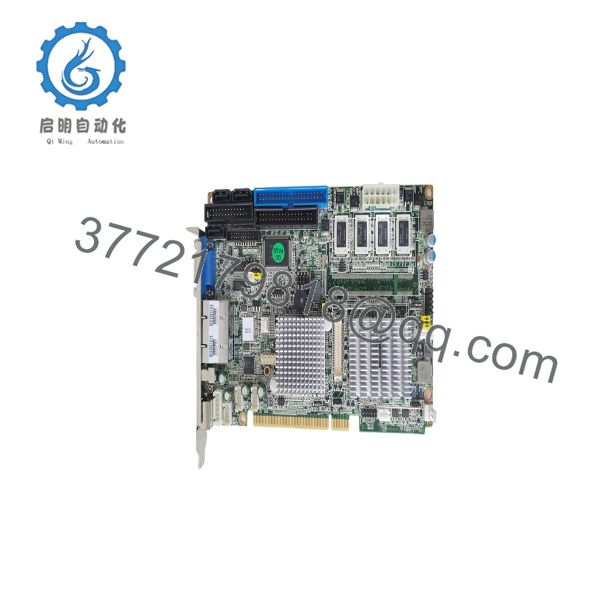
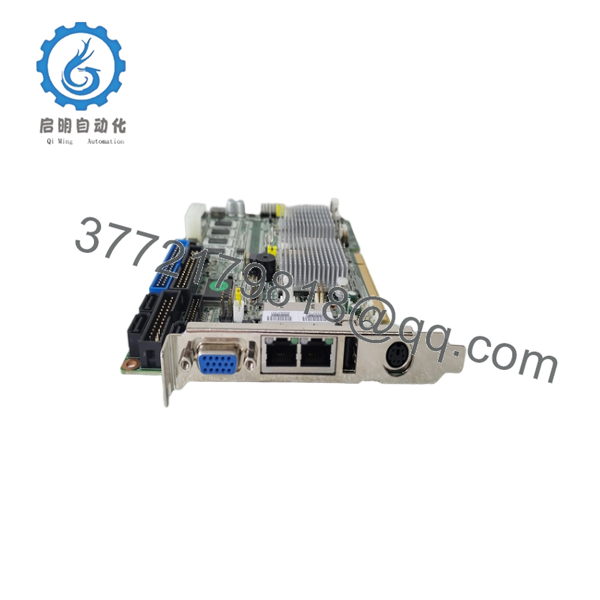
The ABB 3BUS213621-101 is a fieldbus communication kit designed for industrial automation systems that require reliable integration between controllers and field devices. It is commonly used within ABB control architectures where standardized industrial communication is required.
For maintenance engineers, the primary advantage is compatibility with ABB’s modular communication architecture. When replacing an existing unit, matching the exact hardware revision and communication configuration helps minimize commissioning time and prevents unexpected communication faults.
5. Installation & Configuration Guide
Stage 1 – Pre-Installation Preparation (10 minutes)
⚠️ Safety First
- Inform production personnel of the planned shutdown.
- Place the equipment in a safe operating state.
- Apply Lock-Out/Tag-Out procedures.
- Remove system power.
- Wait at least 5 minutes for internal capacitors to discharge.
Required Tools
- ESD wrist strap
- PH1 screwdriver
- Digital multimeter
- Wire identification labels
- Smartphone for documentation
Data Backup
- Export PLC/DCS configuration.
- Record communication parameters.
- Photograph every cable connection.
- Photograph all address switches or jumpers.
Stage 2 – Remove the Existing Module (5–10 minutes)
- Remove the cabinet cover.
- Label every communication cable.
- Disconnect wiring carefully.
- Release retaining clips.
- Pull the module straight out.
⚠️ Keep the removed module until commissioning is completed successfully.
Inspect:
- Bent connector pins
- Dust contamination
- Oxidation
- Loose backplane connectors
Stage 3 – Install ABB 3BUS213621-101 (10 minutes)
- Wear an ESD strap.
- Confirm the replacement part number is 3BUS213621-101.
- Copy every DIP switch and jumper setting.
- Install the module firmly into the rack.
- Verify full connector engagement.
- Reconnect all communication wiring.
- Tighten terminal screws to the specified torque.
Installation Checklist
- ☑ Correct model
- ☑ Switch settings verified
- ☑ Communication wiring checked
- ☑ Locking tabs engaged
Stage 4 – Power-Up & Commissioning (10–15 minutes)
Before Applying Power
- Measure the 24 VDC supply.
- Check for shorts using a multimeter.
Commissioning Procedure
- Power the controller rack.
- Observe LED indicators.
- Verify communication with engineering software.
- Confirm firmware compatibility.
- Test network communication.
- Perform functional I/O testing.
⚠️ Troubleshooting
Solid Error LED
- Firmware mismatch
- Incorrect fieldbus configuration
- Hardware incompatibility
No Network Communication
- Incorrect node address
- Wrong baud rate
- Incorrect bus termination
- Cable wiring error

- 3BUS213621-101
- 3BUS213621-101
6. Frequently Asked Questions (FAQ)
Q1. Can I hot-swap the ABB 3BUS213621-101?
No. Unless the entire control platform specifically supports online replacement, always remove power first. Disconnecting a communication module under load can interrupt the network or damage the backplane.
Q2. Is this an obsolete ABB part?
It is generally considered a legacy industrial automation component. Availability depends largely on remaining OEM or surplus inventory, so long-term projects should plan spare stock in advance.
Q3. Will replacing this module erase my PLC program?
No.
The module itself does not normally store the controller application. However, communication parameters, node addresses, and fieldbus configuration should always be documented before replacement.
Q4. What should I verify before installation?
Check:
- Exact part number
- Hardware revision
- Firmware compatibility
- Communication protocol
- Network address
- Bus termination
- Power supply capacity
These checks prevent the majority of commissioning issues.
Q5. Why can communication fail after replacing the module?
The most common causes are:
- Firmware revision mismatch
- Different node address
- Incorrect baud rate
- Bus termination errors
- Wiring differences
- Unsupported controller firmware
In field service, these account for most replacement failures—not defective hardware.
Q6. Is this supplied as New Original or Refurbished?
Availability depends on inventory. Units may be supplied as:
- New Original
- New Surplus
- Factory Tested Refurbished
The condition should always be confirmed before shipment, and test reports or photographs should be requested when purchasing legacy automation components.



