
 WhatsApp: +86 16626708626
 Email:
  Phone: +86 16626708626
Description
3. Key Technical Specifications
| Parameter | Value |
|---|---|
| Manufacturer | ABB |
| Product Number | 3HAC026272-001 |
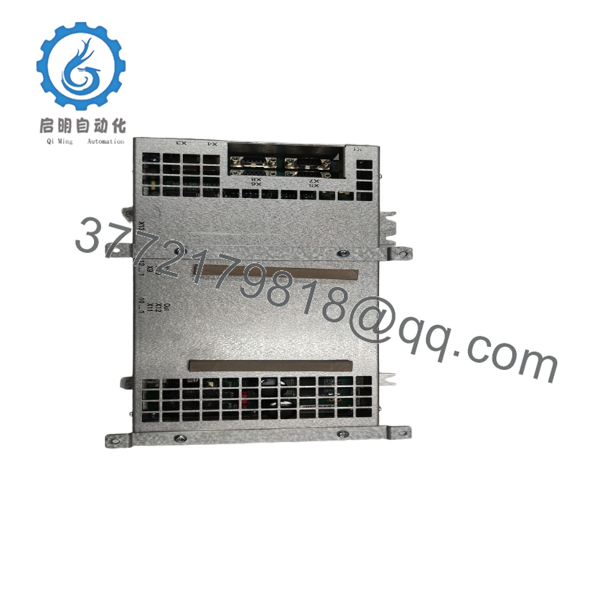
| Catalog Description | DSQC 647 SafeMove Unit |
| Product Series | IRC5 Robotics |
| Product Type | Safety Controller Module |
| Safety Function | SafeMove supervision and monitoring |
| Compatible Controller | ABB IRC5 |
| Engineering Software | RobotStudio SafeMove Configurator |
| Net Weight | 1.62 kg |
| EMC Requirement | Requires two EMC strips (3HAC026945-001), purchased separately |
| Optional Hardware | Two brackets (3HAC041647-001) required if not used with Axis Computer 3HAC029157-001 |
| Country of Origin | Germany |
The official ABB documentation specifies that the DSQC 647 SafeMove Unit is supplied without EMC strips. Two 3HAC026945-001 EMC strips are required separately, and installations without Axis Computer 3HAC029157-001 also require two 3HAC041647-001 brackets.
4. Product Introduction
The ABB 3HAC026272-001 DSQC 647 SafeMove Unit is the dedicated safety controller used within the ABB IRC5 robot controller platform. It performs certified robot supervision functions, monitors safe operating zones, controls safe digital inputs and outputs, and safely stops robot motion when configured safety limits are exceeded.
Unlike a standard motion controller, the DSQC 647 focuses entirely on functional safety. It communicates with the IRC5 main controller while interfacing with external safety PLCs, enabling applications such as collaborative maintenance zones, safe speed monitoring, and restricted robot workspaces. Configuration is performed using RobotStudio SafeMove Configurator.

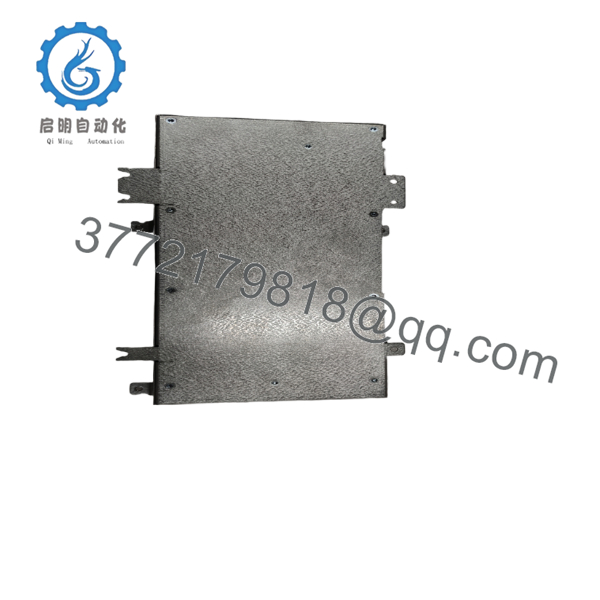
- 3HAC026272-001
- 3HAC026272-001
5. Installation & Configuration Guide
Stage 1 – Pre-Installation Preparation (10 minutes)
⚠️ Safety First
- Notify production personnel.
- Move the robot into a safe maintenance position.
- Engage Lock-Out/Tag-Out.
- Switch OFF controller power.
- Wait at least five minutes before opening the IRC5 cabinet.
Required Tools
- ESD wrist strap
- Phillips screwdriver
- Digital multimeter
- Flashlight
- Camera or smartphone
- Laptop with RobotStudio
Backup Tasks
- Backup the complete IRC5 system.
- Save RobotStudio project.
- Export SafeMove configuration.
- Record controller firmware.
- Photograph every connector.
Stage 2 – Removing the Existing DSQC 647 (5–10 minutes)
- Open the IRC5 cabinet.
- Identify the DSQC 647 module.
- Label all connectors.
- Remove communication and I/O connectors.
- Release retaining hardware.
- Remove the module carefully.
⚠️ Do not discard the original module until all SafeMove functions have been validated.
Stage 3 – Installing ABB 3HAC026272-001 (10 minutes)
- Wear an ESD wrist strap.
- Verify the replacement part number exactly matches 3HAC026272-001.
- Install any required EMC strips and mounting brackets.
- Seat the module fully.
- Reconnect all I/O connectors.
- Confirm connector locking tabs engage completely.
Installation Checklist
- ☑ Correct model number
- ☑ EMC strips installed
- ☑ Brackets installed if required
- ☑ Connectors fully seated
- ☑ Cabinet grounding verified
Stage 4 – Power-Up & Functional Testing (15–20 minutes)
- Restore controller power.
- Observe controller LEDs.
- Connect RobotStudio.
- Verify SafeMove hardware detection.
- Load the backed-up safety configuration if necessary.
- Validate all safety inputs.
- Test emergency stop.
- Verify safe speed monitoring.
- Verify safe operating zones.
- Document successful commissioning.
⚠️ Troubleshooting
Controller cannot detect DSQC 647
- Check connector seating.
- Verify hardware compatibility.
- Confirm controller firmware supports the installed SafeMove version.
SafeMove Configuration Error
This is commonly caused by:
- Incorrect system backup
- Safety configuration mismatch
- Hardware revision differences
- Missing RobotStudio synchronization
6. Frequently Asked Questions (FAQ)
Q1. What is the primary purpose of the DSQC 647 SafeMove Unit?
The DSQC 647 provides functional safety for ABB IRC5 robot systems. It supervises robot position, speed, workspace limits, and safe I/O while communicating with the IRC5 main controller and external safety PLCs.
Q2. Which robot controller uses this module?
It is designed for ABB IRC5 robot controllers equipped with the SafeMove option. Supported robot families include models such as the IRB 460, IRB 1600, IRB 2400, IRB 2600, IRB 4600, IRB 6640, and many other IRC5-based systems. Compatibility should always be verified against the installed controller configuration.
Q3. Can I replace this module without reconfiguring SafeMove?
Not always.
If the replacement hardware and firmware match exactly, the original configuration can often be restored. If hardware revisions differ, SafeMove validation and RobotStudio verification are recommended before returning the robot to production.
Q4. Does the module include all installation accessories?
No. ABB specifies that the 3HAC026272-001 is delivered without EMC strips. Two 3HAC026945-001 EMC strips are required separately. If the unit is not used with Axis Computer 3HAC029157-001, two 3HAC041647-001 mounting brackets are also required.
Q5. Can this module be hot-swapped?
No.
The DSQC 647 is a safety-critical controller inside the IRC5 cabinet. Power must be removed before installation or replacement. Attempting to replace it while energized can generate controller faults or damage internal electronics.
Q6. What should I verify before purchasing a replacement?
Verify:
- Exact ABB part number (3HAC026272-001)
- IRC5 controller revision
- SafeMove option licensing
- Firmware compatibility
- Required EMC strips and mounting brackets
- RobotStudio project backup
- Existing SafeMove configuration
These checks significantly reduce commissioning time and help avoid safety validation issues after installation.



