
 WhatsApp: +86 16626708626
 Email:
  Phone: +86 16626708626
Description
Key Technical Specifications
| Parameter | Value |
| Manufacturer | ABB |
| Model Number (MPN) | 560CMU04 |
| Ordering Code | 1KGT011300R0001 |
| Processor Architecture | 32-bit High-Performance Industrial CPU |
| Ethernet Interfaces | 2 x 10/100BaseT RJ45 LAN interfaces (E) |
| Serial Interfaces | 4 x Configurable Ports (CP1, CP2, CPA, CPB) |
| Physical Interface Options | RS-232C, RS-485, or RS-422 modes |
| Local MMI Interface | 1 x 9-pin Sub-D male (fixed at 38,400 bit/s) |
| System Rack Interface | 48-pole DIN-F connector (DIN 41612) |
| Time Synchronization | SNTP or IRIG-B format parsing |
| Operating Temperature | -25 °C to +70 °C |
| Net Weight | 0.21 kg (0.46 lbs) |
Product Introduction & Supply Chain Strategy
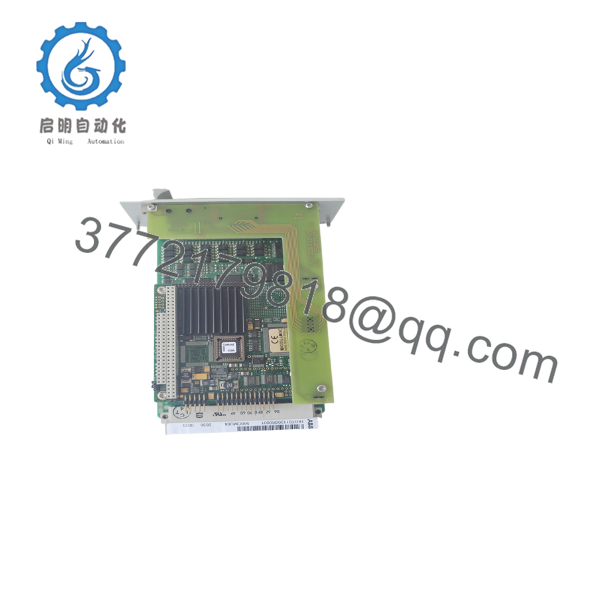
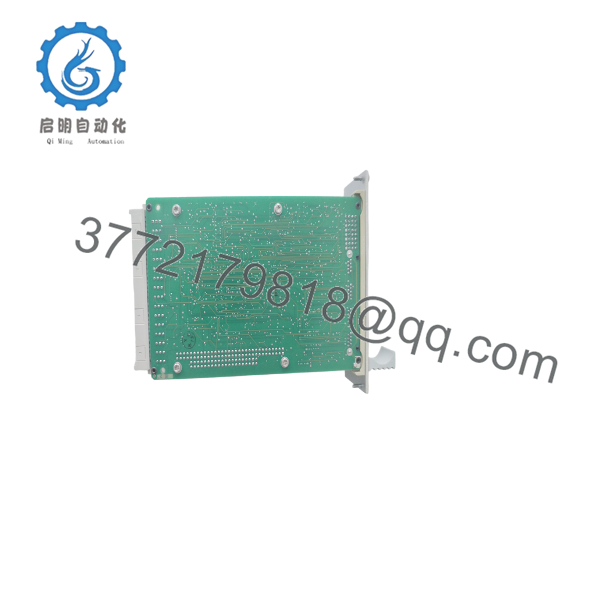
The ABB 560CMU04 (1KGT011300R0001) is a high-reliability central processing and communication unit engineered for the ABB RTU560 Remote Terminal Unit system. Acting as the central gateway module, this card manages real-time process events, executes local automation logic, and facilitates simultaneous communication with primary control centers (SCADA) and local human-machine interfaces. With dual 10/100BaseT Ethernet ports and four highly versatile serial ports configured via software, it serves as a key protocol conversion engine for complex utility networks.
Substation automation networks cannot tolerate long recovery times. Under a proactive asset management framework, purchasing the 560CMU04 as a “New Surplus” component ensures that obsolete grid hardware remains continuously serviceable without needing a costly, unbudgeted system rebuild. Opting for our factory-sealed units completely eliminates the high failure rates and transient communication faults associated with unverified refurbished modules. This approach maintains absolute signal integrity while significantly optimizing the Total Cost of Ownership (TCO) across your automation infrastructure.
Condition Iron Law Declaration: This product is a Brand New Surplus unit. It is not used, not pulled from a decommissioned plant, and not refurbished. All modules undergo rigorous quality verification to ensure OEM-level reliability.

- 560CMU04
- 560CMU04
Installation & Configuration Guide
Stage 1: Pre-Installation (Prep & Safety)
- Initiate a complete lock-out/tag-out (LOTO) sequence on the primary and auxiliary power supply units (such as a 560PSU01/02) supplying the 560CSR01 communication subrack.
- Wear a grounded, static-dissipative ESD wrist strap connected to the bare metal grounding lug of the rack.
- Access your engineering computer and extract the existing configuration file and active firmware configuration for the specific slot position using the
RTUtil560software tool.
Stage 2: Removal
- Unplug the RJ45 serial cables, DB9 MMI diagnostic connectors, and Ethernet connections from the faceplate of the running 560CMU04 module. Mark each wire connection carefully.
- Loosen the upper and lower faceplate retention screws securing the module to the subrack.
- Grip the pull-tab card ejector firmly and pull straight out. Slide the board smoothly along the plastic chassis guides, avoiding side-to-side twisting to protect the 48-pole backplane DIN connector.
Stage 3: Installation (Clone & Seat)
- Retrieve the new 560CMU04 card from its factory-sealed anti-static bag. Inspect the rear 48-pole male pins for perfect alignment.
- Note: The 560CMU04 contains no mechanical dip switches or manual jumper elements on the board. All physical address routing is determined via backplane address allocation and the software config file.
- Align the card edges into the 560CSR01 slot guide tracks. Push the card firmly inward until the backplane connector mates completely. Hand-tighten the upper and lower screws.
Stage 4: Power-On & Testing
- Connect your configuration PC to the front-panel DB9 MMI connector (operating at a default 38,400 bit/s) or connect via the RJ45 network lines.
- Restore rack power. Verify that the
ERRred LED lights briefly, then turns off as the unit starts. - Upload the target system database and firmware file using
RTUtil560. Confirm the green status LEDs (Tx/Rx for ports, L/A for Ethernet) display normal flashing communication activity with no system alarms.
Firmware/Software Versions & Upgrade Notes
The 560CMU04 relies on the configuration database and specific firmware files stored on its Compact Flash (CF) memory card. Note: Licenses for specific communication protocols (e.g., IEC 60870-5-104, DNP3) and the physical CF cards are typically not included as part of the base hardware part number 1KGT011300R0001 and must be transferred or licensed separately.
When swapping out this card, you must remove the CF card from the old module and insert it into the new surplus unit to transfer existing protocol licenses and network configurations. Do not attempt to run a system firmware upgrade during an emergency hardware restoration. Ensure that the core firmware revision on the CF card matches the RTU system software release level (such as Release 8.0 or 9.0) to prevent module mismatch errors on the internal peripheral bus.
Frequently Asked Questions (FAQ)
Is this 560CMU04 module brand new, and why is it categorized as surplus?
Yes. Our 560CMU04 modules are genuine, unused “New Surplus” items that have never been commissioned in a live substation or exposed to high-temperature cabinet conditions. They are typically sourced from over-purchases on large utility system construction jobs or unused backup stock from major integrators. They undergo detailed functional and interface connection tests to ensure they match all original factory standards.
What are the operational dangers of using a refurbished 560CMU04 card instead?
RTU central communication cards manage critical data pathways in environments subject to continuous heat, electrical noise, and high humidity. Refurbished or used cards often have minor thermal wear on their internal copper paths and degraded capacitors that are prone to failing under load. While a refurbished card might initially boot up, it presents a constant risk of random communication drops or logic lock-ups, jeopardizing stability and resulting in troubleshooting costs that far exceed the price of a new surplus card.
Do I need to buy additional licenses to use this replacement module?
No, provided you transfer your original Compact Flash card containing your licensed system database to the new card. All protocol licenses, such as IEC 60870-5-104 or Modbus TCP, are linked to the CF card ID. If you are setting up a completely new node or need to add new communication protocols, you will need to procure the corresponding licenses from your software representative.
Can I hot-swap this module while the RTU560 rack is fully energized?
No. Standard RTU560 communication subracks do not support hot-swapping or live insertion of the primary central processor boards. Inserting the 560CMU04 while the backplane is active can result in voltage transients across the parallel system bus pins, which can disrupt running operations or damage adjacent I/O cards. Always completely power down the rack before servicing.
What warranty coverage is provided with this New Surplus board?
This 560CMU04 module comes backed by our full 1-year operational replacement warranty. If you run into any initial hardware or interface testing failures during your commissioning window, our technical team will quickly arrange a replacement to ensure your automation systems remain up and running.



