
 WhatsApp: +86 16626708626
 Email:
  Phone: +86 16626708626
Description
3. Key Technical Specifications
| Parameter | Value |
|---|---|
| Manufacturer | ABB |
| Model | AI801 |
| Product Family | S800 I/O |
| Module Type | Analog Input Module |
| Number of Channels | 8 Analog Inputs |
| Input Signal | 0/4–20 mA (model configuration dependent) |
| Resolution | 12-bit A/D Conversion |
| Isolation | Channel-to-system isolation (refer to hardware configuration) |
| Backplane | S800 I/O ModuleBus |
| Operating Temperature | 0 °C to +55 °C |
| Mounting | DIN Rail via S800 I/O Base Unit |
| Status Indication | Module Status LEDs |
Note: Verify the exact ordering number and firmware revision before installation, as different AI801 variants may support different signal ranges and terminal units.
4. Product Introduction
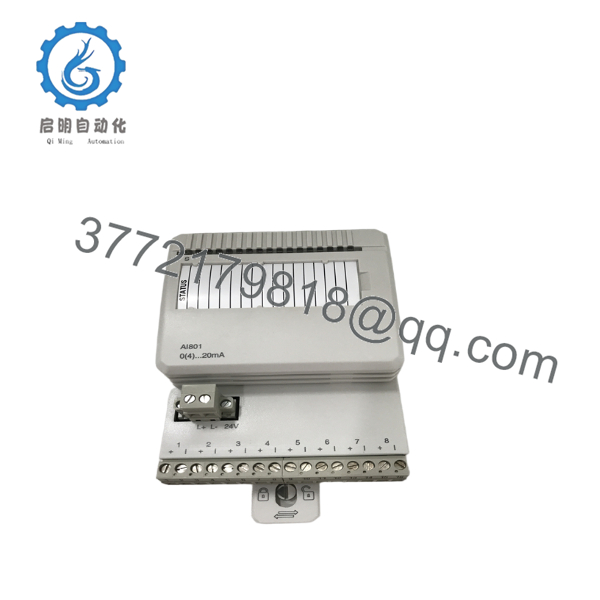
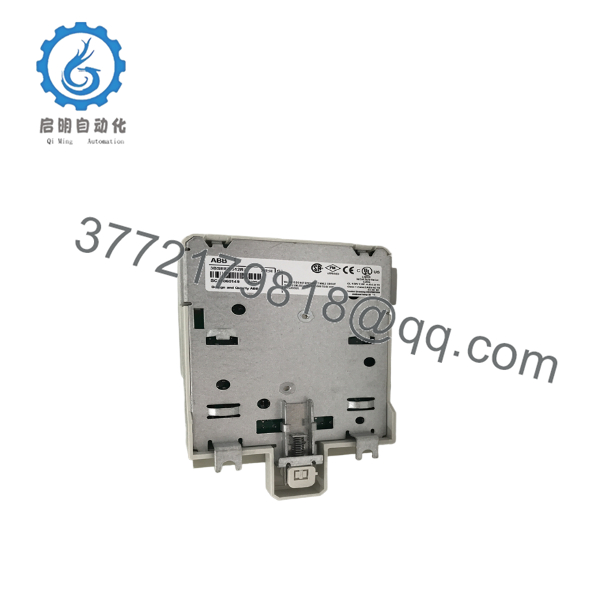
The ABB AI801 is an S800 I/O analog input module designed for the ABB AC 800M distributed control system. It acquires multiple process current signals from field instruments such as pressure transmitters, flow meters, and level transmitters, converting them into digital values for controller processing.
AI801 remains a common choice in power generation, oil & gas, chemical processing, and water treatment plants because it integrates directly with the S800 I/O architecture, supports online diagnostics, and provides stable analog signal acquisition for continuous industrial processes.

- AI801
- AI801
5. Installation & Configuration Guide
Stage 1 – Pre-Installation Preparation (10 Minutes)
⚠️ Safety First
- Notify operations before shutdown.
- Place the process in a safe operating state.
- Apply Lock-Out/Tag-Out (LOTO).
- Remove cabinet power.
- Wait at least 5 minutes for internal capacitors to discharge.
Required Tools
- ESD wrist strap
- PH1 screwdriver
- Digital multimeter
- Wire labels
- Smartphone for wiring photos
Backup Tasks
- Export AC 800M project.
- Record controller diagnostics.
- Photograph wiring and terminal assignments.
- Document channel scaling and engineering units.
Stage 2 – Removing the Existing Module (5 Minutes)
- Remove cabinet cover if necessary.
- Label all field wiring.
- Disconnect the terminal unit carefully.
- Unlock the module latch.
- Pull the module straight outward.
Inspect:
- Bent connector pins
- Dust accumulation
- Moisture damage
- Loose terminal unit
⚠️ Keep the original module until commissioning has been completed successfully.
Stage 3 – Installing the New AI801 (10 Minutes)
- Wear an ESD strap.
- Verify the complete model number.
- Confirm the terminal unit is compatible.
- Insert the module until it locks securely.
- Reconnect all field wiring.
- Verify terminal torque.
Installation Checklist
- ✔ Correct model
- ✔ Correct terminal unit
- ✔ Wiring verified
- ✔ Module fully seated
- ✔ Lock engaged
Stage 4 – Power-Up & Commissioning (10 Minutes)
Before energizing:
- Measure the 24 VDC supply.
- Check for wiring shorts.
Power-up sequence:
- Energize the S800 rack.
- Verify RUN LED.
- Confirm ModuleBus communication.
- Open Control Builder.
- Verify the AI801 appears correctly.
- Check channel diagnostics.
- Simulate analog inputs.
- Verify process values.
⚠️ Troubleshooting
Solid Error LED
Possible causes:
- ModuleBus communication fault
- Incorrect hardware configuration
- Unsupported firmware revision
No Process Values
Check:
- Loop power
- 4–20 mA wiring
- Channel configuration
- Transmitter calibration
6. Frequently Asked Questions (FAQ)
Q1. Can the ABB AI801 be hot-swapped?
Generally, the S800 I/O platform supports online module replacement under specific system configurations. However, I recommend following your plant’s maintenance procedure and confirming hot-swap capability for your controller and redundancy configuration before removing the module.
Q2. Is AI801 still available?
Yes. Although it has been in service for many years, AI801 remains widely available through industrial automation spare-parts suppliers as New Original (New Surplus) and professionally tested refurbished inventory. Availability varies by ordering number.
Q3. What systems use the AI801?
The module is primarily used with:
- ABB AC 800M
- ABB 800xA
- ABB Advant System upgrades
- S800 I/O remote stations
Q4. Will replacing the AI801 erase my application program?
No. The application logic resides in the controller, not in the analog input module. However, always back up your project and verify channel configuration before replacement to avoid configuration mismatches.
Q5. Why should I verify the terminal unit before installation?
The AI801 depends on compatible S800 I/O terminal units. Installing the correct module on an incompatible terminal unit can result in wiring errors or diagnostic faults. Always compare the hardware documentation before installation.
Q6. Why is your price lower than ABB’s factory list price?
Many AI801 modules are supplied from excess OEM inventory, plant surplus stock, or authorized distributors with unused inventory. These are often sold as New Original (New Surplus) rather than newly manufactured units, allowing for lower pricing while maintaining genuine ABB quality. Always request serial number verification and inspection reports before purchase.



