
 WhatsApp: +86 16626708626
 Email:
  Phone: +86 16626708626
Description
Key Technical Specifications
- Communication Protocol: PROFINET IO RT
- Integrated Inputs: 8 digital inputs, 24 V DC
- Integrated Outputs: 8 digital outputs, 24 V DC / 0.5 A
- Configurable I/O: 8 DI/DO, 24 V DC / 0.5 A
- I/O Extension: Up to 10 additional I/O modules
- Power Supply: Via I/O terminal unit (TU507-ETH or TU508-ETH)
- Mounting: Plugs onto TU507-ETH or TU508-ETH terminal unit
- LED Indicators: 8 yellow LEDs for signal status
- Operating Temperature: Standard range (XC version for extended conditions available)
- Galvanic Isolation: Module-wise
- Fast Counter: Supported on XC version
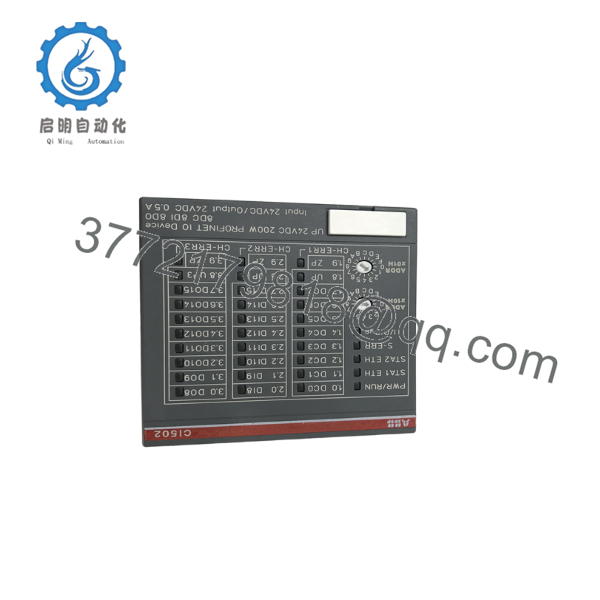
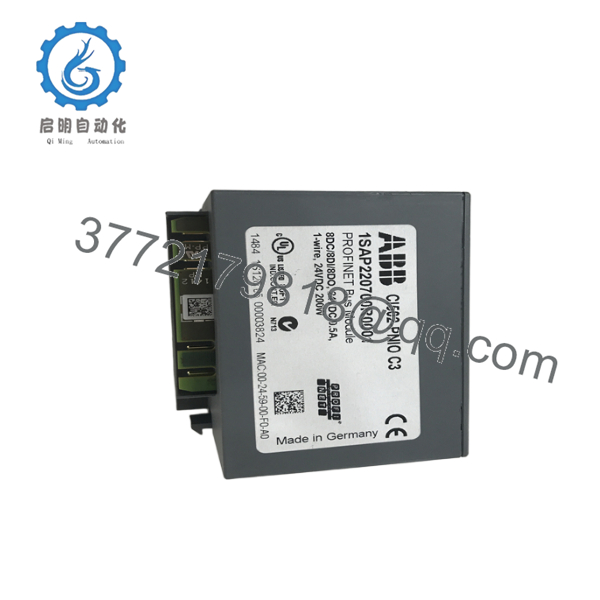
Product Introduction The ABB CI502-PNIO is a PROFINET IO RT device interface module for the S500 I/O system. It connects S500 I/O to PROFINET networks as a device, providing integrated digital I/O and the ability to expand with additional modules.
In S500 installations, this module handles real-time PROFINET communication while offering local I/O points for compact applications. It mounts directly onto compatible terminal units and supports configuration through standard PROFINET tools, making it a practical choice for expanding remote I/O in machine control or process segments.

- CI502
- CI502
Troubleshooting Quick Reference
| Symptom | Possible Cause | Relevance to this Part | Quick Check Method | Recommendation |
|---|---|---|---|---|
| No PROFINET connection | Network cable or IP issue | ✅ High | Check Ethernet link LEDs; ping device IP from controller | Verify cable and PROFINET configuration in master |
| Integrated I/O not responding | Power or terminal fault | ✅ High | Measure 24 V DC at input terminals; check module seating | Reseat module on TU terminal unit |
| Outputs not activating | Overload or short | ✅ Medium | Check DO status LEDs; measure output voltage with multimeter | Reduce load below 0.5 A per channel |
| Device not detected in PROFINET scan | Wrong GSD file or device name | ✅ High | Verify device name and GSD import in engineering tool | Reconfigure station name and download |
| Intermittent faults | Loose I/O wiring | ❌ Low | Inspect screw terminals for tightness | Tighten connections; check for vibration damage |
If diagnostics point to the module after these checks, provide network traces, error logs, and photos to technical support.
Frequently Asked Questions (FAQ)
Is the CI502-PNIO hot-swappable? No. Power down the I/O station before removing or installing the module. Hot swap is not supported on this hardware to protect the backplane and connected I/O.
What terminal units does it work with? It plugs onto TU507-ETH or TU508-ETH. Confirm you have the correct ETH version terminal base before ordering.
Can I extend it with more I/O modules? Yes, up to 10 additional S500 I/O modules on the local bus. Watch total current draw and power supply capacity.
Is there an XC version for harsh environments? Yes, the CI502-PNIO-XC variant handles wider temperature and vibration. Specify XC if your application needs it.
Why choose New Surplus over brand new factory order? These are genuine unused ABB stock units available immediately. They pass full functional testing on S500 setups and ship with our test documentation and 1-year warranty, often at better availability than direct from ABB.
Do I need special software for configuration? Use standard PROFINET engineering tools from your PLC or controller software. Import the ABB GSDML file for the CI502 and set the device name and IP.
What should I check before installing? Take photos of existing wiring and settings. Verify PROFINET cable shielding, proper grounding, and that total I/O current stays within limits. Always use a grounded wrist strap when handling.



