
 WhatsApp: +86 16626708626
 Email:
  Phone: +86 16626708626
Description
Key Technical Specifications
| Parameter | Value |
|---|---|
| Manufacturer | ABB |
| Model | CI520V1 |
| Part Number | 3BSE012869R1 |
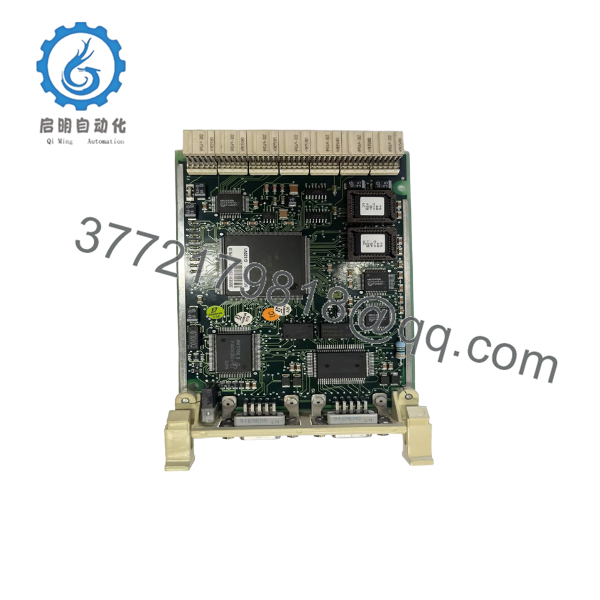
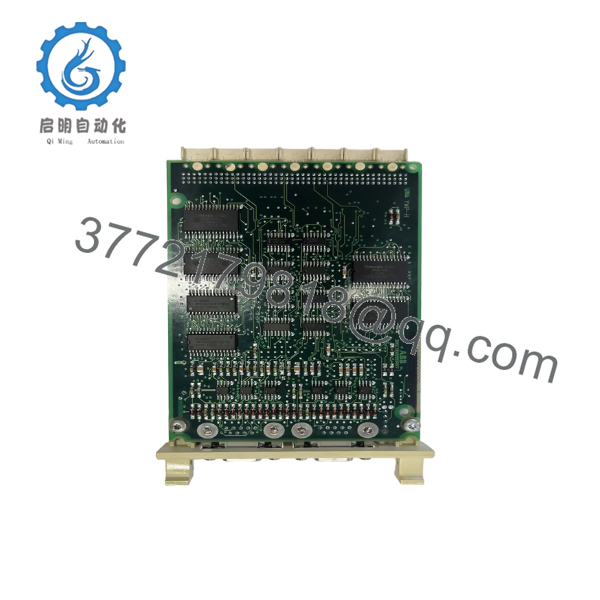
| Product Type | AF100 Communication Interface Module |
| Network | Advant Fieldbus 100 (AF100) |
| System Compatibility | ABB Advant OCS, Advant Controller Systems |
| Installation | Modular rack-mounted |
| Communication Media | AF100 fieldbus via modem/coaxial infrastructure |
| Redundancy Support | Supported in redundant AF100 architectures |
| Operating Environment | Industrial control cabinets |
| Approximate Weight | 0.2 kg |
| Country of Origin | Sweden |
The CI520V1 functions as an Advant Fieldbus 100 (AF100) interface, providing communication between ABB Advant controllers and the AF100 network infrastructure. It is intended for legacy Advant OCS installations and supports redundant AF100 communication topologies.
Product Introduction
The ABB CI520V1 (3BSE012869R1) is an AF100 communication interface module used in ABB Advant OCS distributed control systems. Its primary role is to connect controllers to the Advant Fieldbus 100 communication network, enabling deterministic data exchange between process controllers and remote system components.
Although no longer part of ABB’s current product portfolio, the CI520V1 remains widely installed in power generation, oil and gas, pulp and paper, and process manufacturing facilities. Many plants continue to maintain spare inventory because replacing an entire Advant OCS communication architecture is considerably more expensive than replacing an individual interface module.

- CI520V1
- CI520V1
Installation & Configuration Guide
Stage 1 – Pre-Installation Preparation (10 Minutes)
⚠️ Safety First
- Notify plant operations of the scheduled shutdown.
- Perform Lock-Out/Tag-Out procedures.
- Remove cabinet power.
- Wait at least five minutes before handling electronics.
- Wear a grounded ESD wrist strap.
Required Tools
- Phillips screwdriver
- Digital multimeter
- ESD wrist strap
- Camera or smartphone
- Wire identification labels
Before Removal
- Record controller firmware.
- Document AF100 node configuration.
- Photograph all communication cable connections.
- Label every cable before removal.
Stage 2 – Removing the Existing Module (5 Minutes)
- Disconnect power.
- Remove communication cables.
- Release retaining clips.
- Carefully withdraw the CI520V1.
- Inspect connectors and the backplane for bent pins or contamination.
⚠️ Keep the original module until the replacement has passed all communication tests.
Stage 3 – Installing the New Module (10 Minutes)
- Confirm the replacement is CI520V1 (3BSE012869R1).
- Install the module without forcing it into the rack.
- Reconnect AF100 communication cables.
- Verify cable shielding and grounding.
- Restore any hardware configuration required by the application.
Installation Checklist
- ✔ Correct model
- ✔ Module fully seated
- ✔ Communication cables secure
- ✔ Grounding verified
- ✔ Network addressing confirmed
Stage 4 – Power-On & Commissioning (10 Minutes)
- Apply controller power.
- Observe module status LEDs.
- Verify AF100 communication.
- Confirm controller recognition.
- Test communication with connected stations.
- Monitor network diagnostics for communication errors.
⚠️ If communication fails immediately after installation, check firmware compatibility and AF100 network configuration before replacing the module again.
Frequently Asked Questions
1. Is the CI520V1 still manufactured?
No. The CI520V1 belongs to the ABB Advant OCS product family and is considered a legacy product. Most available units today are surplus inventory or professionally refurbished.
2. What does the CI520V1 actually do?
It provides the communication interface between ABB Advant controllers and the Advant Fieldbus 100 (AF100) network, allowing controller-to-controller and controller-to-device data exchange.
3. Can I replace the CI520V1 with CI522?
Yes, in many applications. ABB documentation indicates that CI522A/CI522 can replace the CI520V1 when the required interface cable is changed and the controller software meets the specified revision requirements. Always verify software compatibility before ordering.
4. Can this module be hot-swapped?
No. Power should be removed before replacing the module. Hot-swapping can interrupt the AF100 network and may result in controller communication faults.
5. Why won’t the replacement communicate?
The most common causes are:
- Incorrect AF100 cabling
- Wrong node configuration
- Unsupported controller software revision
- Damaged coaxial communication hardware
- Network termination problems
6. Why do many plants continue buying CI520V1 modules?
Many Advant OCS systems remain operational after decades of service. Replacing a failed communication interface is usually far less expensive and less disruptive than migrating an entire DCS during an unplanned shutdown.



