
 WhatsApp: +86 16626708626
 Email:
  Phone: +86 16626708626
Description
Key Technical Specifications
- Manufacturer: ABB
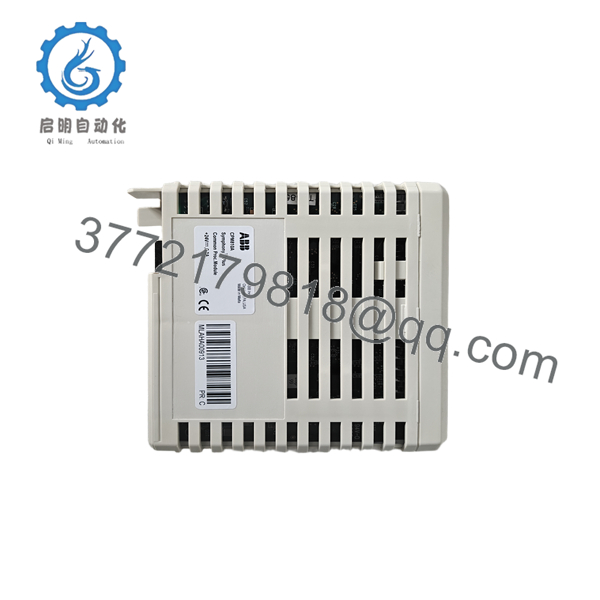
- Model: CPM810A
- Product type: Common Processor Module
- System compatibility: ABB System 800xA, Bailey INFI 90
- Supply voltage: 24 V DC
- Current consumption: Typically 0.5 A
- Processor: 1 GHz class processor
- Memory: 2 GB RAM
- Flash storage: 4 GB
- Communication: Ethernet, Modbus RTU, RS-232, RS-485, optional PROFIBUS
- Operating temperature: -20 to +60 °C
- Storage temperature: -40 to +85 °C
- Weight: 1.2 kg
Product Introduction
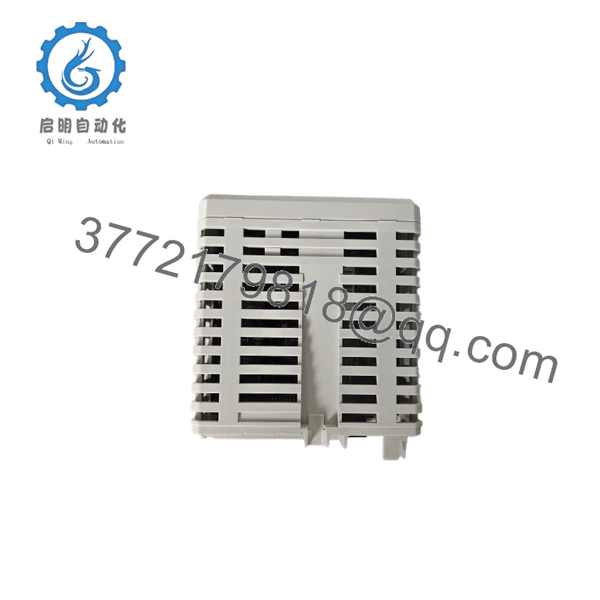
ABB CPM810A is a common processor module used as the central CPU in ABB System 800xA and Bailey INFI 90 environments. It handles control processing, diagnostics, and system communications in industrial automation cabinets.
It is a practical OEM replacement when you need the exact processor class, matching voltage, and familiar ABB control architecture. Check firmware, rack compatibility, and installed interface options before swapping it into an existing system.
Troubleshooting Quick Reference
| Symptom | Possible Cause | Relevance to This Part | Quick Check Method | Recommendation |
|---|---|---|---|---|
| No status LEDs at power-up | Missing 24 V DC or rack power issue | ❌ Low | Measure input voltage at the module terminals | Check supply, fuses, and backplane power first |
| CPU does not boot | Firmware corruption or module failure | ✅ High | Observe boot sequence and read diagnostic data | If boot never completes, replacement is likely |
| Communication timeout | Wrong protocol settings or cabling fault | ⚠️ Medium | Verify Ethernet/serial settings and cable continuity | Recheck configuration before changing hardware |
| Redundancy failover not working | Mismatch in primary/backup setup | ✅ High | Review redundancy status and event log | Confirm pair matching and system configuration |
| Random resets under load | Supply dip, overheating, or grounding issue | ⚠️ Medium | Monitor 24 V DC during operation and check cabinet temp | Stabilize power and ventilation before replacing |
| I/O not responding through the CPU | Fault may be in field wiring or remote I/O | ❌ Low | Check remote rack status and adjacent modules | Isolate the I/O chain before blaming the CPU |
If the fault is still unclear, contact technical support with photos, wiring details, and diagnostic logs.

- CPM810A
- CPM810A
Frequently Asked Questions
Q: Is CPM810A still a current ABB model?
A: It is generally treated as a legacy or limited-availability part in the secondary market. That means stock can exist, but you should not assume steady factory replenishment.
Q: Is it a direct replacement for any CPM810?
A: No, not by model family alone. Match the full suffix, firmware expectation, system rack, and communication needs before ordering.
Q: Can I swap it live without shutting the system down?
A: I would not count on hot-swap unless ABB documentation for your exact installation says so. For a processor module, power down first. Live removal is a good way to create a bigger outage.
Q: Will my configuration and logic stay intact after replacement?
A: Usually the control project is stored separately or in system memory, but you should back it up first. Save the configuration, firmware record, and jumper or DIP switch positions before pulling the old unit.
Q: Why is this cheaper than a factory-new module?
A: Because it is often new surplus or tested stock sold outside the primary ABB channel. Lower price is normal, but the seller should be clear about condition and test status.
Q: What condition should I expect when buying this part online?
A: The honest descriptions are New Original, New Surplus, or Refurbished (tested). If a listing is vague, treat it as a risk until the seller provides photos and test evidence.
Q: What usually looks like a bad CPU but is really a site issue?
A: Power instability, comms mismatch, and wrong system configuration cause most false alarms. Verify supply voltage, diagnostics, and matched firmware before condemning the module.



