
 WhatsApp: +86 16626708626
 Email:
  Phone: +86 16626708626
Description
3. Key Technical Specifications
| Parameter | Value |
|---|---|
| Manufacturer | ABB |
| Model | HESG324430R11B |
| Alternate Format | HESG324430R11/B |
| Product Type | Industrial Controller Module |
| Primary Function | Process control and system coordination |
| Typical Application | ABB DCS / Industrial Automation Systems |
| Installation | Rack-mounted control system |
| Communication | System bus (controller dependent) |
| Diagnostics | LED status indication and controller diagnostics |
| Cooling | Passive convection |
| Operating Temperature | Refer to project-specific ABB documentation |
| Maintenance | Periodic inspection of connectors, backplane contacts, and power integrity |
4. Product Introduction
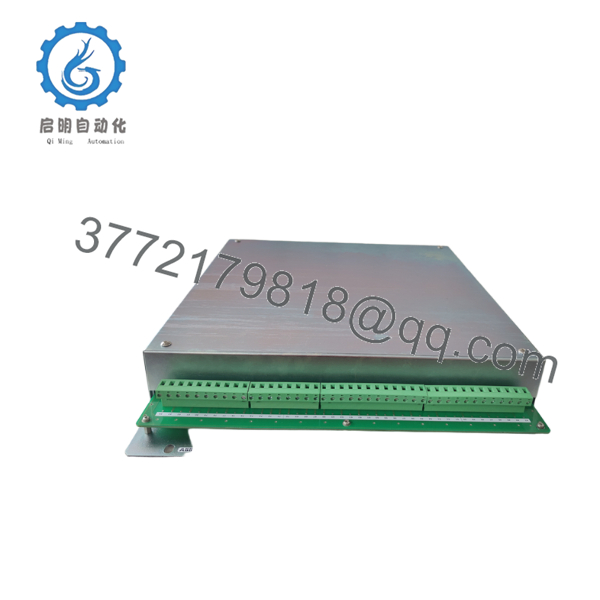
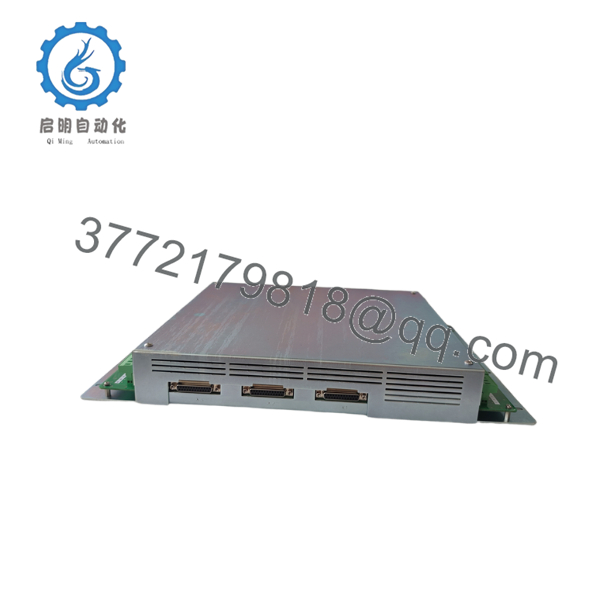
The ABB HESG324430R11B is an industrial controller module designed for ABB distributed control systems used in continuous process industries such as power generation, chemical processing, pulp and paper, and metals. It serves as a central processing component responsible for executing control logic and coordinating communication between field devices and supervisory systems.
Because this module is commonly found in legacy ABB installations, replacement projects should focus on hardware revision matching, firmware compatibility, and existing system architecture. A controller with the correct part number may still require verification against the installed software release before commissioning.

- HESG324430R11B
- HESG324430R11B
5. Installation & Configuration Guide
Stage 1 – Pre-Installation Preparation (10–15 minutes)
⚠️ Safety First
- Inform operations of the planned outage.
- Place the process in a safe operating condition.
- Apply Lock-Out/Tag-Out procedures.
- Remove cabinet power and wait at least 5 minutes for stored energy to dissipate.
- Verify zero voltage before touching the controller rack.
Required Tools
- ESD wrist strap
- PH1 screwdriver
- Digital multimeter
- Wire identification labels
- Smartphone for recording wiring and switch settings
Before Removal
- Back up the controller application.
- Record firmware and hardware revisions.
- Photograph all wiring and module locations.
- Save network and controller configuration files.
Stage 2 – Removing the Existing Module
- Disconnect communication and I/O cables.
- Label every connector.
- Release the locking mechanism.
- Pull the module straight out without applying side force.
- Inspect the backplane for bent pins, contamination, or corrosion.
⚠️ Do not discard the original module until the replacement has completed commissioning successfully.
Stage 3 – Installing the New Module
- Wear a grounded ESD wrist strap.
- Verify the replacement is ABB HESG324430R11B.
- Compare the hardware revision with the existing module.
- Seat the module firmly in the rack.
- Secure the retaining mechanism.
- Reconnect all cables according to the recorded documentation.
Installation Checklist
- ✔ Correct part number
- ✔ Hardware revision verified
- ✔ Wiring restored correctly
- ✔ Module fully seated
- ✔ Connectors locked
Stage 4 – Power-On & Functional Testing
- Restore cabinet power.
- Observe controller LEDs during startup.
- Verify normal boot completion.
- Confirm communication with engineering software.
- Check all configured I/O channels.
- Monitor system diagnostics for at least 30 minutes.
⚠️ Troubleshooting
Controller does not boot
- Verify power supply voltage.
- Inspect rack backplane connectors.
- Confirm hardware revision compatibility.
Communication failure
- Verify network settings.
- Check firmware compatibility.
- Inspect communication cables and system bus connections.
Unexpected controller faults
- Compare firmware versions between the replacement and the original module.
- Restore the controller configuration from the latest backup if required.
6. Frequently Asked Questions (FAQ)
Q1. Can the HESG324430R11B be hot-swapped?
Generally, no. Most legacy ABB controller modules are not designed for live replacement. Power should be removed before installation unless the official system documentation explicitly states otherwise.
Q2. Is this an obsolete ABB module?
Yes. The HESG324430R11B is typically found in legacy ABB automation systems. New production may no longer be available, so many installations rely on new surplus inventory or professionally tested refurbished units.
Q3. Will replacing the controller erase my control program?
The application program is usually retained in non-volatile storage or restored from the engineering workstation, depending on the system architecture. Always perform a complete backup before removing the controller.
Q4. What is the most common mistake during replacement?
The most frequent issue is installing a controller with an incompatible hardware or firmware revision. Even if the model number matches, differences in revision levels can cause startup failures or communication errors.
Q5. How can I reduce commissioning time?
Before removing the existing controller:
- Back up the application.
- Photograph every connector.
- Record firmware revisions.
- Document communication settings.
- Label every cable individually.
These steps typically eliminate most avoidable commissioning problems.
Q6. Why are new surplus modules often less expensive than OEM pricing?
New surplus inventory usually comes from canceled projects, strategic spare-part stock, or excess procurement. Although the hardware has never been installed, it may have been manufactured several years earlier. Always verify the manufacturing revision, storage condition, and compatibility with your installed ABB control system before deployment.



