
 WhatsApp: +86 16626708626
 Email:
  Phone: +86 16626708626
Description
Key Technical Specifications
| Parameter | Specification Value |
| Manufacturer | ABB |
| Part Number | HIEE300936R0101 |
| System Compatibility | ABB UNITROL Excitation Systems |
| Operating Input Voltage | 24 V DC (±10%) |
| Power Consumption | 15 W (Nominal) |
| Signal Processing Rate | 1.0 ms scan time |
| Communication Protocol | High-speed internal bus / RS-485 interface |
| Isolation Rating | 1,500 V RMS backplane isolation |
| Mounting Orientation | Standard sub-rack slot frame insertion |
| Operating Temperature | −20 to +60 °C (−4 to +140 °F) |
| Relative Humidity | 5% to 95% non-condensing |
Product Introduction & Supply Chain Strategy
The ABB HIEE300936R0101 operates as a primary excitation processing module within ABB UNITROL generator control systems. It monitors field voltage parameters, executes fast-loop current control, and provides key interface logic to maintain stable power output across industrial turbine and generator operations.
Securing the HIEE300936R0101 as New Surplus eliminates the operational vulnerabilities tied to End-of-Life (EOL) status. Sourcing authentic New Surplus ensures original backplane integrity and factory component lifespans without paying inflated OEM emergency fees. Avoid the high risk of refurbished parts—which suffer from aged electrolytic capacitors and thermal stress—to protect your plant from sudden trip events and multi-thousand-dollar downtime costs.
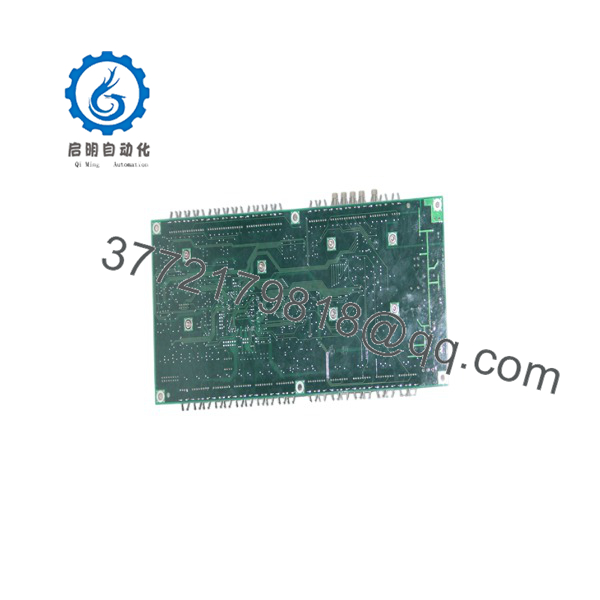
HIEE300936R0101
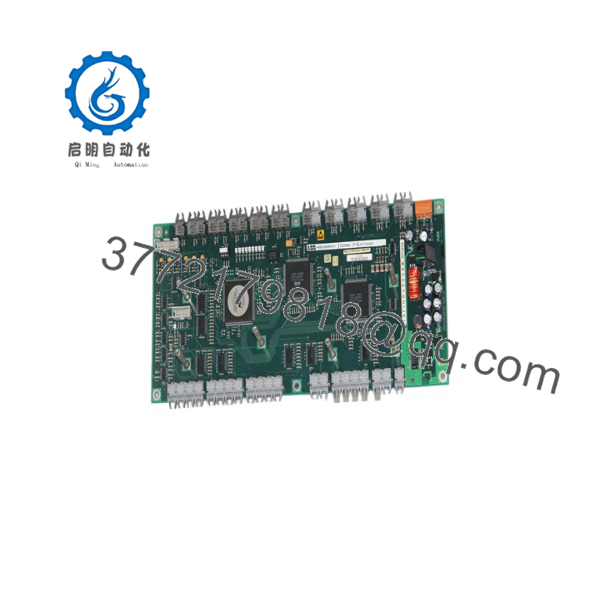
HIEE300936R0101
Installation & Configuration Guide
Stage 1: Pre-Installation (Prep & Safety)
- Execute full Lock-Out/Tag-Out (LOTO) procedures on the generator control cabinet and field excitation breaker.
- Put on an anti-static wrist strap connected to a verified ground point before touching board surfaces.
- Photograph the front panel jumper settings, DIP switch positions, and cable routing on the old HIEE300936R0101 module.
Stage 2: Removal
- Loosen the upper and lower captive mounting screws on the front faceplate.
- Disconnect terminal blocks and fiber-optic or ribbon cables using straight pull pressure to avoid bending interface pins.
- Pull the card extraction levers evenly to unseat the module from the backplane connector, then slide it straight out along the guide rails.
Stage 3: Installation (Clone & Seat)
- Match all jumpers and DIP switch arrays on the new HIEE300936R0101 to mirror the photographed settings of the original module.
- Align the board edges with the sub-rack guide rails and slide the card in gently until it contacts the backplane.
- Firmly push the card levers inward to seat the edge connector, then tighten the top and bottom mounting screws to 0.6 N·m torque. Reconnect all wiring harnesses.
Stage 4: Power-On & Testing
- Measure the incoming 24 V DC supply rails with a multimeter before energizing the rack to prevent over-voltage damage.
- Apply logic power and verify the panel diagnostic LEDs: green “PWR” should illuminate solid, while “ERR” or “FLT” should remain off.
- Establish communication with the primary controller via your engineering workstation to verify loop data acquisition and signal status.
Firmware/Software Versions & Upgrade Notes
- Recommended Firmware Version: Revision 3.04 (or the exact revision matching your existing system rack configuration).
- Compatibility Notes: Firmware V3.04 maintains full backward compatibility with system backplane hardware revisions released under the HIEE300936 series. Mixing firmware builds above V4.00 on older backplane racks may trigger internal communication handshake timeouts.
- Upgrade/Downgrade Risks: Avoid updating firmware during a emergency swap. Reflash the module on a test rack prior to insertion if necessary, as a firmware mismatch between the HIEE300936R0101 and the master controller can prevent the exciter from coming online during system initialization.
Frequently Asked Questions (FAQ)
Why is this New Surplus unit priced higher than refurbished cards on the market?
Refurbished modules are pulled from decommissioned plants, cleaned cosmetically, and sold with worn components. Our ABB inventory consists strictly of New Surplus units—uninstalled hardware stored in anti-static conditions. Paying a small premium for New Surplus saves tens of thousands in avoided plant downtime caused by aging, second-hand silicon failures.
Are these units genuinely new and original?
Yes. Every unit is guaranteed to be an original ABB factory-manufactured module. It is not second-hand, recycled, or repaired. Cards are stored in ESD-safe packaging and are only opened in our static-controlled testing lab for final quality verification before shipment.
What is the current lifecycle status for the ABB ?
This part number has reached mature/obsolete status from the OEM, meaning direct factory lead times can span months or require complete system retrofits. Keeping 1-2 spare units on-site acts as a critical buffer stock strategy to keep your generator online without requiring costly hardware modernization.
Can I hot-swap the module while the generator is running?
No. Hot-swapping this card can induce severe voltage surges across the excitation field and damage the backplane interface pins. Always isolate power to the rack, trip the generator field breaker, and observe full LOTO safety protocols before pulling or inserting the card.
Does the module retain its internal configuration if stored without power?
The card’s onboard hardware settings (DIP switches, jumper links) remain set indefinitely. However, system calibration constants and site-specific parameters reside in non-volatile flash memory. We recommend backing up your parameter files via the engineering software prior to replacement.
What warranty comes with this New Surplus module?
We back this ABB card with a full 1-year operational warranty. Every order includes a verified QC test sign-off report confirming backplane bus communications and power rail stability prior to dispatch.



