
 WhatsApp: +86 16626708626
 Email:
  Phone: +86 16626708626
Description
3. Key Technical Specifications
| Parameter | Value |
|---|---|
| Manufacturer | ABB |
| Model | PM856AK01 |
| Article Number | 3BSE066490R1 |
| Product Type | AC 800M CPU Controller |
| Processor | Motorola MPC860, 24 MHz |
| Total Memory | 16 MB |
| Available Application RAM | 10.337 MB |
| Flash Memory | Yes |
| Power Supply | 24 VDC (19.2–30 VDC) |
| Typical / Maximum Current | 180 mA / 300 mA |
| Typical Power Dissipation | 4.32 W |
| Ethernet Ports | 2 × RJ45 (Control Network) |
| Serial Ports | 2 × RJ45 (COM3 RS-232, COM4 Service Port) |
| Maximum CEX Modules | 12 |
| Maximum ModuleBus I/O | 96 S800 I/O modules |
| Controller Redundancy | No |
| Protection Rating | IP20 |
| Operating Temperature | 0°C to +55°C |
| Mounting | DIN Rail |
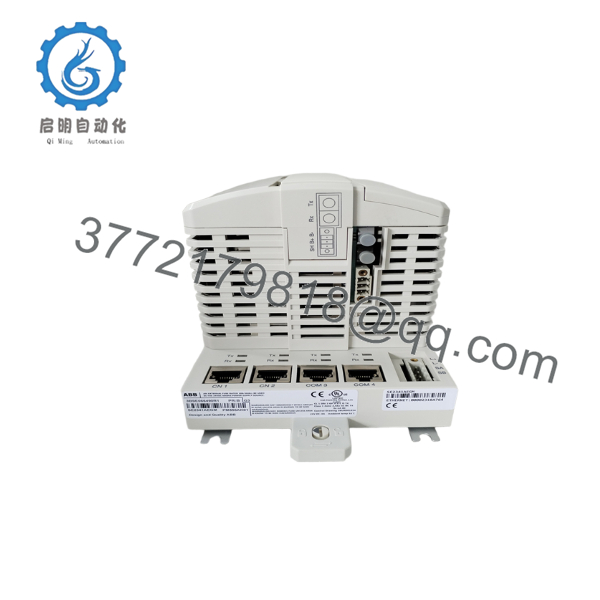
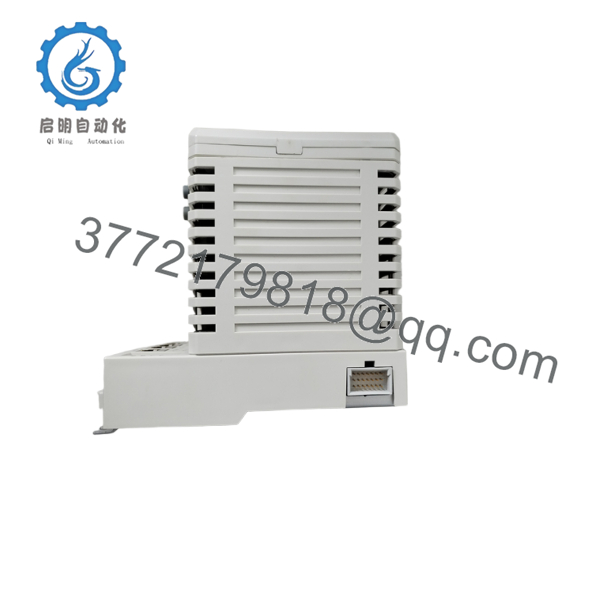
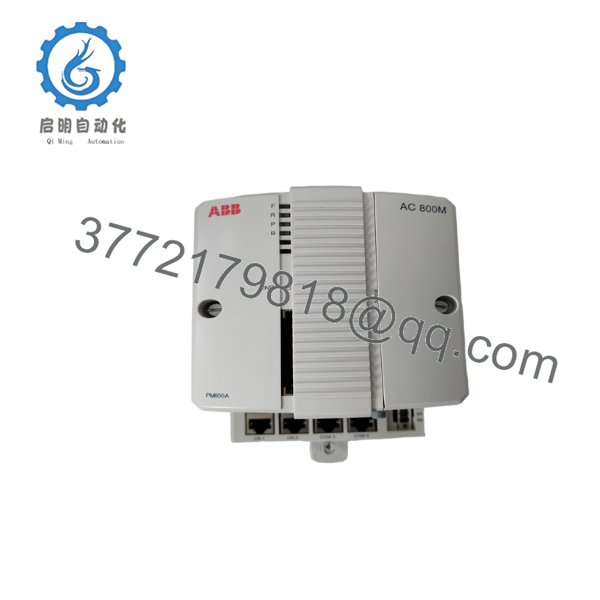
The PM856AK01 is an AC 800M controller designed for ABB System 800xA automation platforms. It provides 16 MB of memory, dual Ethernet interfaces, support for up to 96 S800 I/O modules, and execution of IEC 61131-3 control applications through ABB Control Builder.
4. Product Introduction
The ABB PM856AK01 (3BSE066490R1) is a high-performance CPU controller within the AC 800M family used by ABB Ability™ System 800xA. It serves as the primary processing unit of a distributed control system (DCS), executing process control logic, coordinating communications with remote I/O, and exchanging data with operator workstations, engineering stations, and supervisory systems.
The controller is designed for medium-sized automation applications that do not require CPU redundancy. It supports IEC 61131-3 programming through ABB Control Builder, communicates over standard Ethernet using MMS and IAC protocols, and interfaces with a wide range of communication modules, including PROFIBUS DP, FOUNDATION Fieldbus, and Modbus through the AC 800M CEX bus. Its modular architecture allows gradual system expansion without replacing the controller platform.

- PM856AK01
- PM856AK01
- PM856AK01
5. Installation & Configuration Guide
Stage 1 – Pre-Installation Preparation
⚠️ Safety First
- Notify plant operations before controller replacement.
- Back up the complete Control Builder project.
- Apply Lock-Out/Tag-Out procedures.
- Switch off cabinet power.
- Wear a grounded ESD wrist strap.
Required Tools
- Engineering laptop with ABB Control Builder
- Digital multimeter
- Phillips screwdriver
- ESD wrist strap
- Ethernet cable
- Backup CompactFlash card (if applicable)
Before Removal
- Record firmware version.
- Export the controller configuration.
- Label all Ethernet and serial cables.
- Verify the controller node address.
Stage 2 – Removing the Existing Controller
- Disconnect the 24 VDC supply.
- Remove Ethernet and serial cables.
- Disconnect CEX modules if installed.
- Release the DIN rail locking mechanism.
- Remove the controller carefully.
Do not remove the controller while application downloads or firmware updates are in progress. Interrupting these operations may corrupt the controller configuration.
Stage 3 – Installing the New PM856AK01
- Verify the replacement part number is 3BSE066490R1.
- Mount the controller onto the DIN rail.
- Connect the 24 VDC supply.
- Reconnect Ethernet, serial, and CEX modules.
- Restore the controller application using ABB Control Builder.
- Verify network communication.
Installation Checklist
- ✔ Correct article number
- ✔ Firmware compatibility verified
- ✔ Power supply connected
- ✔ Ethernet communication established
- ✔ Application downloaded successfully
Stage 4 – Commissioning & Functional Testing
- Apply 24 VDC power.
- Confirm normal CPU LED indications.
- Verify communication with System 800xA.
- Check ModuleBus status.
- Test I/O communication.
- Execute functional testing before returning the process to service.
⚠️ Troubleshooting
Controller does not start
- Verify the 24 VDC supply.
- Inspect the baseplate connection.
- Check LED diagnostics.
No Ethernet communication
- Verify IP configuration.
- Inspect RJ45 connections.
- Confirm network switch operation.
I/O modules offline
- Check ModuleBus connections.
- Verify CEX module compatibility.
- Confirm application download completed successfully.
Field Experience: One of the most common commissioning problems is restoring the application to replacement hardware without verifying the firmware revision. Although the controller powers up normally, firmware differences can prevent projects from loading correctly. Always compare firmware versions before downloading the application.
6. Frequently Asked Questions (FAQ)
Q1. What is the primary function of the PM856AK01?
The PM856AK01 is the central CPU of an ABB AC 800M controller. It executes IEC 61131-3 control programs, manages process communications, and coordinates data exchange between field I/O, operator stations, and engineering workstations.
Q2. Does the PM856AK01 support controller redundancy?
No. The PM856AK01 is a non-redundant controller. Applications requiring CPU redundancy should use controllers such as the PM857 series instead.
Q3. How many I/O modules can it support?
A single PM856AK01 can support up to 96 S800 I/O modules through the ModuleBus, depending on the overall system architecture and communication configuration.
Q4. Which engineering software is used?
The controller is configured and programmed using ABB Control Builder as part of the System 800xA engineering environment, supporting IEC 61131-3 programming languages.
Q5. What is the most common replacement mistake?
The most common issue is restoring only the application while overlooking controller-specific settings such as IP addresses, firmware revisions, or communication parameters. Before removing the original controller, back up the complete project and record all network settings.
Q6. Is the PM856AK01 still widely used?
Yes. Although newer AC 800M controllers are available, the PM856AK01 remains widely deployed in System 800xA installations across power generation, oil and gas, chemical processing, water treatment, and manufacturing plants. Many facilities continue to maintain spare PM856AK01 controllers to support long-term lifecycle requirements.



