
 WhatsApp: +86 16626708626
 Email:
  Phone: +86 16626708626
Description
Key Technical Specifications
| Parameter | Value |
| Manufacturer | ADLINK Technology |
| Model Number | cPCI-3840 |
| Form Factor | 3U CompactPCI (Eurocard standard) |
| Processor | Intel Pentium M / Celeron M Processor |
| System Memory | 200-pin DDR SODIMM socket (up to 1 GB/2 GB depending on revision) |
| Front Panel I/O | VGA, Dual RJ-45 Gigabit Ethernet, USB 2.0, RS-232 COM, PS/2 |
| CompactPCI Bus Interface | 32-bit / 33 MHz or 66 MHz cPCI interface |
| Onboard Storage Interfaces | CompactFlash Socket, Ultra ATA/100, SATA options |
| Operating Temperature | 0 to 55 °C (Standard operational range) |
| Power Requirements | +5V, +3.3V, +12V from cPCI backplane |
| System Slot Capability | Operating as System Master Slot controller |
| Dimensions | 100 mm × 160 mm (3U height) |
Product Introduction & Supply Chain Strategy
The ADLINK cPCI-3840 is a high-reliability 3U CompactPCI Single Board Computer designed for mission-critical industrial automation, defense, transportation, and telecommunications infrastructure. Powered by low-power Intel Pentium M processing architecture, it delivers robust computing power and deterministic I/O performance in ruggedized rackmount environments.
Securing the cPCI-3840 as New Surplus provides an efficient path to eliminate the high Total Cost of Ownership (TCO) associated with unverified used boards or costly full-system redesigns. Storing 1–2 units in buffer stock mitigates supply chain risks for legacy systems, preventing catastrophic downtime caused by discontinued hardware platforms.
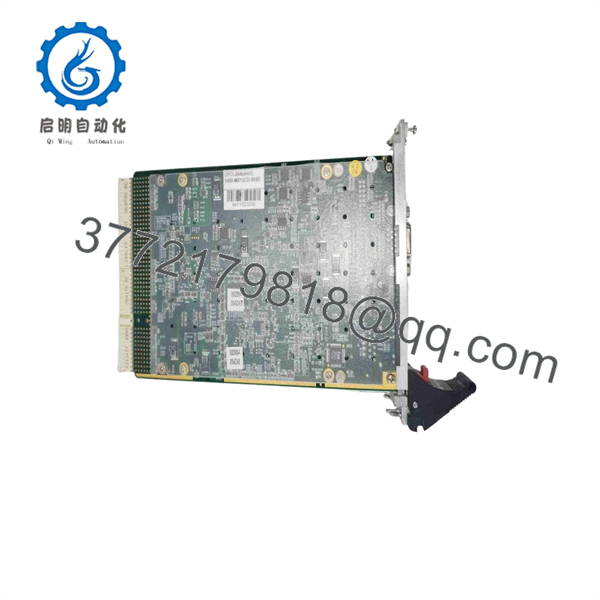
cPCI-3840
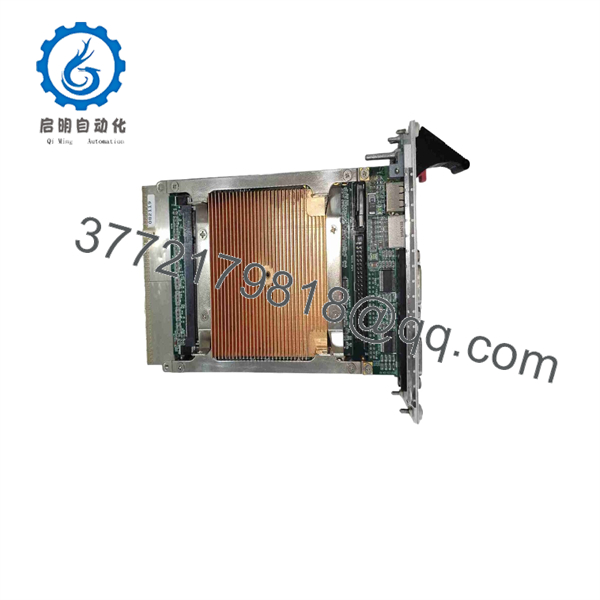
cPCI-3840
Installation & Configuration Guide
1.Stage 1: Pre-Installation (Prep & Safety):Prerequisite & LOTO.
Perform Lock-Out/Tag-Out (LOTO) on the main system rack chassis. Equipping a grounded ESD wrist strap is mandatory before handling the SBC. Record all jumper settings, flash card configurations, and front-panel cable mappings from the original board.
Verification: Confirm zero AC line voltage at the power supply inputs using a digital multimeter.
2.Stage 2: Removal:2 min.
Unlock the top and bottom ejector handles on the card front panel. Carefully pull the board forward along the chassis guide rails to disengage the rear CompactPCI bus connectors without damaging backplane pins.
Verification: Inspect backplane receptacle pins for physical alignment, bent leads, or thermal distress.
3.Stage 3: Installation (Clone & Seat):5 min.
Set all jumper blocks on the replacement cPCI-3840 to match the original unit’s settings (e.g., bus speed, BIOS boot selection, clear CMOS). Align the SBC with the card guides and slide it firmly into the chassis slot until the connectors seat securely into the backplane, then lock the ejector handles.
Verification: Ensure front panel retention thumbscrews are hand-tightened to maintain frame grounding.
4.Stage 4: Power-On & Testing:Commissioning.
Apply system power and observe the front panel diagnostic LEDs during POST (Power-On Self-Test). Enter the BIOS setup utility using a serial console or attached VGA keyboard setup to verify memory configuration and drive boot order.
Verification: Verify that the system boots into the primary OS and established network interfaces handshake successfully without bus fault errors.
Firmware/Software Versions & Upgrade Notes
- Recommended BIOS Version: Phoenix/AMI OEM BIOS compiled for cPCI-3840 revision platforms.
- Compatibility Constraints: Ensure OS driver support (Windows XP Embedded, VxWorks, Linux kernel 2.6/3.x) matches the system chipset configuration before performing hardware swaps.
- Upgrade/Downgrade Warning: Flashing BIOS firmware on legacy CompactPCI boards during emergency swap procedures is discouraged. Firmware mismatches can result in backplane enumeration errors, legacy CompactFlash detection failures, or invalid PCI interrupt assignments. Always archive original BIOS parameters prior to deployment.
Frequently Asked Questions (FAQ)
Is this ADLINK cPCI-3840 board brand new or refurbished?
This unit is 100% New Surplus. It is original OEM inventory, never pulled from an operational rack or decommissioned system, and never repaired or refurbished. It remains in its original anti-static packaging and underwent full ESD-safe bench inspection prior to listing.
Why select New Surplus over lower-cost refurbished cPCI boards?
Refurbished CompactPCI single-board computers often feature worn backplane connector gold contacts, aged thermal interface material, and degraded board-level capacitors. A sudden hardware fault on a refurbished board can interrupt entire process control loops. Buying New Surplus ensures factory-fresh performance and maximum operational life.
How is the board tested prior to shipment?
Every cPCI-3840 module undergoes an inbound quality check. This includes visual pin-alignment checks, ESD protection audits, backplane power-on testing, and loopback verification on memory and I/O channels using test racks.
Can this SBC function in non-system slots?
The cPCI-3840 is configured primarily as a System Master Slot processor (Slot 1). Verify your backplane slot allocation and clock configuration jumpers if you intend to run multi-processor configurations.
What warranty coverage is included?
We back this New Surplus unit with a comprehensive 1-year replacement warranty, eliminating lead-time friction when replacing legacy hardware.



