
 WhatsApp: +86 16626708626
 Email:
  Phone: +86 16626708626
Description
3. Key Technical Specifications
| Parameter | Value |
|---|---|
| Power Supply | 24 VAC @ 5 VA (half-wave rectifier; one leg to earth ground) |
| Display | 4-line × 20-character backlit LCD |
| Keypad | 8-button |
| Communications | BACnet MS/TP LAN up to 76.8 kbps |
| Processor & Memory | High-performance CMOS CPU; 2 MB battery-backed static RAM; 64 KB non-volatile EPROM |
| Real-Time Clock | Quartz crystal; supports BACnet time synchronization |
| Battery | Replaceable 3 V lithium (DL2450 or equivalent); 1.5 years cumulative / 10 years standby |
| Programming Access | RS-232 PTP (via BACtalk for Windows); up to ~1,000 custom display pages |
| Mounting | Wall or panel |
| Dimensions (approx.) | 6.5 in H × 4.9 in W × 1.1 in D (165 × 125 × 28 mm) |
| Operating Temperature | 32–158 °F (0–70 °C) |
| Humidity | 0–95 % RH, non-condensing |
| Weight | Approx. 0.55 lb (0.25 kg) |
| Compliance | ANSI/ASHRAE Standard 135 (BACnet) |
Transformer is sold separately. Verify exact revision and display program compatibility with the existing BACnet MS/TP network before installation.
4. Product Introduction
The Alerton BT-VIEWPORT (BACtalk Viewport) is a compact operator terminal designed for BACnet systems. It mounts on a wall or panel and connects directly to the MS/TP LAN, giving technicians and operators a local keypad and 4×20 backlit LCD for viewing and adjusting system values without a full PC workstation.
It serves as a low-cost access point for smaller installations or as a convenient field interface on larger BACtalk networks. Fully programmable displays can be customized per site. The unit can operate standalone on the MS/TP bus or in conjunction with an LSi controller; programming and diagnostics are performed via RS-232 PTP connection using BACtalk for Windows software. Because the product is discontinued, verified surplus units remain the practical option for maintaining existing BACnet installations.
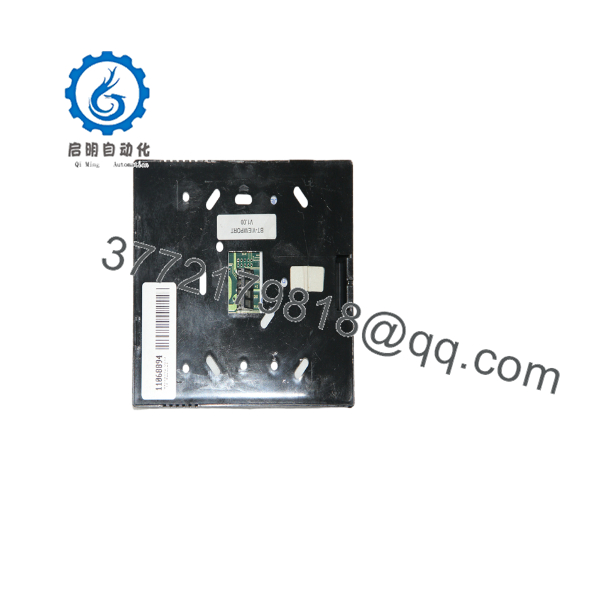
BT-VIEWPORT
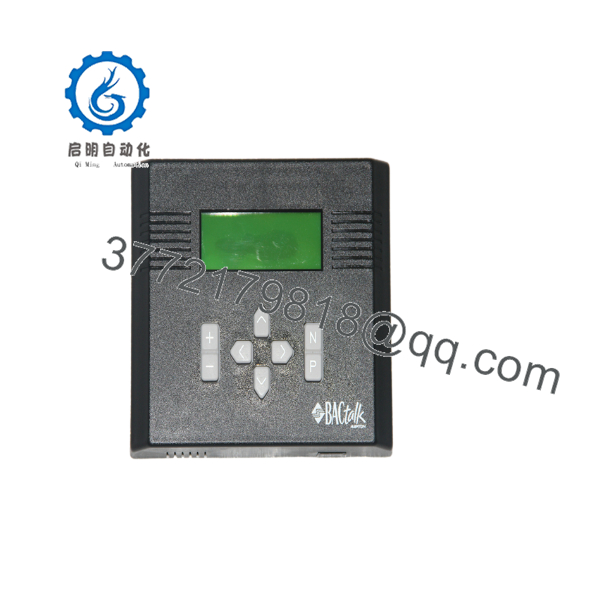
BT-VIEWPORT
5. Installation & Configuration Guide
Stage 1: Pre-Installation Preparation (10–15 min)
⚠️ Safety First: Notify building operations. De-energize the 24 VAC circuit feeding the mounting location. Confirm the MS/TP network is in a stable state.
Tools Required: ESD strap (recommended), screwdriver set, multimeter, wire labels, smartphone for photos of existing wiring and display screens.
Data Backup: Photograph the current terminal wiring, MS/TP polarity, and any existing display menus or device-instance settings. Note the baud rate and MAC address if documented.
Stage 2: Removing the Old Terminal (5–10 min)
- Disconnect 24 VAC power and MS/TP communication wires. Label polarity carefully (MS/TP is polarity-sensitive).
- Remove mounting hardware and withdraw the unit.
- Inspect the mounting surface and wiring for damage or corrosion.
⚠️ Keep the old unit available until the replacement is fully operational and display pages function correctly.
Stage 3: Installing the New Terminal (10–15 min)
- Confirm the model is BT-VIEWPORT and that the internal battery is present and within date if critical.
- Mount the unit using the provided wall- or panel-mount hardware. Ensure the LCD is oriented for easy viewing and the keypad is accessible.
- Connect 24 VAC (observe half-wave rectifier rules and earth ground on one leg). Connect MS/TP A/B wires with correct polarity and termination if required by the network segment.
- Secure all terminals; use 14–24 AWG conductors.
Self-Checklist: [ ] Power polarity correct [ ] MS/TP polarity correct [ ] Mounting secure [ ] No short circuits.
Stage 4: Power-On & Testing (10–20 min)
Pre-Power Check: Verify 24 VAC presence and no shorts.
- Apply power. The display should initialize and show the default or previously programmed menu.
- Confirm communication on the MS/TP LAN (device appears in network scan or responds to queries).
- Navigate the keypad menus; verify ability to read and write BACnet properties as permitted.
- If custom displays are required, connect a PC via RS-232 PTP (AC-2650B cable or equivalent) running BACtalk for Windows and download the site-specific display program.
⚠️ Troubleshooting: Blank or frozen display often indicates power or battery issues. No network response usually traces to MS/TP polarity, baud-rate mismatch, or missing termination. If the unit fails to accept a display download, verify the RS-232 cable and PTP settings.
6. Frequently Asked Questions (FAQ)
Q: Can the BT-VIEWPORT be hot-swapped on a live MS/TP network?
A: Power should be removed before connecting or disconnecting the unit. While MS/TP is relatively tolerant, best practice is to isolate the segment or at least remove 24 VAC to avoid communication glitches or hardware stress.
Q: Is the BT-VIEWPORT still manufactured, and is your stock genuine?
A: Alerton (Honeywell) has discontinued the Viewport. Available units are new original or carefully tested surplus stock. Serial numbers and condition are verified on intake.
Q: What is the direct modern replacement?
A: There is no exact drop-in hardware equivalent. Current Alerton/Honeywell BACnet solutions use touch-panel HMIs (such as AlerView or other BACnet operator interfaces) or software-based operator workstations. Confirm network architecture and required local access features before selecting a migration path.
Q: Will I lose my custom display pages when I replace the unit?
A: Display programs reside in the Viewport’s non-volatile memory. They must be backed up via BACtalk for Windows before the old unit is removed and then downloaded to the new unit. Without a backup, the new terminal will boot with default or blank pages.
Q: Why is the price lower than historical OEM pricing?
A: This is discontinued surplus inventory. Pricing reflects secondary-market availability of tested original units rather than current production cost.
Q: Does it support BACnet/IP?
A: No. The BT-VIEWPORT is strictly an MS/TP device. BACnet/IP access requires a router or a different operator interface.
Q: What testing is performed before shipment?
A: Visual inspection, power-on self-test, display and keypad verification, and basic MS/TP communication check where a test network is available. Test reports and photos are available on request.



