
 WhatsApp: +86 16626708626
 Email:
  Phone: +86 16626708626
Description
. Key Technical Specifications
| Parameter | Value / Specification |
| Manufacturer | Allen-Bradley / Rockwell Automation |
| Part Number | 1203-GK5 |
| Module Type | SCANport ControlNet Communication Adapter |
| Network Protocol | ControlNet (Coaxial) / SCANport Protocol |
| Transfer Rate | 5.0 Mbps (ControlNet) |
| Network Connectors | Dual BNC Coaxial Connectors (Ch A / Ch B) |
| Power Consumption | 12–15 V DC at 300 mA (supplied via SCANport cable) |
| Compatible Drives | 1305, 1336 PLUS, 1336 PLUS II, 1336 IMPACT, PowerFlex 70/700 (via adapter) |
| Operating Temperature | 0 to 50°C (32 to 122°F) |
| Storage Temperature | −40 to +85°C (−40 to +185°F) |
| Relative Humidity | 5% to 95% non-condensing |
| Configuration Tool | 1201-HA2 Executive Module / Connected Components Workbench / RSNetWorx |
Product Introduction & Supply Chain Strategy
The Allen-Bradley 1203-GK5 is a SCANport-to-ControlNet communication adapter designed to integrate legacy Allen-Bradley AC variable frequency drives (such as 1336 PLUS, 1336 IMPACT, and 1305 series) directly into high-speed ControlNet automation networks. It handles real-time I/O data, drive status feedback, and explicit parameter messaging between ControlLogix or PLC-5 controllers and connected drives.
Maintaining a New Surplus 1203-GK5 module on-site is a crucial operational buffer against unexpected line stoppages on legacy drive networks. Sourcing genuine New Surplus avoids the premature timing failures and component breakdown common in refurbished communication hardware, guaranteeing deterministic ControlNet communications and protecting your facility against costly unplanned downtime.
Installation & Configuration Guide
1.Pre-Installation (Prep & Safety):Disconnect drive power and observe ESD precautions.
Isolate main incoming line power to the target drive and wait at least 5 minutes for bus capacitors to discharge fully. Put on a grounded ESD wrist strap before handling the 1203-GK5. Photograph or record the network node address DIP switch positions on the existing adapter.
2.Removal of Legacy Adapter:Disconnect coaxial cables and SCANport interface.
Unscrew and disconnect the BNC coaxial network connectors from Channels A and B. Loosen the mounting hardware or DIN rail latches securing the adapter. Disconnect the 1202-C10 SCANport interface cable carefully from the bottom of the module housing.
3.Hardware Setup & Physical Installation:Set node address switches and mount replacement.
Set the ControlNet node address switches on the new 1203-GK5 to match the original node configuration exactly. Mount the adapter on the DIN rail or mounting panel. Reattach the 1202-C10 SCANport cable firmly into the module’s 8-pin mini-DIN port.
4.Power-On & Network Initialization:Verify LED diagnostic indicators and network handshake.
Reapply power to the AC drive to energize the 1203-GK5 via the SCANport cable. Verify the PORT LED shows solid green (indicating healthy drive communication) and the NET A/B LEDs cycle correctly upon establishing ControlNet scheduled connections.
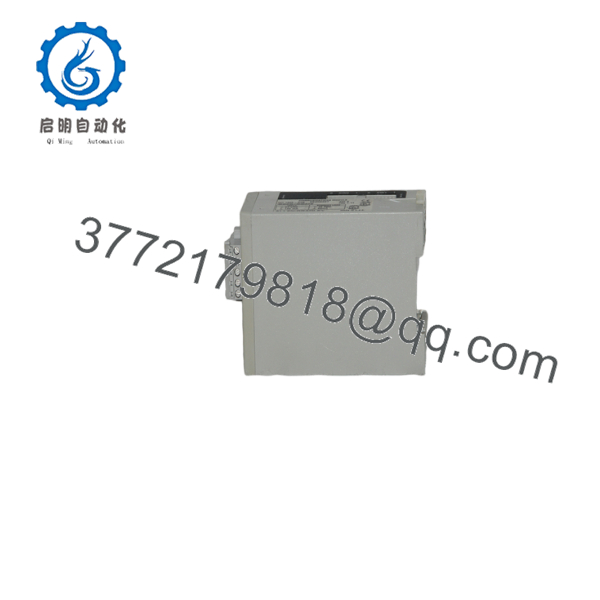
1203-GK5
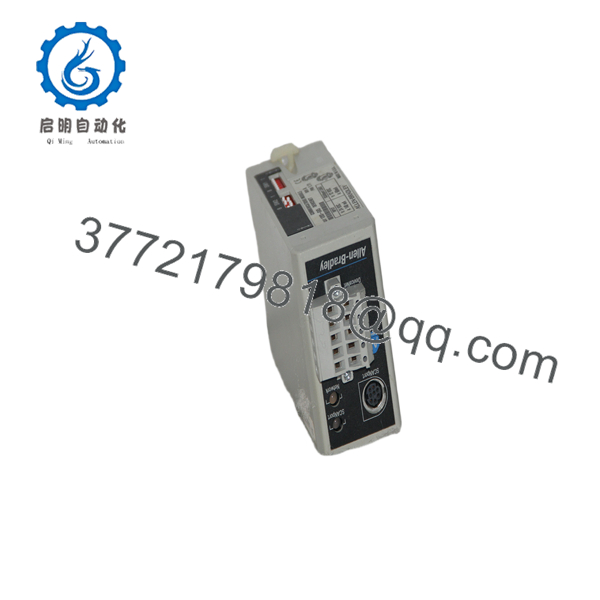
1203-GK5
Firmware/Software Versions & Upgrade Notes
- Firmware Series: Compatible with Revision 1.xxx through 3.xxx firmware releases.
- Network Software Compatibility: Configurable via RSNetWorx for ControlNet or DriveTools SP software packages.
- Firmware Mismatch Warning: Replacing a 1203-GK5 module with a unit running a significantly older firmware revision can result in unconfigured Assembly Object profiles, causing unscheduled network disconnection or missing parameter tags in PLC-5/ControlLogix logic. Always verify firmware compatibility prior to commissioning.
Frequently Asked Questions (FAQ)
Is this Allen-Bradley 1203-GK5 module brand new or refurbished?
This unit is strictly New Original / New Surplus stock. It has never seen operational field service, ensuring pristine circuit components, zero connector wear, and full operational lifespan.
Why avoids purchasing a refurbished 1203-GK5 for critical drive communications?
Refurbished communication adapters frequently suffer from heat-stressed pulse transformers and degraded BNC transceiver circuitry. A failing refurbished adapter can introduce reflections and signal jitter onto the ControlNet trunk, dropping communication across multiple network nodes simultaneously.
Does the 1203-GK5 require a separate 24 V DC power supply?
No. The 1203-GK5 draws its operating power (12–15 V DC) directly from the connected drive through the standard 1202 SCANport cable connection.
What drives are compatible with the 1203-GK5 adapter?
The 1203-GK5 natively supports Allen-Bradley 1305, 1336, 1336 PLUS, 1336 PLUS II, 1336 IMPACT, and 1336 FORCE drives, as well as PowerFlex 70 and 700 drives when paired with a DPI-to-SCANport adapter module.
How do I configure the node address on the 1203-GK5?
The ControlNet node address is configured via physical rotary or DIP switches located on the module housing. Address settings range from 01 to 99 and must be set before applying power to the unit.
What warranty is provided with this module?
We support this New Surplus Allen-Bradley 1203-GK5 module with a full 1-year replacement warranty, providing complete technical confidence and procurement peace of mind.



