
 WhatsApp: +86 16626708626
 Email:
  Phone: +86 16626708626
Description
3. Key Technical Specifications
| Parameter | Value |
|---|---|
| Processor Type | SLC 5/05 |
| User Memory | 16K words total |
| Max Discrete I/O | 4096 inputs + 4096 outputs |
| Max Local Analog I/O | 480 |
| Max Local Chassis / Slots | 3 chassis / 30 slots |
| Program Scan Time | 0.9 ms/K typical |
| I/O Scan Time | 0.225 ms typical |
| Communication Ports | Channel 1: Ethernet (10/100 Base-T on Series C); Channel 0: RS-232 (DF1 / DH-485 / ASCII / Modbus) |
| Memory Backup | Battery-backed RAM + Flash |
| Backplane Current @ 5 V DC | 1.0 A |
| Backplane Current @ 24 V DC | 200 mA |
| Installation Slot | Slot 0 only |
| Operating Temperature | 0 °C to +60 °C |
| Storage Temperature | –40 °C to +85 °C |
4. Product Introduction
The Allen-Bradley 1747-L551 is the 16K-memory version of the SLC 5/05 processor. It installs in Slot 0 of any 1746 modular chassis and supports up to three local chassis with a total of 30 I/O modules.
It replaces the DH+ port of the SLC 5/04 with a built-in Ethernet port (10 Mbps on earlier series, 10/100 Mbps auto-negotiate on Series C) while retaining an RS-232 port on Channel 0. Typical program scan time is 0.9 ms per K of logic with an I/O scan of 0.225 ms. The processor supports remote I/O via scanner modules and includes battery-backed RAM with Flash backup for program retention.
5. Troubleshooting Quick Reference
| Symptom | Possible Cause | Relevance to this Part | Quick Check Method | Recommendation |
|---|---|---|---|---|
| No RUN LED, chassis powered | Processor not seated or insufficient backplane power | ✅ High | Reseat in Slot 0; measure 5 V and 24 V rails | Confirm power supply capacity ≥ 1 A @ 5 V |
| CPU FAULT LED on | Memory corruption, hardware fault, or battery failure | ✅ High | Clear faults in RSLogix 500; check BATTERY LOW LED | Replace battery or reload program; replace if persistent |
| Ethernet link down or no communication | Incorrect IP, cable, or switch settings | ✅ High | Verify IP address, subnet, and link LEDs; test with known-good cable | Match network settings; check switch port and cable |
| Cannot establish RS-232 comms | Wrong channel configuration or cable | ✅ High | Confirm Channel 0 protocol and baud; use 1747-CP3 cable | Match software settings to port configuration |
| Program lost after power cycle | Dead battery | ✅ High | Check BATTERY LOW LED; measure battery voltage | Replace 1747-BA battery |
| Slow Ethernet response / dropped connections | Too many CIP connections or heavy messaging | ✅ Medium | Monitor connection count (Series C supports 32); reduce concurrent MSG instructions | Optimize messaging and reduce concurrent connections |
If the fault remains unresolved, capture LED status, fault codes, IP configuration, and communication parameters before contacting support.
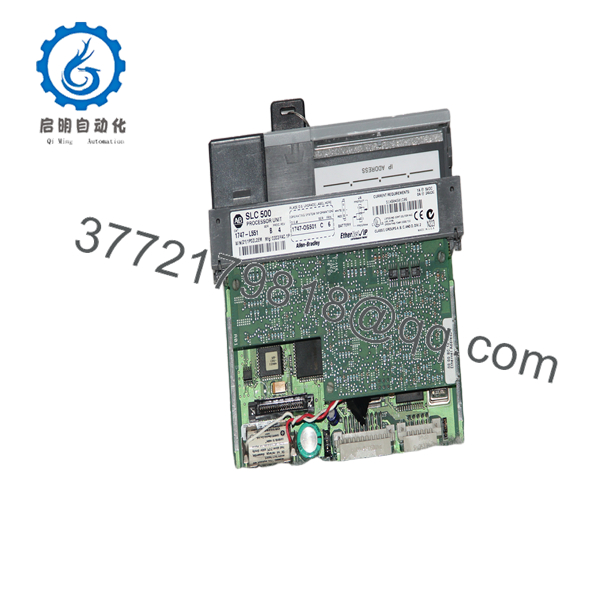
1747-L551
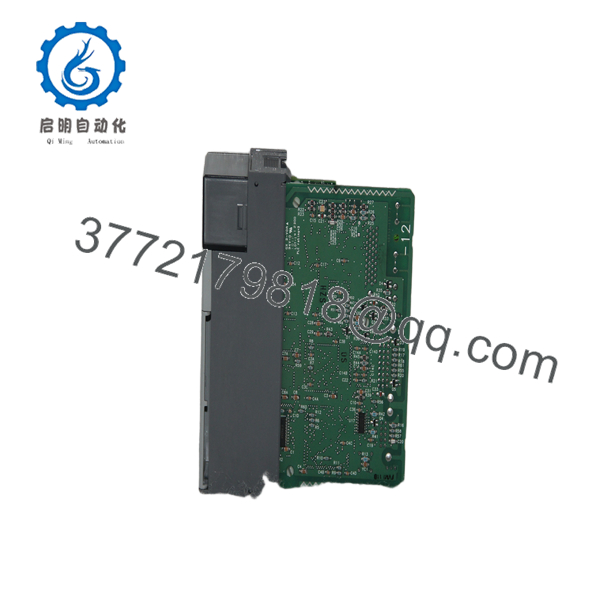
1747-L551
6. Frequently Asked Questions (FAQ)
Q: Is the 1747-L551 still available new from Rockwell? No. The SLC 500 platform is discontinued. Units available today are New Surplus or refurbished. Confirm current stock and condition before ordering.
Q: What is the difference between the 1747-L551, L552, and L553? Memory size only: L551 = 16K words, L552 = 32K words, L553 = 64K words. Communication ports, I/O capacity, and scan performance are identical. Series C units also increase Ethernet connection limits (32 / 48 / 64 respectively).
Q: Does the 1747-L551 support remote I/O? Yes. It supports remote I/O when used with a compatible scanner module (such as 1747-SN, 1747-BSN, or DeviceNet/ControlNet scanners) in the local chassis.
Q: What battery does the 1747-L551 use? The standard lithium battery is the 1747-BA. It provides multi-year program retention. Replace it when the BATTERY LOW LED illuminates.
Q: What is the difference between Series A/B and Series C? Series C supports 10/100 Mbps auto-negotiate Ethernet and doubles the CIP connection limit to 32 (from 16 on earlier series). Firmware can be updated, but hardware Ethernet capabilities cannot be upgraded.
Q: Where must the 1747- be installed? It must be installed in Slot 0 of the primary 1746 chassis. It will not operate in any other slot.
Q: Why is New Surplus priced lower than original list? These are genuine Allen-Bradley processors from excess inventory or cancelled projects. They are unused and typically supplied with anti-static protection. They are not refurbished unless specifically stated.



