
 WhatsApp: +86 16626708626
 Email:
  Phone: +86 16626708626
Description
Key Technical Specifications
| Parameter | Specification |
|---|---|
| Catalog Number | 1747-M13 |
| Product Family | Allen-Bradley SLC 500 |
| Module Type | Flash EPROM / EEPROM Memory Module |
| Memory Capacity | 64 KB |
| Primary Function | Non-volatile user-program backup |
| Compatible PLCs | SLC 5/03, SLC 5/04, SLC 5/05 |
| Required CPU Revision | Series C or later OS |
| SLC 5/03 Firmware | OS302 or later |
| SLC 5/04 Firmware | OS401 or later |
| SLC 5/05 Firmware | OS501 or later |
| Operating Temperature | 0 to 60 °C |
| Programming Adapter | 1747-M15 Series B |
| Installation Location | Processor memory-module socket |
| Manufacturer Status | Discontinued |
Rockwell Automation identifies the 1747-M13 as a 64 KB memory module for SLC 5/03, SLC 5/04, and SLC 5/05 processors. The compatibility table specifically requires Series C or later operating-system versions for these processor families.
Product Introduction
The Allen-Bradley 1747-M13 is a 64 KB Flash EPROM memory module for SLC 500 processors. It provides non-volatile storage for a controller program and associated data, allowing the application to be retained independently of the processor’s normal RAM/battery-backed memory. It is compatible with SLC 5/03, 5/04, and 5/05 Series C or later processors.
This module is primarily a program-storage and recovery device, not a runtime RAM expansion. For legacy SLC installations, it can provide an important recovery path when processor battery condition or RAM corruption is a concern. Rockwell discontinued the 1747-M13 on March 31, 2024, with no planned Rockwell replacement.
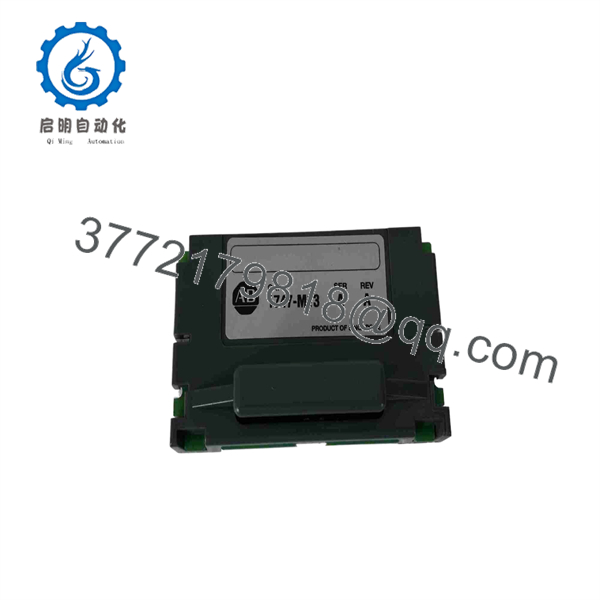
1747-M13
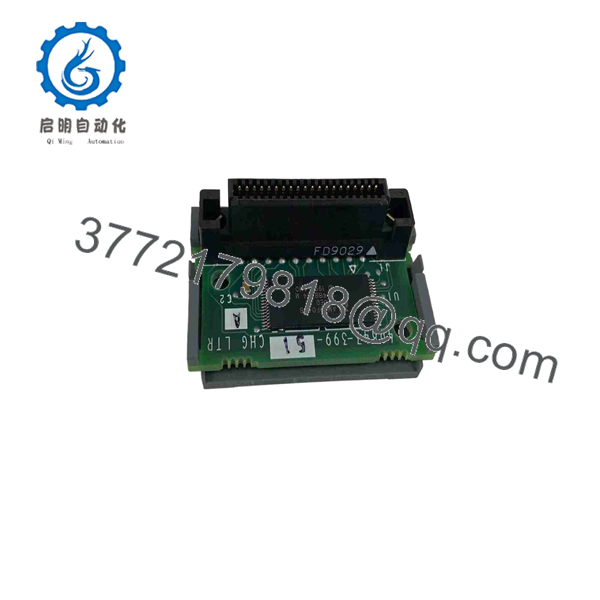
1747-M13
Installation & Configuration Guide
Stage 1 — Pre-Installation and Safety
- Verify that the module is 1747-M13 and inspect the memory-module connector for bent, contaminated, or damaged contacts.
- Identify the installed processor model and firmware revision.
- Confirm that the controller is an SLC 5/03, 5/04, or 5/05 with the required Series C or later OS.
- Back up the current SLC processor program before writing anything to the memory module.
- If the objective is recovery rather than backup, verify that the program stored on the 1747-M13 is actually the required application revision.
- Prepare an approved ESD-controlled work area.
- Estimated time: 15–30 minutes.
WARNING: The 1747-M13 is not a substitute for additional CPU runtime memory. It provides non-volatile backup storage; the processor’s installed CPU determines its available operating memory.
Stage 2 — Removing or Accessing the Module
- Place the controlled machine or process into a safe state.
- Follow the site’s LOTO procedure.
- Remove controller power before removing the processor or inserting the memory module.
- Remove the SLC processor from the chassis according to the applicable SLC 500 procedure.
- Locate the memory-module socket on the processor.
- If an existing module is installed, remove it carefully without damaging the socket or contacts.
- Record the existing module’s catalog number, revision, and any identification label before replacement.
- Estimated time: 15–30 minutes.
Rockwell’s installation instructions explicitly require controller power to be turned off before removing the processor and inserting the memory module.
Stage 3 — Installation and Programming
- Align the 1747-M13 with the processor memory-module connector.
- Press the module firmly into position without forcing it at an angle.
- Reinstall the processor into the chassis.
- Restore controller power only after the processor and memory module are correctly seated.
- To program the module, configure the applicable SLC memory-module configuration bits in the offline program.
- Download the required program to the processor.
- Use the processor/software procedure to burn the program into the 1747-M13.
- If using an 1747-M15 programming adapter, use Series B. Rockwell warns that using a Series A 1747-M15 with an M13 can damage the memory module or programming equipment.
- Estimated time: 30–60 minutes, depending on programming and verification requirements.
Stage 4 — Power-Up and Verification
- Confirm that the processor starts without memory-module faults.
- Verify that the stored program corresponds to the intended application revision.
- Confirm the controller’s operating mode and processor status.
- If the module is being used for backup, document its contents, date, machine identifier, and program revision.
- If restoring a program from the M13, compare the restored application against the plant’s approved master copy before returning the machine to production.
- Test critical sequences, interlocks, I/O operation, and communications after restoration.
- Estimated time: 30–90 minutes for functional verification.
Procurement warning: A physically new-looking 1747-M13 does not prove that it contains the correct application. For a programmed spare, verify both hardware condition and program contents.
Frequently Asked Questions (FAQ)
1. What is the Allen-Bradley 1747-M13 used for?
The 1747-M13 is a 64 KB non-volatile memory module used with compatible SLC 500 processors for program and data-table backup. It is installed directly in the processor’s memory-module socket.
2. Which SLC processors support the 1747-M13?
It is supported by SLC 5/03, SLC 5/04, and SLC 5/05 Series C or later operating systems. Rockwell specifies OS302 or later for SLC 5/03, OS401 or later for SLC 5/04, and OS501 or later for SLC 5/05.
3. Does the 1747-M13 increase the processor’s runtime memory?
No. The 1747-M13 is a non-volatile storage/backup device, not a runtime memory expansion. The CPU’s catalog number determines its available operating memory.
4. What programming adapter is required for the 1747-M13?
The applicable programming adapter is 1747-M15 Series B. Rockwell specifically warns against using a Series A 1747-M15 adapter with the M13 because damage to the memory module or programming equipment may occur.
5. Is the 1747-M13 still manufactured?
No. Rockwell Automation lists the 1747-M13 as discontinued effective March 31, 2024, with no planned Rockwell replacement. Existing SLC 500 installations therefore depend on remaining OEM stock, new-surplus inventory, or tested aftermarket units.
6. Can a used 1747-M13 be used as a spare?
Yes, provided the module passes appropriate inspection and functional testing. For a programmed spare, procurement should also verify whether the module contains the correct application. A replacement memory module with the wrong program is not equivalent to a tested, application-ready spare.
7. What should I verify before purchasing a 1747-M13?
Confirm the 1747-M13 catalog number, physical condition, processor compatibility, revision, memory capacity, connector condition, and whether the unit is blank or programmed. For critical SLC assets, request a documented functional test and, where applicable, verification of the stored program rather than purchasing solely on the basis of a visual inspection.



