
 WhatsApp: +86 16626708626
 Email:
  Phone: +86 16626708626
Description
Key Technical Specifications
| Parameter | Specification Value |
| Catalog Number | 1756-ENBT |
| Communication Protocol | EtherNet/IP (CIP Messaging, Implicit I/O, Explicit Messaging) |
| Media Interface | 1x RJ45 Category 5e/6 Shielded Twisted Pair (10/100 Mbps) |
| Data Transfer Rate | 10/100 Mbps Auto-Negotiating |
| TCP/IP Connections | Up to 64 TCP connections |
| CIP Connections | Up to 128 connections (64 Logix implicit I/O + 64 explicit) |
| Packet Rate Capacity | Up to 5,000 packets per second (I/O) |
| Backplane Current (5.1V DC) | 1.0 A |
| Backplane Current (24V DC) | 0 mA (Uses 5.1V backplane bus exclusively) |
| Power Dissipation | 5.1 W max |
| Status Display | 4-Character Alpha-Numeric Display + LED Array (OK, LINK, NET) |
Product Introduction & Supply Chain Strategy
This product is a Brand New Surplus unit. It is not used, not pulled from a decommissioned plant, and not refurbished. All modules undergo rigorous quality verification to ensure OEM-level reliability. The Allen-Bradley 1756-ENBT is the classic workhorse EtherNet/IP communication bridge for ControlLogix chassis. It provides direct network connectivity between ControlLogix processors, PanelView HMIs, SCADA packages, drive lineups, and distributed I/O racks across standard industrial Ethernet infrastructure.
As Rockwell Automation has transitioned the 1756-ENBT to legacy status in favor of higher-capacity models like the 1756-EN2T, sourcing the 1756-ENBT as New Surplus is a vital operational strategy. Replacing a 1756-ENBT with a newer card often requires updating controller firmware or modifying the Studio 5000 / RSLogix 5000 project configuration—triggering costly re-validation procedures in regulated industries. Installing a factory-fresh surplus 1756-ENBT provides an immediate, 100% exact drop-in swap with zero software overhead, avoiding downtime and preserving your control architecture.
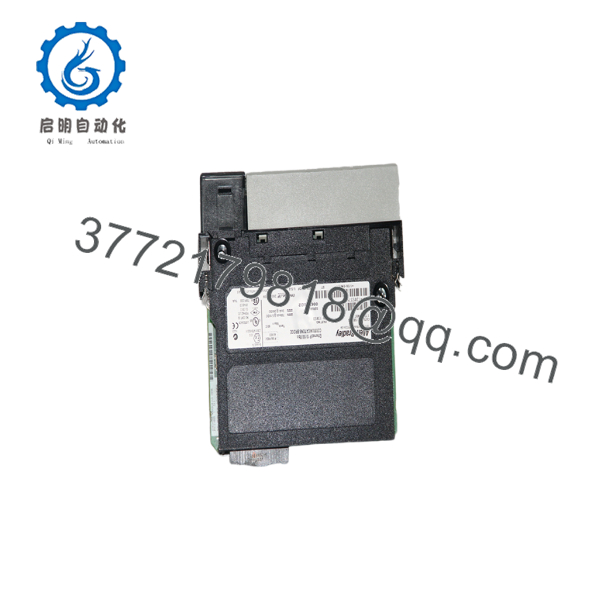
1756-ENBT
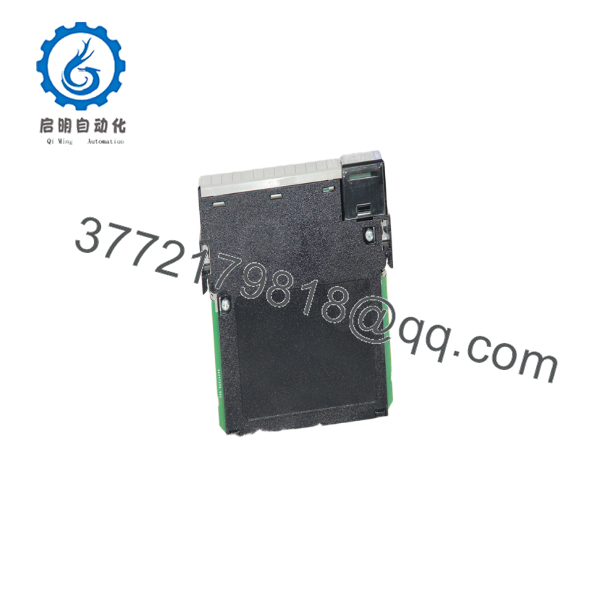
1756-ENBT
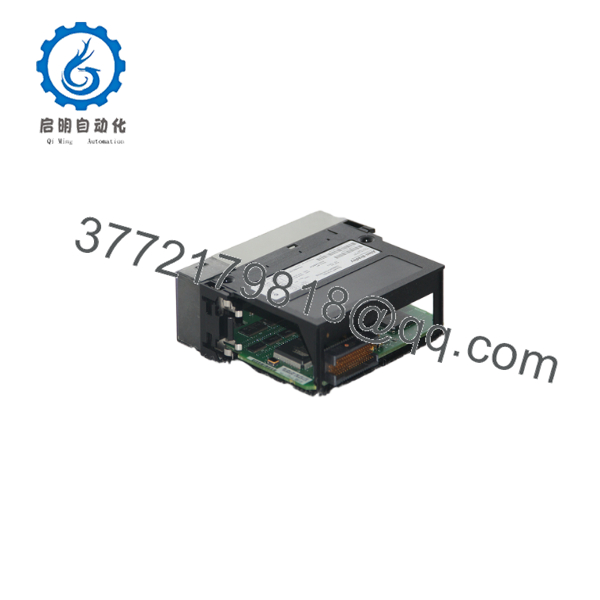
1756-ENBT
Installation & Configuration Guide
1.Stage 1: Pre-Installation (Prep & Safety):Apply LOTO, ground ESD strap, and configure rotary node switches.
- Execute strict Lock-Out/Tag-Out (LOTO) protocols on the targeted ControlLogix chassis power supply.
- Attach a grounded Electrostatic Discharge (ESD) wrist strap to unpainted metal inside the cabinet enclosure.
- Check the 3-digit rotary switches located at the top of the module circuit board. Set the switches to match the exact last octet of the target IP address (e.g.,
102forx.x.x.102), or set to999for BOOTP/DHCP software configuration.
2.Stage 2: Removal:Disconnect Ethernet cabling and carefully unlatch the card.
- Unplug the RJ45 Ethernet network cable from the front port.
- Simultaneously depress the upper and lower module retention tabs on the front casing.
- Slide the module horizontally straight out of the chassis card guides to protect the backplane interface pins.
3.Stage 3: Installation (Clone & Seat):Verify switch settings, align chassis rails, and lock module into slot.
- Verify that the replacement 1756-ENBT rotary switches are set identically to the old module being replaced.
- Align the edge connector of the circuit board with the upper and lower guide rails of the designated chassis slot.
- Push the card firmly into the rack until the top and bottom latches snap into position.
- Plug the RJ45 Ethernet network cable into the lower front port until the tab clicks shut.
4.Stage 4: Power-On & Testing:Re-power chassis, inspect alpha-numeric display, and test node comms.
- Re-apply power to the ControlLogix chassis power supply.
- Watch the 4-character alpha-numeric display cycle through initialization and display its assigned IP address (e.g.,
192.168.1.102). - Confirm that the OK LED illuminates solid green and the NET/LINK LEDs indicate active physical media link.
- Open RSLinx Classic or Studio 5000 to verify that all CIP messaging paths and I/O communication trees are online without connection faults.
Firmware/Software Versions & Upgrade Notes
- Software Compatibility: Compatible with all versions of RSLogix 5000 and Studio 5000 Logix Designer.
- Exact Drop-In Replacement: Replacing an old 1756-ENBT with another 1756-ENBT requires no modifications to the project I/O tree, controller software, or Electronic Keying settings.
- 1756-ENBT vs. 1756-EN2T Migration Path: While the 1756-ENBT supports up to 64 TCP and 128 CIP connections (5,000 pps), the newer 1756-EN2T supports 128 TCP and 256 CIP connections (25,000 pps). If your network suffers from high packet rates or connection limits, consider migrating to the 1756-EN2T—though this will require updating the catalog number in your RSLogix 5000 configuration.
Frequently Asked Questions (FAQ)
Why is this New Surplus 1756-ENBT preferred over buying a used module?
Used modules carry hidden wear from years of continuous thermal cycles and mechanical stress on the RJ45 port and backplane connector pins. Buying New Surplus guarantees factory-fresh silicon, uncompromised solder joints, and pristine contacts, delivering maximum operational reliability for legacy systems without software modification.
Can I replace a 1756-ENBT with a 1756-EN2T without stopping the processor?
You can physically replace the module, but you will need to modify the Studio 5000 I/O configuration tree to recognize the new catalog number (unless Electronic Keying is set to “Disable Keying”, which is generally not recommended). Using an exact 1756-ENBT replacement avoids modifying the controller project entirely.
How do I reset a 1756-ENBT back to factory IP settings?
Set the rotary switches on top of the module to 888 and cycle chassis power. The 4-character display will flash PASS and reset all network settings back to factory default (BOOTP/DHCP enabled). Afterward, power off, set the rotary switches back to your desired address mode, and re-power.
Does the 1756-ENBT support Device Level Ring (DLR) topologies?
No. The 1756-ENBT features a single RJ45 port and only supports standard star, tree, or linear topologies. For hardware-level DLR redundant ring topologies, a dual-port card such as the 1756-EN2TR is required.
What warranty is provided with this New Surplus card?
We back every 1756-ENBT unit with a comprehensive 1-Year hardware replacement warranty (depending on your service agreement level). If any issue arises under normal operating conditions, we immediately dispatch a replacement unit directly from our buffer stock.



