
 WhatsApp: +86 16626708626
 Email:
  Phone: +86 16626708626
Description
Key Technical Specifications
| Parameter | Value |
|---|---|
| Product Type | CompactLogix Controller |
| Series | CompactLogix 1769 |
| User Memory | 512 KB |
| Nonvolatile Memory | CompactFlash (1784-CF64 / 1784-CF128) |
| Communication Ports | Two RS-232 serial ports |
| Supported Protocols | DF1, DH-485, ASCII |
| Maximum Local I/O Modules | 16 |
| Maximum I/O Banks | 3 |
| Backplane Current Draw | 330 mA @ 5 VDC |
| Backplane Current Draw | 40 mA @ 24 VDC |
| Power Dissipation | 2.61 W |
| Battery | 1769-BA |
| Mounting | 1769 Compact I/O System |
| Operating Temperature | 0°C to 60°C |
The 1769-L31 is a CompactLogix controller with 512 KB of user memory, dual RS-232 serial ports, and support for up to 16 local 1769 I/O modules. Rockwell Automation discontinued the controller on December 31, 2016, and recommends the 1769-L32E as its direct replacement.
Product Introduction
The Allen-Bradley 1769-L31 is a CompactLogix programmable automation controller designed for medium-sized machine control and process automation applications. It delivers the Logix control architecture in a compact platform, supporting modular 1769 Compact I/O for flexible system expansion.
The controller features 512 KB of user memory and two integrated serial communication ports. One isolated RS-232 port supports DF1, DH-485, and ASCII communications, while the second RS-232 port supports DF1 and DH-485. This configuration allows simultaneous programming, HMI communication, and connection to legacy serial devices without requiring additional communication modules.
Although discontinued, the 1769-L31 remains widely deployed in manufacturing, packaging, material handling, water treatment, and OEM equipment. Many facilities continue to maintain existing installations using new surplus or professionally refurbished controllers to minimize migration costs.
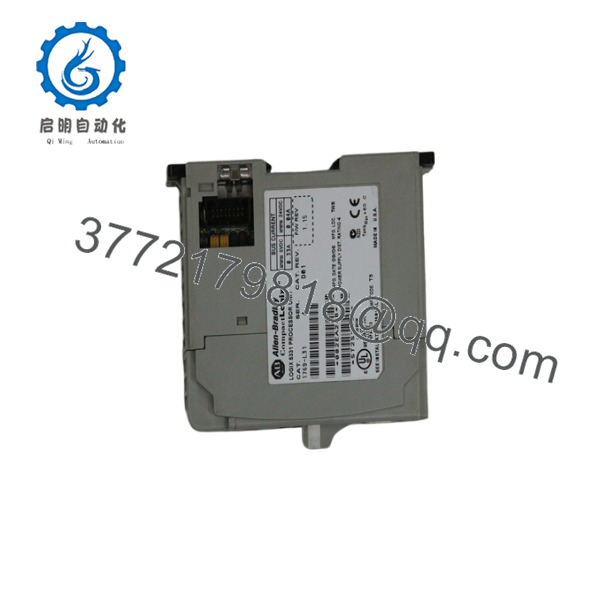
1769-L31
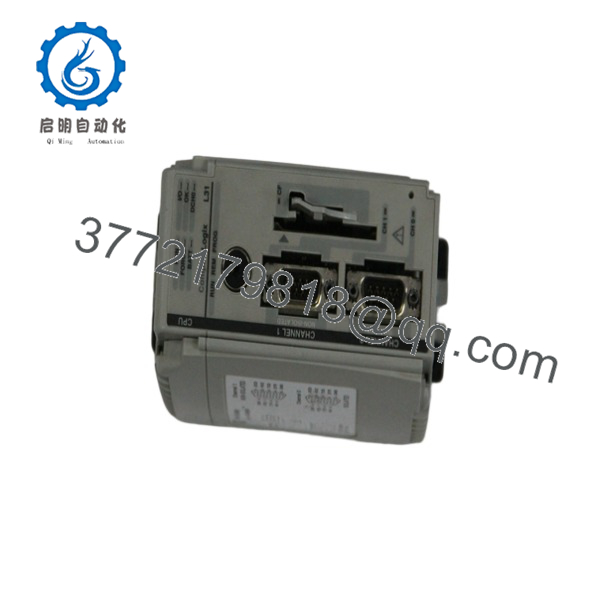
1769-L31
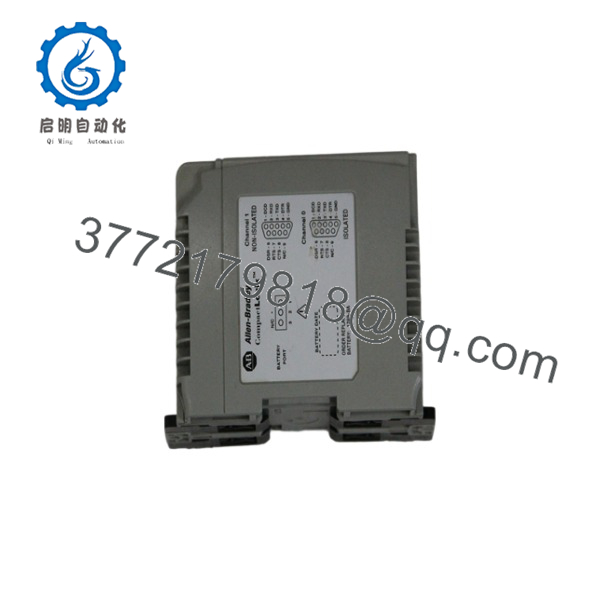
1769-L31
Installation & Configuration Guide
Stage 1 – Pre-Installation Preparation (5–10 Minutes)
⚠️ Safety First
- Notify plant personnel before maintenance.
- Apply Lock-Out/Tag-Out procedures.
- Disconnect system power.
- Verify all status LEDs are OFF before servicing.
Required Tools
- ESD wrist strap
- Digital multimeter
- Phillips screwdriver
- Laptop with Studio 5000 / RSLogix 5000
- Serial programming cable (1747-CP3 or 1756-CP3)
Before Removal
- Upload and back up the controller program.
- Record the firmware revision.
- Save communication parameters.
- Photograph the controller and I/O layout.
Stage 2 – Remove Existing Controller (5 Minutes)
- Verify the power supply is OFF.
- Disconnect communication cables.
- Remove the CompactFlash card (if installed).
- Release the locking mechanism.
- Carefully remove the controller from the Compact I/O assembly.
⚠️ Keep the original controller available until the replacement has been fully commissioned.
Stage 3 – Install the New Controller (10 Minutes)
- Verify the replacement catalog number is 1769-L31.
- Install the controller onto the Compact I/O bus.
- Reinstall the CompactFlash card if required.
- Connect the communication cables.
- Restore the controller program.
- Verify the controller firmware matches the project.
Installation Checklist
- ✔ Correct catalog number
- ✔ Firmware compatibility verified
- ✔ Controller fully seated
- ✔ Communication ports connected
- ✔ CompactFlash card installed (if used)
Stage 4 – Commissioning & Functional Testing (10–15 Minutes)
- Restore system power.
- Verify the POWER and RUN indicators.
- Establish communication with Studio 5000 or RSLogix 5000.
- Confirm all local I/O modules are recognized.
- Test field devices and machine sequences.
- Verify serial communications with HMIs or external equipment.
⚠️ Troubleshooting
- Controller remains in Program mode: verify firmware compatibility.
- Serial communication failure: confirm protocol and baud-rate settings.
- I/O faults: inspect the Compact I/O bus connections and module order.
- Memory errors: verify the CompactFlash card and battery condition.
Frequently Asked Questions
Q1. Is the 1769-L31 still manufactured?
No. Rockwell Automation discontinued the 1769-L31 on December 31, 2016. The recommended direct replacement is the 1769-L32E, while newer applications are generally migrated to the CompactLogix 5380 platform.
Q2. How much user memory does the controller provide?
The controller includes 512 KB of user memory and supports 1784-CF64 or 1784-CF128 CompactFlash cards for nonvolatile storage.
Q3. How many I/O modules are supported?
The 1769-L31 supports up to 16 local 1769 Compact I/O modules arranged across a maximum of three I/O banks, depending on the system layout and power budget.
Q4. What communication interfaces are available?
The controller includes two RS-232 serial ports:
- Channel 0: DF1, DH-485, ASCII (isolated)
- Channel 1: DF1, DH-485 (non-isolated)
These ports support programming, HMI communication, and legacy serial device integration.
Q5. Can the 1769-L31 be upgraded?
Yes. Rockwell Automation identifies the 1769-L32E as the direct replacement. For new machine designs or modernization projects, the CompactLogix 5380 platform is recommended due to improved performance, enhanced cybersecurity, and increased memory capacity.
Q6. What should I verify before ordering?
Confirm the following:
- Catalog number (1769-L31)
- Required firmware revision
- Studio 5000 / RSLogix 5000 project compatibility
- Number of local 1769 I/O modules
- CompactFlash memory requirements
- Battery condition (1769-BA)
- Communication protocol requirements
A common issue during replacement is restoring a project with an incompatible firmware revision. Before installing a replacement controller, verify that the firmware version, controller revision, and Studio 5000 project are compatible to minimize commissioning time and avoid unnecessary startup faults.



