
 WhatsApp: +86 16626708626
 Email:
  Phone: +86 16626708626
Description
Key Technical Specifications
| Parameter | Value |
|---|---|
| Product Type | Compact I/O AC Power Supply |
| Series | 1769 Compact I/O |
| Input Voltage | 120/240 VAC (Selectable) |
| Input Frequency | 47–63 Hz |
| Output Current @ 5 VDC | 4 A |
| Output Current @ 24 VDC | 2 A |
| Input Power | AC |
| Compatible Controllers | CompactLogix L3x/L3y and 1769 Compact I/O |
| Mounting | DIN Rail or Panel Mount |
| Height | 118 mm (4.65 in.) |
| Connection Cables | None Required |
| Operating Environment | Industrial Control Cabinet |
The 1769-PA4 is a selectable 120/240 VAC Compact I/O power supply designed for CompactLogix L3x/L3y controllers and 1769 Compact I/O systems. It delivers 4 A at 5 VDC and 2 A at 24 VDC, providing backplane power for controllers and I/O modules. Rockwell Automation classifies the product as Active Mature.
Product Introduction
The Allen-Bradley 1769-PA4 supplies regulated backplane power for CompactLogix controllers and 1769 Compact I/O assemblies. It converts standard 120/240 VAC mains power into the low-voltage DC required by CompactLogix processors and expansion modules.
Designed for medium and large CompactLogix systems, the 1769-PA4 provides sufficient power capacity for multiple local I/O modules while maintaining stable operation under continuous industrial use. The power supply mounts directly to the Compact I/O assembly and requires no external connection cables, simplifying installation and reducing cabinet wiring.
The module is commonly used in manufacturing automation, packaging equipment, material handling systems, water treatment facilities, process control applications, and OEM machinery where dependable backplane power is essential for reliable controller and I/O operation. It is supported by Rockwell Automation installation instructions, technical data publications, and user manuals.
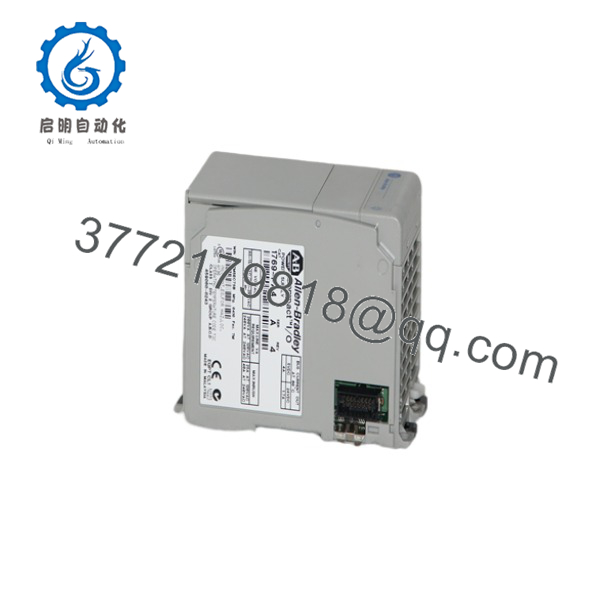
1769-PA4
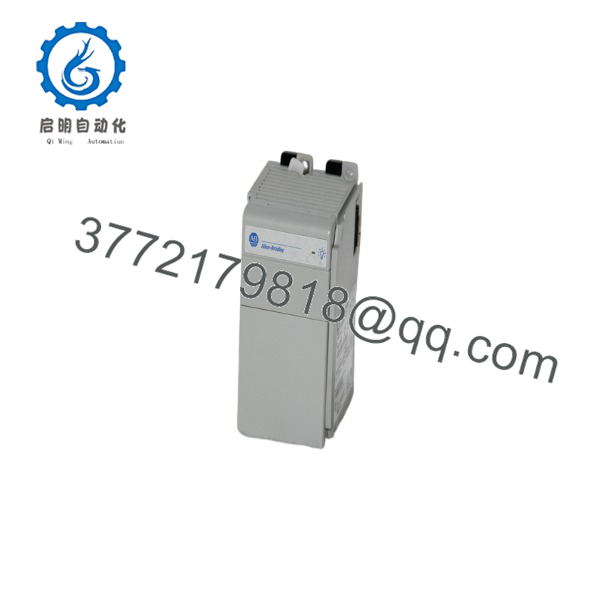
1769-PA4
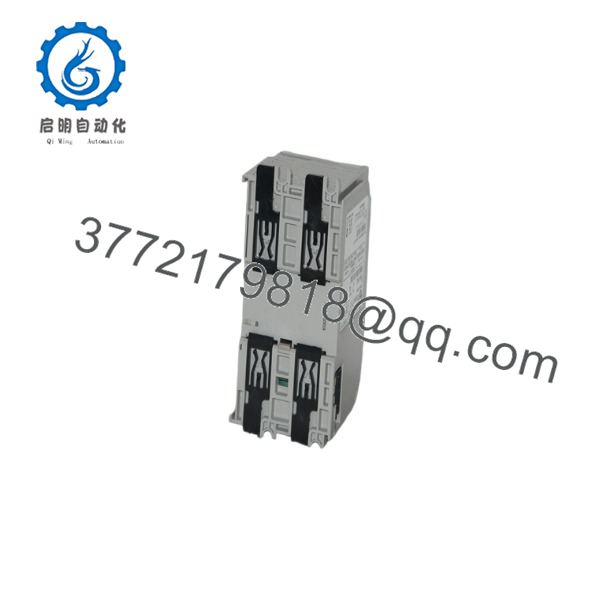
1769-PA4
Installation & Configuration Guide
Stage 1 – Pre-Installation Preparation (5–10 Minutes)
⚠️ Safety First
- Notify production personnel before maintenance.
- Apply Lock-Out/Tag-Out procedures.
- Disconnect incoming AC power.
- Verify all system indicators are OFF.
Required Tools
- ESD wrist strap
- Digital multimeter
- Insulated screwdriver
- AC voltage tester
- Controller project backup
Before Removal
- Record the power supply location.
- Verify the incoming AC voltage selection.
- Document the installed Compact I/O configuration.
- Inspect the enclosure for adequate ventilation.
Stage 2 – Remove Existing Power Supply (5 Minutes)
- Confirm incoming AC power is OFF.
- Disconnect the input power wiring.
- Release the mounting mechanism.
- Remove the power supply from the Compact I/O assembly.
- Inspect the backplane connector for damage.
⚠️ Never install or remove the module while the system is energized.
Stage 3 – Install the New Power Supply (10 Minutes)
- Confirm the replacement catalog number is 1769-PA4.
- Verify the correct 120/240 VAC input selection.
- Install the power supply onto the Compact I/O assembly.
- Tighten the mounting hardware.
- Connect the AC input wiring.
- Verify grounding complies with local electrical codes.
Installation Checklist
- ✔ Correct catalog number
- ✔ Proper AC voltage selected
- ✔ Ground connection verified
- ✔ CompactBus connection secure
- ✔ Input wiring tightened
Stage 4 – Commissioning & Functional Testing (10–15 Minutes)
- Restore AC power.
- Verify the power indicator LEDs.
- Confirm controller startup.
- Check all Compact I/O modules for normal operation.
- Verify backplane communication.
- Monitor the system during the initial operating period.
⚠️ Troubleshooting
- No controller power: verify incoming AC voltage and protective devices.
- I/O modules offline: inspect CompactBus connections and power budget.
- Intermittent faults: verify grounding and enclosure ventilation.
- Power supply overload: confirm the total backplane current does not exceed the power supply rating.
Frequently Asked Questions
Q1. What is the input voltage for the 1769-PA4?
The module accepts 120/240 VAC selectable input with an operating frequency of 47–63 Hz.
Q2. What output capacity does the 1769-PA4 provide?
It supplies 4 A at 5 VDC and 2 A at 24 VDC to power CompactLogix controllers and Compact I/O modules through the backplane.
Q3. Which controllers are compatible?
The 1769-PA4 is designed for CompactLogix L3x/L3y controllers and 1769 Compact I/O systems. Compatibility should always be verified against the controller’s power budget.
Q4. Does the power supply require external connection cables?
No. The module mounts directly to the Compact I/O assembly and does not require dedicated connection cables for backplane power distribution.
Q5. Can one 1769-PA4 power every Compact I/O configuration?
Not necessarily. The total 5 VDC and 24 VDC current consumption of the controller and all connected I/O modules must remain within the 4 A and 2 A output ratings of the power supply. Always perform a power budget calculation during system design.
Q6. What should I verify before ordering?
Confirm the following:
- Catalog number (1769-PA4)
- 120/240 VAC input availability
- Total 5 VDC and 24 VDC backplane current requirements
- Controller compatibility
- Number of local Compact I/O modules
- Available panel space
- Mounting method (DIN rail or panel)
- Grounding and electrical protection requirements
One of the most common causes of startup issues is exceeding the available backplane power budget after adding additional I/O modules. Before replacing or expanding a CompactLogix system, calculate the total 5 VDC and 24 VDC current requirements to ensure they remain within the 1769-PA4 output capacity and maintain reliable long-term operation.



