
 WhatsApp: +86 16626708626
 Email:
  Phone: +86 16626708626
Description
Key Technical Specifications
| Parameter | Value |
| Catalog Number | 1785-L20B |
| Processor Type | PLC-5/20 |
| User Memory Capacity | 16K Words SRAM (32 Kbytes) |
| Maximum Local / Remote I/O | 512 total I/O (any mix of inputs and outputs) |
| Max I/O Chassis Slots | Up to 16 I/O chassis racks across Remote I/O links |
| Communication Ports | 1x DH+ / Remote I/O (Channel 1), 1x Serial RS-232C/423A (Channel 0) |
| Backplane Current Load | 2.3 A at 5 VDC (2,300 mA) |
| Execution Time (Bit Logic) | 0.8 µs per instruction (typical) |
| Battery Back-up | 1770-XYC Lithium Battery (preserves memory during power-off) |
| EEPROM Support | 1785-ME16, 1785-ME32, or 1785-ME64 memory modules |
| Operating Temperature | 0 to 60°C (32 to 140°F) |
Product Introduction & Supply Chain Strategy
The Allen-Bradley 1785-L20B (PLC-5/20) is a high-reliability industrial control processor designed for mid-sized automation applications. Featuring 16K words of internal SRAM, integrated Data Highway Plus (DH+) communication, and high-speed Remote I/O (RIO) scanning, it serves as the central brain managing critical field devices and real-time operational logic across legacy control systems.
Because Rockwell Automation has officially retired the PLC-5 processor architecture, procuring pristine New Surplus units is vital to maintaining operating continuity. Choosing New Surplus over refurbished alternatives eliminates hidden risks like degraded onboard lithium-battery charging circuits, thermal memory corruptions, and trace corrosion. Keeping a verified spare 1785-L20B on site safeguards against unscheduled downtime while postponing multi-million-dollar control room overhauls.
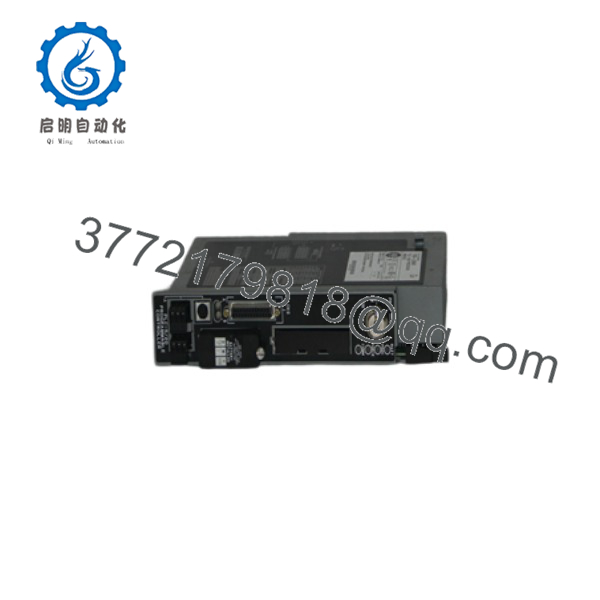
1785-L20B
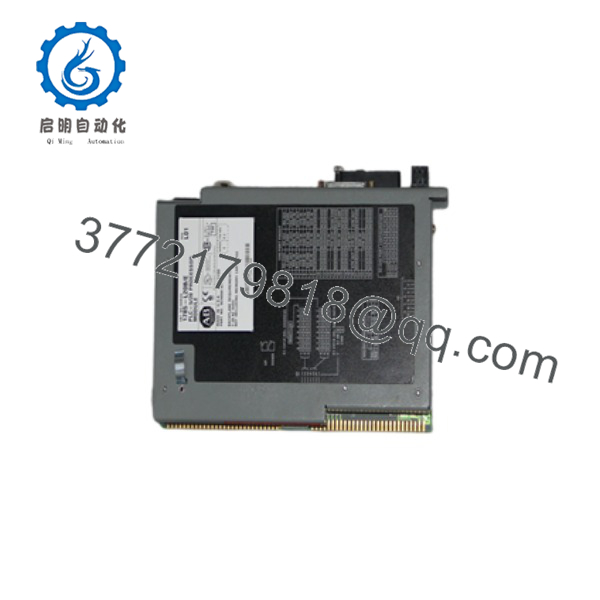
1785-L20B
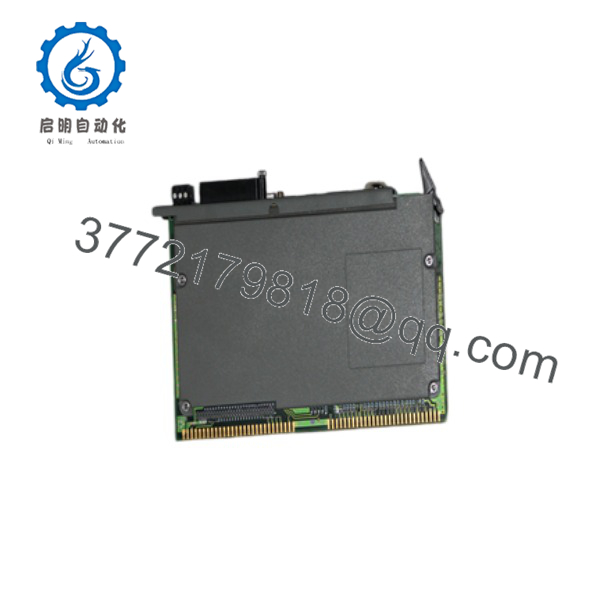
1785-L20B
Installation & Configuration Guide
Stage 1: Pre-Installation (Prep & Safety)
- Lock-Out/Tag-Out (LOTO): Isolate and lock out all 120/230 VAC power supplies feeding the 1771 rack chassis before touching CPU hardware.
- Backup Logic: Upload and save the complete processor program (
.RSPfile) using RSLogix 5 prior to pulling the existing CPU. - ESD Precautions: Wear a grounded anti-static wrist strap to protect internal CPU microprocessors and SRAM ICs from static discharge.
Stage 2: Removal
- Unplug the 3-pin Phoenix connector on Channel 1 (DH+/RIO) and the serial cable on Channel 0.
- Release the upper and lower chassis retaining latches on the far-left slot (Slot 0) of the 1771 chassis.
- Pull the failed 1785-L20B straight out along the guide rails to prevent damaging the edge connectors.
Stage 3: Installation (Clone & Seat)
- Verify keying bands on the backplane slot match the 1785-L20B edge connector profile.
- Insert a fresh 1770-XYC lithium battery into the front battery compartment of the new processor to preserve RAM.
- Slide the new 1785-L20B module smoothly into Slot 0 until it seats firmly in the backplane connector, then snap top/bottom retention latches.
- Reconnect the serial programming cable and DH+/RIO communication lines.
Stage 4: Power-On & Testing
- Restore 5 VDC chassis backplane power; verify that the front panel RUN LED flashes red during power-up self-test and stabilizes.
- Connect via RSLogix 5, establish communication via Channel 0 (DF1) or Channel 1 (DH+), and download the controller project program.
- Turn the keyswitch from PROG to RUN mode; confirm the RUN LED turns solid green and field I/O scans execute normally.
Firmware/Software Versions & Upgrade Notes
- Software Compatibility: Programmed using RSLogix 5 (v3.0 or higher) or legacy 6200 Series PLC-5 programming software.
- Firmware Revisions: Ensure replacement processor firmware revision (Series C, D, or E) matches or exceeds the target application file configuration. Running older firmware with newer RSLogix instruction sets can prevent successful program downloads.
- EEPROM Transfer: If your application uses an optional non-volatile memory module (1785-ME16/ME32), transfer the EEPROM card from the old CPU to the new 1785- to automatically restore program memory without a PC connection.
Frequently Asked Questions (FAQ)
Is this 1785- guaranteed to be New Surplus and not refurbished?
Yes. This processor is 100% Brand New Surplus in original factory condition. It has never been installed in an active plant panel, subjected to thermal stress, or repaired at the component level. All backplane contacts and internal circuit boards remain pristine.
Why should I buy New Surplus instead of a refurbished PLC-5/20 processor?
Refurbished processors often suffer from silent micro-cracks in multi-layer circuit boards, degraded internal voltage regulators, and worn edge connectors from repeated insertions. Sourcing New Surplus guarantees uncompromised internal hardware integrity, zero memory corruption issues, and maximum operational life.
How does the 1785- retain its program during a power outage?
The processor relies on an internal 1770-XYC 3.0V lithium battery to maintain volatile SRAM memory when backplane power is off. A low-battery indicator (BATT) on the front panel illuminates red when voltage drops below critical levels, signalling that battery replacement is required within 30 days.
Can I hot-swap the 1785- CPU while the chassis is powered?
No. Standard 1771 chassis do not support Removal and Insertion Under Power (RIUP). Attempting to pull or insert the 1785- while chassis backplane power is active can cause severe electrical arcing, permanently destroy CPU logic gates, and corrupt connected field I/O cards.
What warranty protection comes with this New Surplus controller?
We back this 1785- New Surplus processor module with a comprehensive 1-year replacement warranty. Every unit passes rigorous physical inspection, backplane edge testing, and ESD packaging protocols prior to shipment.



