
 WhatsApp: +86 16626708626
 Email:
  Phone: +86 16626708626
Description
3. Key Technical Specifications
| Parameter | Value |
|---|---|
| Product Type | ControlNet Modular Repeater Medium-Distance Fiber Module |
| Communication Rate | 5 Mbps |
| Fiber Type | 62.5/125 µm multimode OM-1 |
| Fiber Termination | ST (plastic or ceramic) |
| Operating Wavelength | 1300 nm |
| Optical Power Budget | 13.3 dB |
| Typical Maximum Distance | Up to 3000 m (9843 ft), fiber-quality dependent |
| Backplane Power | 400 mA max @ 5 V DC (from 1786-RPA) |
| Power Dissipation | 2 W max |
| Mounting | DIN rail or panel; horizontal or vertical |
| Supported Topologies | Star, linear, ring, point-to-point |
| Status Indicators | Channel 1 Status (green); Channel 2 Status (green) |
| Operating Temperature | 0 to 60 °C (32 to 140 °F) |
| Storage Temperature | –40 to 85 °C (–40 to 185 °F) |
| Relative Humidity | 5 to 95 % non-condensing |
| Compatible Adapter | 1786-RPA (up to 4 modules per adapter) |
4. Product Introduction
The Allen-Bradley 1786-RPFM is a ControlNet modular repeater module designed for medium-distance fiber optic links. It converts ControlNet coaxial media to 62.5/125 µm multimode fiber, supporting distances up to approximately 3000 m depending on fiber quality, splices, and connectors.
The module mounts on a DIN rail or panel and receives power and network connection from a 1786-RPA Repeater Adapter. Up to four 1786-RPFM modules can be installed on one adapter. Fiber links provide electrical isolation and improved noise immunity compared with copper media. The module is used in star, linear, ring, or point-to-point ControlNet topologies.
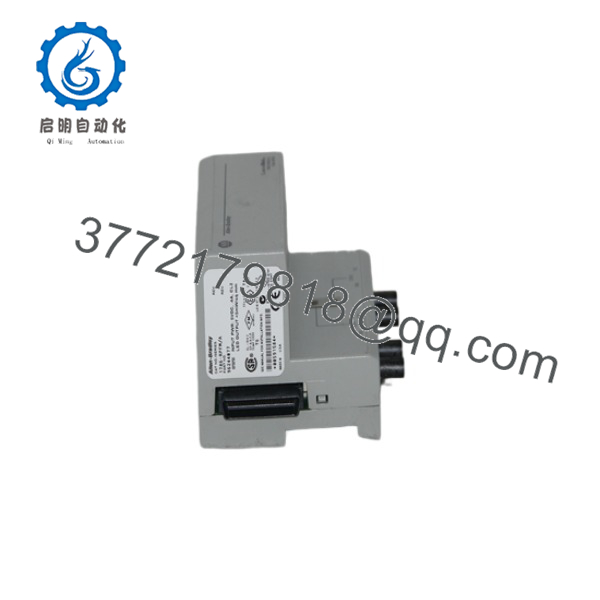
1786-RPFM
5. Installation & Configuration Guide
Stage 1: Pre-Installation Preparation (5–10 min) ⚠️ Safety First: Power down the associated 1786-RPA adapter and any connected ControlNet segments. Lock out/tag out power sources. Wear an ESD wrist strap. Tools Required: ESD strap, screwdriver for DIN-rail or panel mounting, fiber cleaning kit, optical power meter (recommended). Data Backup: Document existing network topology, node addresses, and any fiber attenuation measurements. Photograph current cabling and module orientation.
Stage 2: Removing the Old Module (if applicable) (5–8 min)
- Confirm power is removed from the 1786-RPA.
- Disconnect the ST fiber connectors from both channels. Cap the fiber ends immediately to keep them clean.
- Release the DIN-rail locking tab or remove panel mounting screws and extract the module. ⚠️ Keep the old module until the replacement is verified.
Stage 3: Installing the New Module (8–12 min)
- Verify the module is marked 1786-RPFM. Confirm ST connectors are clean and undamaged.
- Mount the module on the DIN rail (35 × 7.5 mm) or panel adjacent to the 1786-RPA. Any orientation is acceptable.
- Seat the module firmly so it mates with the adapter backplane connector.
- Clean and connect the multimode fiber cables (62.5/125 µm) to the ST ports. Ensure Tx of one module connects to Rx of the far-end module and vice versa.
- Verify total link attenuation is less than 13.3 dB. Self-Checklist: [ ] Module fully seated on adapter [ ] Fibers clean and correctly polarized [ ] Attenuation within budget [ ] Caps removed only at connection time.
Stage 4: Power-On & Testing (10–15 min)
- Apply power to the 1786-RPA.
- Observe the Channel 1 and Channel 2 status LEDs (green = activity/good link).
- Verify ControlNet network status with RSNetWorx for ControlNet or equivalent diagnostic tools.
- Confirm node visibility and scheduled/unscheduled traffic across the fiber segment. ⚠️ Troubleshooting Note: Dark or red LEDs usually indicate dirty connectors, excessive attenuation, reversed Tx/Rx, or a broken fiber. Measure optical power and clean connectors before replacing hardware.
6. Frequently Asked Questions (FAQ)
Q: Can the 1786-RPFM be hot-swapped? No. Always remove power from the 1786-RPA before inserting or removing the module. Hot-swapping can damage the adapter or the fiber module.
Q: Is the 1786-RPFM still in production? No. ControlNet media and repeater products, including the 1786-RPFM, are discontinued. Remaining units are new surplus or refurbished. For new designs, migrate to EtherNet/IP media.
Q: What fiber cable is required? 62.5/125 µm multimode OM-1 fiber with ST (plastic or ceramic) connectors. Do not use metal ST connectors. Maximum practical distance is approximately 3000 m when total attenuation stays under 13.3 dB.
Q: How many 1786-RPFM modules can be used with one 1786-RPA? Up to four 1786-RPFM modules (or a mix of compatible repeater modules) can be attached to a single 1786-RPA adapter.
Q: Why is the price lower than historical OEM list price? These are genuine surplus units from excess inventory. They are original Allen-Bradley modules that have never been installed in a running system, but they are no longer available through standard Rockwell channels. Functional testing and warranty are provided.
Q: Does the module support single-mode fiber? No. The 1786-RPFM is designed only for 62.5/125 µm multimode fiber at 1300 nm. For longer distances or single-mode requirements, use the appropriate long-distance fiber ring modules (1786-RPFRL / RPFRXL).
Q: What topologies are supported? Star, linear, ring, and point-to-point. The module itself provides two fiber channels that can be used to create or extend these topologies when paired with the 1786-RPA.



