
 WhatsApp: +86 16626708626
 Email:
  Phone: +86 16626708626
Description
3. Key Technical Specifications
| Parameter | Value |
|---|---|
| Display Type | Monochrome transflective LCD with LED backlight (blue mode) |
| Display Size | 5.5 inches |
| Display Area | 120 × 60 mm (4.75 × 2.38 in) |
| Resolution | 256 × 128 pixels |
| Backlight Life | 100,000 hours (LED) |
| Operator Input | Keypad with 10 function keys (F1–F10), numeric keys, navigation |
| Application Memory | 170 KB runtime; 240 KB nonvolatile (objects, text, bitmaps) |
| Communication Ports | Data Highway Plus (DH+); RS-232 printer port |
| Input Voltage | 85–264 V AC |
| Input Frequency | 47–63 Hz |
| Enclosure Rating | NEMA Type 12/13, 4X (indoor), IP54, IP65 |
| Status Indicators | COMM (green), Fault (red) |
| Configuration Software | PanelBuilder32 |
| Operating Temperature | 0 to 55 °C (32 to 131 °F) |
| Weight (approx.) | 1.3–1.4 kg (2.9–3.0 lb) |
4. Product Introduction
The Allen-Bradley 2711-K5A8 is a PanelView 550 Standard operator terminal. It features a 5.5-inch monochrome transflective LCD display with 256 × 128 resolution and a keypad interface that includes ten programmable function keys (F1–F10).
The terminal communicates via a Data Highway Plus (DH+) port for multi-node networking with Allen-Bradley PLCs and SLC controllers, and includes an RS-232 printer port. It is powered by 85–264 V AC and provides 170 KB of application runtime memory plus 240 KB of nonvolatile memory. The unit is configured with PanelBuilder32 software and is designed for panel mounting in industrial environments. This model is part of the discontinued PanelView Standard family.
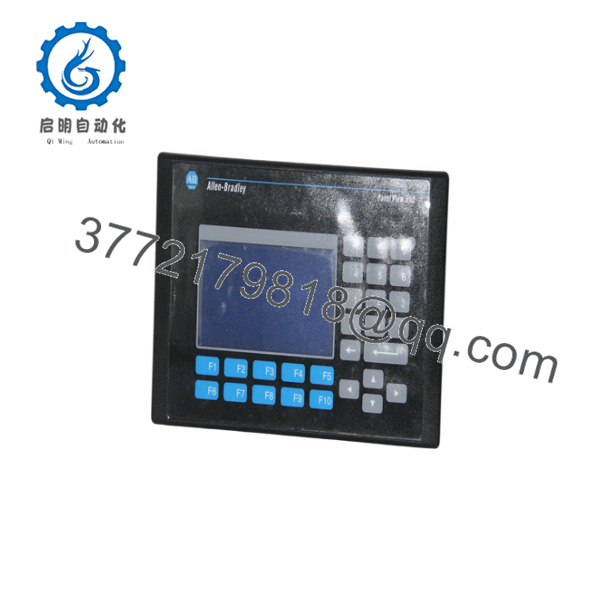
2711-K5A8
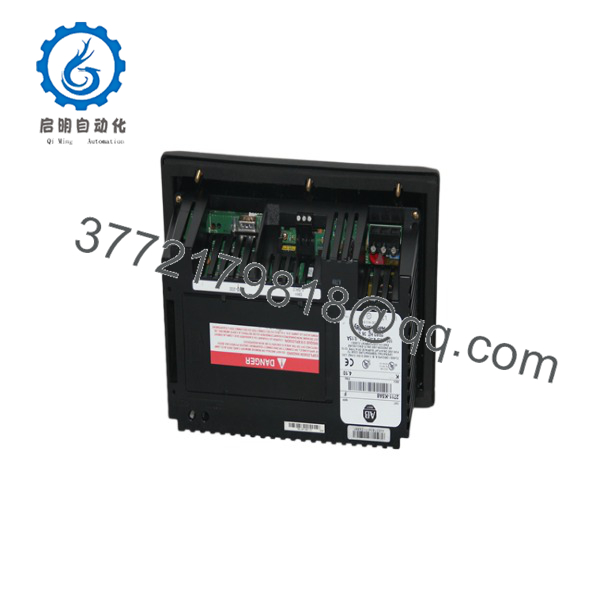
2711-K5A8
5. Installation & Configuration Guide
Stage 1: Pre-Installation Preparation (10–15 min) ⚠️ Safety First: Disconnect all power sources. Verify the panel cutout matches the required dimensions (approximately 144 × 243 mm). Wear an ESD wrist strap when handling the terminal. Tools Required: ESD strap, screwdriver, multimeter, DH+ cable (Belden 9463 or equivalent), RS-232 printer cable if used. Data Backup: Upload the existing application from the old terminal using PanelBuilder32 if possible. Record the DH+ node address, baud rate, and any printer settings.
Stage 2: Removing the Old Terminal (8–12 min)
- Confirm power is removed.
- Disconnect the DH+ cable and RS-232 printer cable. Label both.
- Disconnect AC power wiring.
- Release the mounting hardware and remove the terminal from the panel. ⚠️ Retain the old terminal until the replacement is fully tested and the application is verified.
Stage 3: Installing the New Terminal (10–15 min)
- Verify the unit is marked 2711-K5A8 and note the series letter.
- Insert the terminal into the panel cutout from the front and secure with the appropriate mounting hardware.
- Connect AC power (85–264 V AC), observing polarity and grounding requirements.
- Connect the DH+ network cable (Belden 9463) and, if required, the RS-232 printer cable. Install proper terminators on the DH+ network.
- Ensure the front gasket is properly seated for the enclosure rating. Self-Checklist: [ ] Correct cutout size [ ] Mounting hardware tight [ ] Power and communication cables secure [ ] DH+ terminators installed.
Stage 4: Power-On & Testing (15–30 min)
- Apply AC power. Observe the COMM and Fault status LEDs.
- Connect a programming PC running PanelBuilder32 and download or verify the application.
- Confirm DH+ communication with the PLC/SLC and verify all screens and function keys.
- Test any printer functionality if used.
- Place the system in normal operation and monitor for faults. ⚠️ Troubleshooting Note: A solid red Fault LED usually indicates a hardware or configuration problem. No DH+ communication is most often caused by an incorrect node address, baud rate mismatch, missing terminators, or a cable fault.
6. Frequently Asked Questions (FAQ)
Q: Can the 2711-K5A8 be hot-swapped? No. Always remove AC power before installing or removing the terminal. Power must be off during all wiring changes.
Q: Is the 2711-K5A8 still in production? No. The PanelView Standard (including the 550 series) was discontinued years ago. Remaining units are new surplus or refurbished. For new designs, migrate to PanelView Plus 7 or PanelView 5000 series terminals.
Q: What is the main difference between the 2711-K5A1 and 2711-K5A8? The 2711-K5A1 uses Remote I/O (RIO) communication. The 2711-K5A8 uses Data Highway Plus (DH+). All other major specifications (display, keypad, power, memory) are the same.
Q: What software is required? PanelBuilder32 is used to develop and download applications. Compatible versions support the firmware range typically found on these terminals (approximately 1.00–4.48).
Q: Why is the price lower than historical OEM list price? These are genuine surplus units from excess inventory. They are original Allen-Bradley terminals that have never been installed in a running system, but they are no longer available through standard Rockwell channels. Functional testing and warranty are provided.
Q: What cable is used for the DH+ port? Belden 9463 (or Allen-Bradley equivalent). Use proper DH+ connectors and 150 Ω terminators at both ends of the network.
Q: Is the backlight replaceable? Yes on many series. The replacement backlight kit is typically catalog number 2711-NL1. Confirm compatibility with the specific series of your terminal before ordering.



