
 WhatsApp: +86 16626708626
 Email:
  Phone: +86 16626708626
Description
Key Technical Specifications
| Parameter | Value |
| Catalog Number | 2711P-RDT10C |
| Compatible Platform | PanelView Plus 1000 & PanelView Plus 6 1000 Terminals |
| Display Type | Color Active Matrix TFT LCD |
| Display Size | 10.4-inch diagonal (211 x 158 mm active area) |
| Resolution | 640 x 480 pixels (VGA), 18-bit color graphics |
| Input Method | Analog Resistive Touchscreen |
| Backlight Type | Field-replaceable CCFL backlight (Catalog 2711P-RL10C) |
| Luminance / Brightness | 300 cd/m² (nits) typical |
| Operating Temperature | 0 to 55°C (32 to 131°F) |
| Enclosure Rating | NEMA 12, 13, 4X (Indoor use only), IP65 |
Product Introduction & Supply Chain Strategy
The Allen-Bradley 2711P-RDT10C is a 10.4-inch color touchscreen display module engineered for the modular PanelView Plus 1000 and PanelView Plus 6 1000 operator terminal series. Designed as a field-replaceable display front bezel, it attaches directly to a separate logic module (such as a 2711P-RP1 or 2711P-RP8D) and power supply module, enabling modular maintenance without requiring a complete terminal replacement.
Because Rockwell Automation has transitioned legacy PanelView Plus hardware toward End-of-Life (EOL), sourcing factory-sealed New Surplus 2711P-RDT10C display modules is crucial for maintaining active line operations. Sourcing New Surplus avoids major failure points common in refurbished displays, such as worn touch-overlay calibration drift, dimming CCFL backlights, and degraded front perimeter gaskets. Holding spare display modules on-site allows instant front-bezel replacement in the event of screen damage, avoiding costly line downtime.
Installation & Configuration Guide
Stage 1: Pre-Installation (Prep & Safety)
- Lock-Out/Tag-Out (LOTO): Disconnect and lock out all 24V DC or 120/230V AC power feeds to the terminal before servicing.
- Cutout Setup: Confirm cabinet cutout dimensions match PanelView Plus 1000 specifications (257 mm H x 358 mm W / 10.12 in H x 14.08 in W).
- Gasket Inspection: Inspect the perimeter sealing gasket on the rear bezel of the 2711P-RDT10C to ensure it is seated evenly in its channel.
Stage 2: Removal
- Remove external power and network communication connectors from the rear logic module.
- Unbolt the rear logic module assembly from the back of the damaged 2711P-RDT10C display module by loosening the captive mounting screws.
- Loosen the panel mounting levers around the cutout perimeter and pull the failed display module forward out of the cabinet door.
Stage 3: Installation (Clone & Seat)
- Insert the new 2711P-RDT10C display module into the panel cutout from the front.
- Mate your existing logic module assembly onto the back of the new display module, ensuring internal ribbon interconnect connectors align smoothly, and tighten the captive retaining screws.
- Secure the terminal to the cabinet using the perimeter mounting clamps, tightening evenly in an alternating pattern to 10 in-lbs (1.13 N·m) of torque.
Stage 4: Power-On & Testing
- Reconnect logic module power and network cables, then apply main power to start the terminal boot sequence.
- Verify display backlight output and image clarity on the 10.4-inch screen.
- Access Terminal Settings in Windows CE / FactoryTalk View ME Station to run touch-screen calibration test targets.
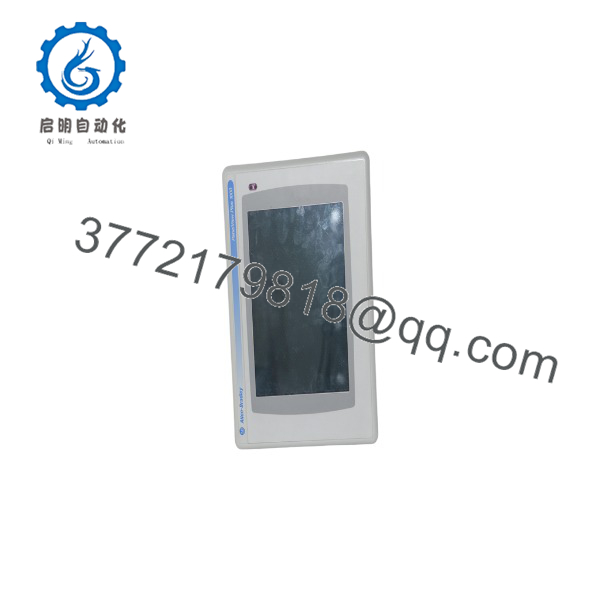
2711P-RDT10C
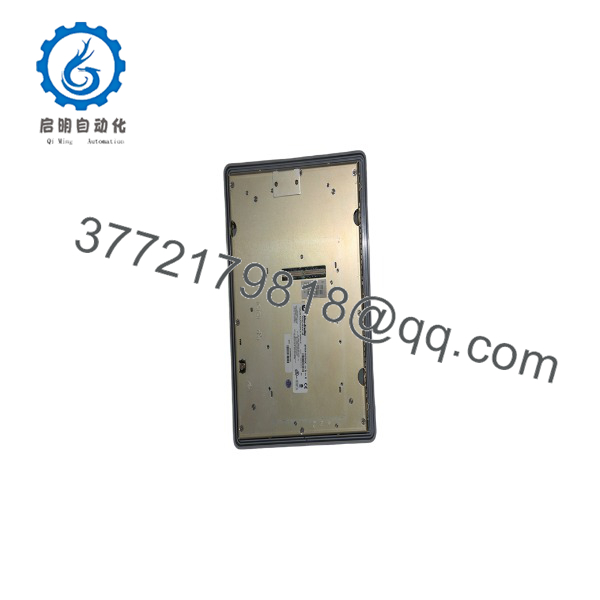
2711P-RDT10C
Firmware/Software Versions & Upgrade Notes
- Platform Compatibility: Fully compatible with both PanelView Plus 1000 (700-1500 architecture) and PanelView Plus 6 1000 logic modules.
- Display Transparency: The 2711P- is a hardware display pass-through component; it requires no independent firmware flash or software license files.
- Backlight Servicing: The internal CCFL backlight lamp is field-replaceable using kit catalog number 2711P-RL10C without needing to replace the entire display assembly.
Frequently Asked Questions (FAQ)
Is this 2711P- unit guaranteed to be New Surplus and not refurbished?
Yes. This module is 100% Brand New Surplus stock in original OEM factory packaging. It has never been deployed in a panel, subjected to ambient factory dust/oil, or repaired.
Does the 2711P- include the logic module or internal power supply?
No. The 2711P- is the display module assembly only (including the 10.4-inch color screen, touch overlay, and front bezel frame). It requires a compatible PanelView Plus logic module (e.g., 2711P-RP1, 2711P-RP8D) and power supply to function as a complete terminal.
What is the difference between 2711P- and 2711P-RDK10C?
The T in 2711P- designates a Touchscreen Only input display module. The K version (2711P-RDK10C) is a Keypad Only display module featuring physical function keys around the frame.
Can I replace a keypad display module (2711P-RDK10C) with this touch display module (2711P-)?
Yes, provided your FactoryTalk View ME application project is configured with touch targets or re-targeted for a touch screen terminal layout. The rear logic module connects identically to both display module variants.
What warranty coverage comes with this New Surplus display module?
We back this 2711P- New Surplus display module with a full 1-year replacement warranty. Every unit passes physical inspection, glass overlay check, and ESD-safe packaging before dispatch.



