
 WhatsApp: +86 16626708626
 Email:
  Phone: +86 16626708626
Description
Key Technical Specifications
| Parameter | Value |
|---|---|
| Part Number | 56SAM-810 |
| Alternate Format | 56SAM810 |
| Manufacturer | Online Development Inc. (OLDI) |
| Associated Platform | Allen-Bradley 1756 |
| Product Type | Special Application Module |
| Chassis Platform | 1756 ControlLogix |
| Operating Environment | Windows |
| Windows Variant | Windows CE |
| CompactFlash Storage | 64 MB |
| Certification | CE |
| Approximate Weight | 0.41 kg / 0.90 lb |
| Installation | 1756 chassis slot |
| Application | Specialized PLC / machine-control functions |
| Lifecycle | Discontinued |
The strongest current parts records describe the module as “SPECIAL APPLICATION MODULE, 1756, W/ WIN, CE ON, 64M CF.” Radwell identifies Online Development Inc. as the manufacturer and lists the part as discontinued.
Important identification note: Public secondary-market data is inconsistent. Some listings label 56SAM-810 as Allen-Bradley, while others identify OLDI as the manufacturer. The available evidence supports treating it as an OLDI special-purpose module associated with the Allen-Bradley 1756 ecosystem, rather than a standard Rockwell Automation catalog module.
Product Introduction
The 56SAM-810 is a legacy Online Development Inc. Special Application Module designed for use with a 1756-class industrial control architecture. Available records specify Windows/Windows CE operation, CE marking, and 64 MB CompactFlash storage. It is categorized as a special-purpose PLC module rather than a conventional digital or analog I/O card.
For a replacement, the application environment matters as much as the hardware. Verify the exact module label, 1756 chassis arrangement, CompactFlash contents, firmware, and application software before removing the installed unit. A physically compatible module does not guarantee application compatibility.
Installation & Configuration Guide
Stage 1: Pre-Installation Preparation
Estimated time: 20–30 minutes
⚠️ Safety First: Place the control system in its approved maintenance state and follow the site’s LOTO procedure before accessing the 1756 chassis.
Tools Required:
- ESD wrist strap
- Digital multimeter
- Appropriate screwdriver
- Smartphone/camera
- Engineering workstation
- Existing PLC project backup
- Replacement CompactFlash media if specifically required
Data Backup:
- Record the complete 56SAM-810 nameplate.
- Photograph the front and rear of the installed module.
- Record the 1756 chassis slot.
- Document connected cables.
- Back up the associated ControlLogix project.
- Record firmware and application versions.
- Photograph the CompactFlash media and labeling.
- Record application-specific configuration.
⚠️ Do not assume that the 64 MB CompactFlash card is merely removable storage. For a special application module, stored software or configuration may be part of the operating system’s application environment.
Stage 2: Removing the Old Module
Estimated time: 10–20 minutes
- Place the control system in a safe state.
- Follow the applicable 1756 maintenance procedure.
- Verify the chassis is safe to access.
- Record the existing slot position.
- Label communication and peripheral cables.
- Disconnect cables carefully.
- Release the module locking mechanism.
- Pull the module straight out of the chassis.
- Inspect the backplane connector.
- Retain the original module and storage media until commissioning is complete.
⚠️ Do not discard the original CompactFlash media. If the replacement requires the original application image, it may be the only practical recovery source.
Stage 3: Installing the Replacement
Estimated time: 15–30 minutes
- Verify the replacement marking: 56SAM-810.
- Confirm manufacturer and hardware revision.
- Compare the replacement with the removed module.
- Verify CompactFlash media and configuration.
- Inspect the module connector for damage.
- Align the module with the correct 1756 chassis slot.
- Insert the module straight into the chassis.
- Engage the module locking mechanism.
- Reconnect all documented cables.
- Confirm that no cable is under mechanical strain.
Self-Checklist:
- 56SAM-810 confirmed
- Correct chassis slot confirmed
- Hardware revision documented
- CompactFlash checked
- Cables reconnected
- Module fully seated
- Locking mechanism engaged
Stage 4: Power-On & Testing
Estimated time: 30–60 minutes
- Restore chassis power according to the approved procedure.
- Observe module startup indicators.
- Allow the Windows CE environment to initialize.
- Verify ControlLogix chassis recognition where applicable.
- Check firmware and application identification.
- Verify CompactFlash access.
- Start the installed application.
- Verify communication with the associated control system.
- Check application data exchange.
- Test the machine function associated with the special module.
- Review diagnostics and startup messages.
- Run a controlled operational test before releasing the equipment.
⚠️ If the module boots but the application fails, investigate the storage image, software version, configuration files, and communications settings before condemning the hardware.
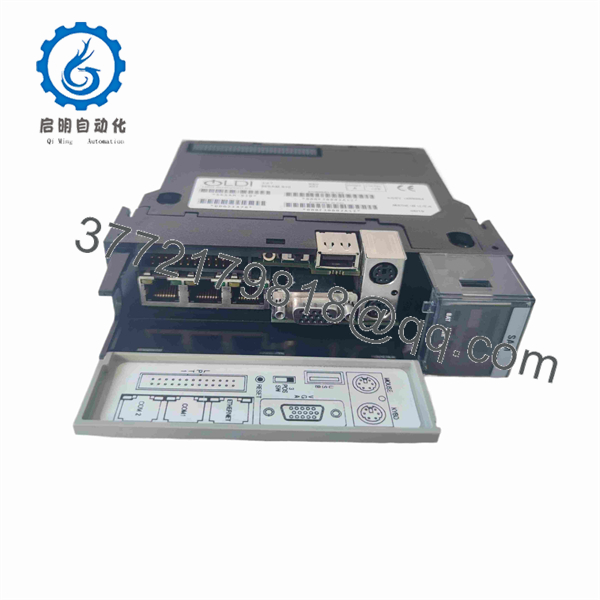
56SAM-810
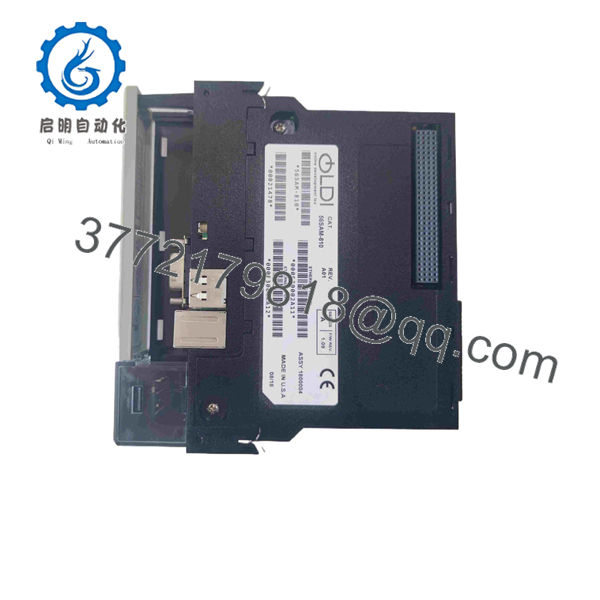
56SAM-810
Frequently Asked Questions (FAQ)
What is Allen-Bradley 56SAM-810?
The 56SAM-810 is a 1756-platform Special Application Module manufactured by Online Development Inc. (OLDI). Current industrial listings describe it as a Windows/Windows CE module with 64 MB CompactFlash storage.
Is 56SAM-810 an Allen-Bradley OEM module?
The manufacturer attribution requires care. Some suppliers list it under Allen-Bradley, but current parts records identify Online Development Inc. as the manufacturer. It is associated with the 1756 ControlLogix platform rather than being a conventional Rockwell catalog I/O module.
Is 56SAM-810 a standard ControlLogix I/O card?
No. It is identified as a Special Application Module, not a standard 1756 digital, analog, or specialty I/O module. Its application depends on the installed software and system architecture.
Is 56SAM-810 discontinued?
Yes. Current industrial inventory records explicitly identify 56SAM-810 as discontinued by the manufacturer. Secondary-market suppliers continue to list refurbished and never-used inventory.
Does the 56SAM-810 use CompactFlash?
Yes. Available product records specify 64M CF, meaning 64 MB CompactFlash storage. The actual contents and role of that media should be verified against the installed application before replacement.
Can I replace it with another 1756 module?
Not based on physical compatibility alone. A standard 1756 I/O module will not necessarily provide the special application functionality of the 56SAM-810. Verify the application software, operating environment, storage media, firmware, and communications architecture.
Why do supplier descriptions disagree about this part?
The 56SAM-810 is a relatively specialized legacy component with limited current OEM documentation. Several secondary-market catalogs use different brand classifications. The more consistent records identify Online Development Inc. as the manufacturer and describe the unit as a 1756 Special Application Module with Windows/Windows CE and 64 MB CompactFlash.
What should procurement specify?
Use the complete designation:
56SAM-810 — Special Application Module — 1756 — Windows/Windows CE — 64 MB CompactFlash
Also request photographs of the actual nameplate, hardware revision, CompactFlash media, and connector side before purchasing a legacy replacement.



