
 WhatsApp: +86 16626708626
 Email:
  Phone: +86 16626708626
Description
Key Technical Specifications
| Parameter | Value |
| Catalog Series | 6181P |
| Display Sizes | 12.1-in, 15-in, 17-in, 19-in Active Matrix TFT LCD |
| Processor Options | Intel Core i7, Core i3, or Celeron processors (generation depends on Series/Revision) |
| Input Options | Analog Resistive Touchscreen or Non-Touch Glass |
| Power Options | 100–240 VAC auto-ranging OR 18–32 VDC power supply |
| Operating System | Windows 10 IoT Enterprise, Windows 7 Embedded, or WES7 |
| Communication Ports | 2x Gigabit Ethernet (RJ45), USB 3.0/2.0, DisplayPort/DVI, RS-232 Serial |
| Expansion Slots | Half-length PCI / PCIe expansion slot options |
| Storage / RAM | Solid-State Drive (SSD) or HDD |
| Enclosure Rating | NEMA 12, 4, 4X, IP65 (front bezel when panel mounted) |
Product Introduction & Supply Chain Strategy
The Allen-Bradley 6181P series comprises heavy-duty, panel-mounted industrial computers (Integrated Display PCs) designed for harsh factory-floor operating conditions. Combining an industrial-grade LCD display screen with a high-performance computer motherboard in a single housing, the 6181P runs supervisory control systems, human-machine interface (HMI) packages like FactoryTalk View SE, and SCADA monitoring applications.
As Rockwell Automation transitions older 6181P series revisions toward End-of-Life (EOL), securing factory-sealed New Surplus inventory is essential for facility engineers seeking direct, drop-in replacements. Sourcing New Surplus prevents thermal CPU throttling, solid-state drive sector failures, and touch overlay degradation common in second-hand units. Maintaining a verified 6181P spare on-site ensures immediate operational recovery without requiring expensive panel modification or complex operating system migrations.
Installation & Configuration Guide
Stage 1: Pre-Installation (Prep & Safety)
- Lock-Out/Tag-Out (LOTO): Isolate and lock out main cabinet power prior to cutting enclosure openings or mounting the computer chassis.
- Cutout Dimensions: Verify cabinet panel cutout measurements against the exact 6181P display frame size (e.g., 12.1″, 15″, 17″, or 19″). Remove metal burrs and clear dust away from the gasket seating lip.
- Environmental Sealing: Ensure the heavy-duty rear perimeter gasket is clean, free of tears, and properly seated to preserve NEMA 4X / IP65 front panel protection.
Stage 2: Removal
- Shut down the Windows operating system cleanly, then disconnect AC/DC main power cabling.
- Disconnect Ethernet networks, serial peripherals, USB cables, and external display wires from the rear I/O panel.
- Loosen and disengage the perimeter mounting clips from the rear of the panel frame, then ease the computer chassis forward out of the cabinet door.
Stage 3: Installation (Clone & Seat)
- Lift the new 6181P unit into the cabinet cutout from the front side.
- Install all self-locking panel mounting clips into their respective slots around the frame, tightening the screws in an alternating star pattern to 1.36 N·m (12 in-lbs) of torque to establish an even seal. Do not overtighten.
- Plug in dual Ethernet lines, keyboard/mouse USBs, and serial control connections.
- Wire input power (120/230 VAC or 24 VDC depending on catalog configuration) securely into the terminal header.
Stage 4: Power-On & Testing
- Apply line power and press the rear/side power button to start the boot cycle.
- Observe BIOS initialization and allow Windows IoT Enterprise to boot to the main desktop or shell application.
- Perform touchscreen calibration via the integrated touch utility and verify dual Ethernet IP addressing for PLC communication.
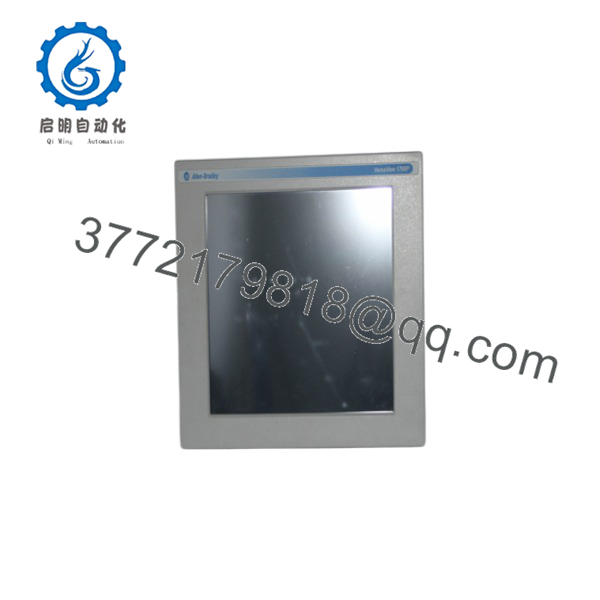
6181P
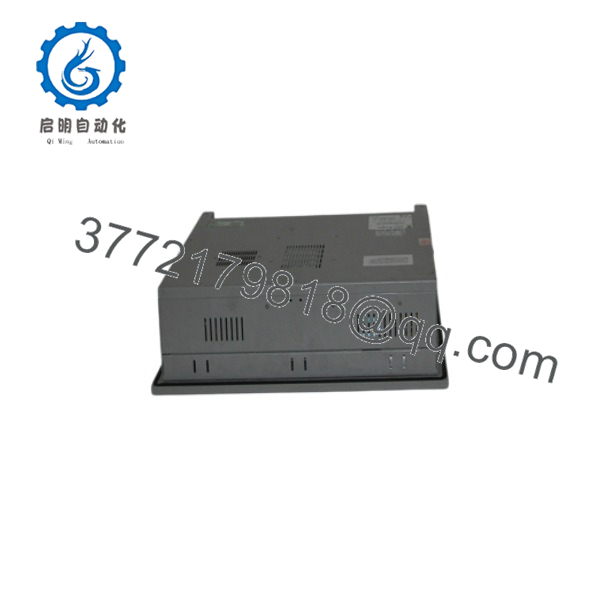
6181P
Firmware/Software Versions & Upgrade Notes
- Operating System Recovery: Units typically ship with factory recovery partitions or dedicated OS recovery USB media to restore original disk images.
- FactoryTalk View Integration: Fully optimized for FactoryTalk View Studio / Site Edition (SE) Station runtime applications.
- RAID / Storage Setup: Select performance models feature dual drive slots supporting RAID 1 mirror configurations for data redundancy in critical manufacturing lines.
Frequently Asked Questions (FAQ)
Is this 6181P unit guaranteed to be New Surplus and not refurbished?
Yes. This module is 100% Brand New Surplus stock in original OEM factory packaging. It has never been deployed in a production panel, exposed to industrial dust/vibration, or subjected to aftermarket motherboard repair.
Why should I choose New Surplus over a refurbished industrial computer?
Refurbished PCs frequently suffer from hidden thermal degradation on CPU power phases, worn CPU cooling fans, degraded SSD write endurance, and uncalibrated touch overlays. Purchasing New Surplus guarantees 100% component lifespan, quiet fan operation, and long-term hardware reliability.
How do I identify the exact display size and processor of a 6181P unit?
The catalog number suffix specifies the hardware build. For example, 6181P-15 designates a 15-inch display, while subsequent letter digits specify input type (Touch/Non-Touch), power supply (AC/DC), processor performance level, and memory size.
Can I upgrade the storage drive or RAM in a 6181P industrial PC?
Yes. The 6181P chassis features accessible drive bays and SO-DIMM RAM slots, allowing memory expansions or SSD swaps to match updated factory software requirements.
What warranty protection comes with this New Surplus 6181P unit?
We back this 6181P New Surplus industrial computer with a comprehensive 1-year replacement warranty. Every unit passes rigorous physical checks, port integrity verification, and ESD-safe protective packaging prior to dispatch.



