WhatsApp: +86 16626708626
 Email:
 Phone: +86 16626708626
Description
Core Product Summary (Brand / Model / Key Attributes)
The Allen-Bradley 6300P-156ACPMFDNB-3CBBW19NNNBNN-NN1S is an industrial panel PC in the Rockwell Automation ASEM 6300P series, designed for machine-level visualization, HMI control, and edge data processing in industrial automation environments. Integrating a flat-panel display with an embedded x86 computing platform in a single panel-mount unit, it runs Windows-based visualization software such as FactoryTalk View or third-party HMI/SCADA applications directly at the operator station.
Configured with a 15.6-inch widescreen display and multi-touch projected capacitive (PCAP) touchscreen, this catalog number specifies an aluminum front bezel with standard Allen-Bradley branding, a 24V DC isolated power input, an Intel Core i3-class processor, 8 GB of DDR4 RAM, and Windows 10 IoT Enterprise LTSC preinstalled. Connectivity includes dual Gigabit Ethernet ports, USB interfaces, and serial communication without an integrated UPS or optical drive, supporting panel-cutout installation in industrial control cabinets.
Key Technical Specifications
| Parameter | Specification |
| Manufacturer / Brand | Rockwell Automation / Allen-Bradley |
| Product Series | ASEM 6300P Industrial Panel PC |
| Exact Catalog Number | 6300P-156ACPMFDNB-3CBBW19NNNBNN-NN1S |
| Display Size & Aspect Ratio | 15.6 in. widescreen (16:9) |
| Display Resolution | 1920 × 1080 pixels (Full HD) |
| Touchscreen Technology | Projected Capacitive (PCAP) multi-touch |
| Front Bezel Material | Aluminum bezel with standard branding |
| Processor | Intel Core i3 (7th/11th Gen embedded platform per hardware revision) |
| System Memory (RAM) | 8 GB DDR4 |
| Storage | Solid-State Drive (SSD), 128 GB or higher depending on factory build code |
| Operating System | Windows 10 IoT Enterprise LTSC (64-bit) |
| Input Power Supply | 24V DC (18–32V DC operating range), isolated |
| Ethernet Interfaces | 2 × 10/100/1000 Mbps (Gigabit Ethernet, RJ45) |
| USB & Serial Ports | USB 3.0 / USB 2.0 ports and RS-232/422/485 serial interface |
| Expansion & Optical Drive | No expansion slots, no optical drive, no integrated UPS |
| Front Panel Ingress Protection | IP66 (when properly mounted in a rated enclosure) |
| Operating Temperature | 0 °C to 50 °C (32 °F to 122 °F) |
| Mounting Method | Panel mount via mounting clips/clamps |
Detailed Product Overview
The Allen-Bradley 6300P-156ACPMFDNB-3CBBW19NNNBNN-NN1S combines a 15.6-inch Full HD operator interface with an industrial PC chassis in one panel-mounted assembly. Within the ASEM 6300P architecture, this model eliminates the need for a separate DIN-rail box PC and remote industrial monitor, reducing cabinet depth requirements and video/USB cabling between the compute unit and the operator door.
The catalog string defines the exact hardware and software build. The 156ACP prefix designates a 15.6-inch aluminum-bezel display with a projected capacitive (PCAP) multi-touch screen, which supports multi-finger gestures and withstands industrial washdown or dust exposure when mounted in an IP66-rated panel. The MFDNB and 3CBBW19 segments identify the compute configuration: an Intel Core i3 processor paired with 8 GB of RAM, solid-state storage, a 24V DC isolated power supply, and a pre-activated Windows 10 IoT Enterprise LTSC operating system. The trailing NNNBNN-NN1S characters confirm a streamlined I/O configuration without PCIe expansion slots, integrated uninterruptible power supply (UPS), or secondary fieldbus cards.
For automation engineers and system integrators, the dual Gigabit Ethernet ports allow physical network segmentation—separating deterministic EtherNet/IP control traffic on one port from plant-level MES, historian, or remote maintenance networks on the second port. Because the unit relies on passive/fanless thermal management within a 0 °C to 50 °C operating envelope, cabinet thermal dissipation and unobstructed vertical airflow behind the rear chassis must be verified during panel layout.
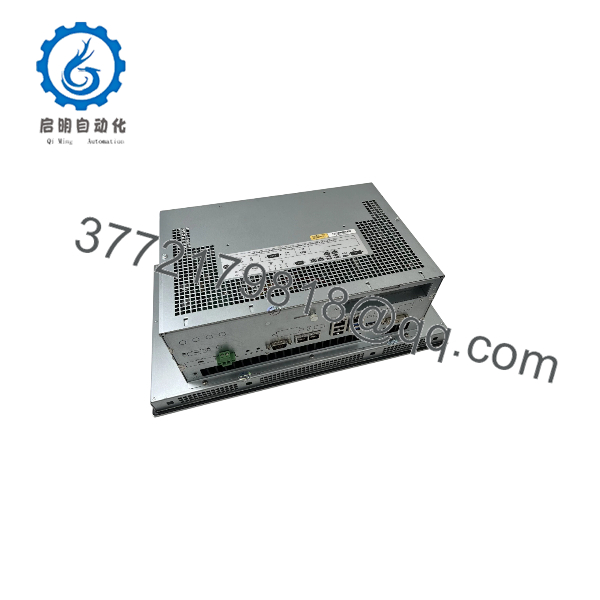
6300P-156ACPMFDNB-3CBBW19NNNBNN-NN1S
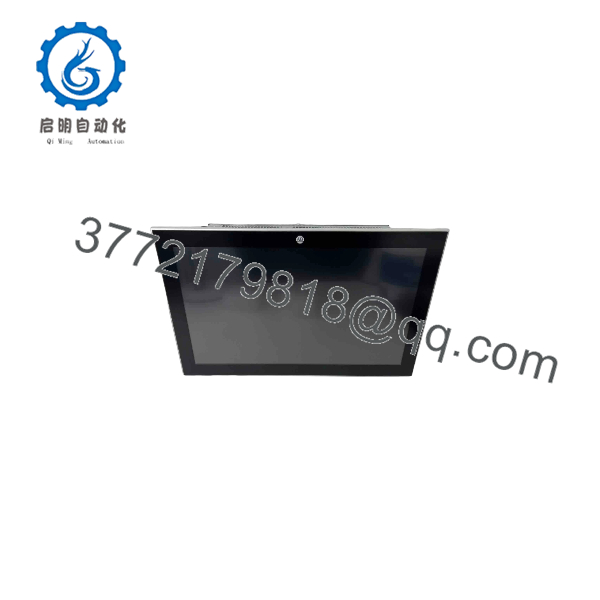
6300P-156ACPMFDNB-3CBBW19NNNBNN-NN1S
Engineering Selection Highlights
- Exact Catalog Build (
6300P-156ACPMFDNB-3CBBW19NNNBNN-NN1S) → Locks in the 15.6-inch Full HD PCAP aluminum bezel, Core i3 CPU, 8 GB RAM, 24V DC power, and Windows 10 IoT Enterprise LTSC, ensuring exact hardware/OS matching when replacing an existing unit or replicating a validated machine image. - 15.6-Inch 1920 × 1080 PCAP Display → Provides widescreen Full HD resolution for dense HMI faceplates, alarm banners, and trend charts while supporting glove-compatible capacitive multi-touch operation.
- Isolated 24V DC Power Input (18–32V DC) → Connects directly to standard industrial control cabinet 24V DC power supplies without requiring an external AC-to-DC brick or step-down transformer.
- Dual Independent Gigabit Ethernet Ports → Enables network isolation between machine-level PLC communication (such as ControlLogix or CompactLogix over EtherNet/IP) and upper-level supervisory or enterprise networks.
- No Expansion Slots or Integrated UPS (
NNNSuffix Options) → Keeps the chassis compact for shallow control enclosures, but requires an external DIN-rail 24V DC UPS if graceful Windows shutdown during power loss is required. - Windows 10 IoT Enterprise LTSC OS → Supports standard Rockwell Automation visualization software (FactoryTalk View SE/ME, FactoryTalk Optix, ThinManager) as well as third-party Windows SCADA and OPC UA clients without forced feature-update interruptions.
System Compatibility & Integration Requirements
| Item / Dependency | Verified Compatibility or Requirement | Practical Note |
| Control Systems & PLCs | Allen-Bradley ControlLogix, CompactLogix, Micro800, and third-party controllers | Communicates over Ethernet (EtherNet/IP, Modbus TCP, OPC UA) or onboard serial (RS-232/422/485). |
| Visualization & HMI Software | FactoryTalk View SE/ME, FactoryTalk Optix, FactoryTalk Linx, ThinManager | Runs natively on the preinstalled 64-bit Windows 10 IoT Enterprise LTSC operating system. |
| Power Supply Requirement | Regulated 24V DC SELV/PELV power source (18–32V DC range) | Verify sufficient wattage headroom on the cabinet 24V DC supply for startup inrush and USB peripherals. |
| External Backup Power | External 24V DC UPS (optional, recommended for Windows write protection) | This catalog number does not include an internal battery/capacitor UPS; pair with Windows Unified Write Filter (UWF) or an external UPS to prevent disk corruption on abrupt power loss. |
| Enclosure Cutout & Rating | Flat, rigid panel surface rated IP66 / UL Type 4X (indoor) as required | Requires using the supplied perimeter gasket and torque-tightened mounting clips to maintain front-bezel ingress sealing. |
Dimensions, Mounting & Connection Notes
- Mounting Method: Designed for flush panel mounting through a rectangular enclosure cutout. Secured from behind the panel using the included mechanical mounting clamps/clips around the perimeter frame.
- Front Seal & Orientation: Ensure the factory-installed perimeter sealing gasket sits flat against the outside of the cabinet door before tightening the mounting clips evenly. Mount in standard landscape orientation within the specified tilt limits to maintain passive thermal dissipation.
- Clearances & Thermal Management: Leave adequate open air space above, below, and behind the rear aluminum heatsink housing (typically at least 50 mm / 2 in. minimum around ventilation surfaces) and keep the unit away from high-heat components such as VFDs or power transformers.
- Power & Grounding Connections: Wire the 24V DC input to the removable 3-pin terminal block (
+24V,0V, and functional/chassis groundPE). Connect the chassis ground lug/terminal directly to the cabinet’s bonded ground busbar using a short, low-impedance conductor to ensure EMC immunity and PCAP touch stability. - Communication & Peripheral Ports: Bottom- or rear-facing I/O interfaces include two RJ45 Gigabit Ethernet ports, USB Type-A ports for keyboard/mouse/storage, and a D-Sub serial port. Strain-relieve all Ethernet and USB cables inside the cabinet door hinge loop to prevent connector stress when the enclosure door opens.
FAQ
What is the Allen-Bradley 6300P-156ACPMFDNB-3CBBW19NNNBNN-NN1S?
It is an industrial all-in-one panel computer from the Rockwell Automation ASEM 6300P family that combines a 15.6-inch Full HD projected capacitive touchscreen with an embedded Intel Core i3 PC running Windows 10 IoT Enterprise LTSC.
What power supply does this model require?
It operates on an isolated 24V DC industrial power supply (18–32V DC allowable input range) wired via a removable terminal block, rather than direct 120/240V AC mains power.
Does this exact catalog number include an internal UPS or PCIe expansion slots?
No. The NNNBNN- configuration suffix specifies a unit without an integrated uninterruptible power supply, optical drive, or PCI/PCIe expansion slots.
What software can run on the 6300P-156ACPMFDNB-3CBBW19NNNBNN-NN1S?
Because it ships with Windows 10 IoT Enterprise LTSC (64-bit) and 8 GB of RAM, it supports Rockwell Automation software such as FactoryTalk View Site Edition, FactoryTalk View Machine Edition, FactoryTalk Optix, and ThinManager, as well as standard Windows industrial applications.
What ingress protection rating does the front panel provide?
When properly installed in a flat, rigid enclosure cutout using the perimeter gasket and mounting clamps, the aluminum front bezel provides IP66 protection against dust and water jets.
Verification & Troubleshooting Notes
- No Power / Blank Display at Startup: Verify that the 24V DC supply voltage measured directly at the 3-pin power terminal block is within the 18–32V DC operating range and that polarity (
+and-) is correct. Check front status LEDs to distinguish between a power-input issue and a backlight/OS boot state. - Erratic or Unresponsive PCAP Touch: Confirm that the chassis earth ground terminal is solidly bonded to the enclosure ground busbar. Projected capacitive touchscreens rely on a stable ground reference; floating 24V DC supplies or ungrounded cabinet doors can cause false touches or reduced sensitivity.
- Ethernet Link or PLC Communication Failure: Check the link/activity LEDs on both RJ45 ports and confirm in Windows Network Connections which physical adapter (
LAN1vs.LAN2) is assigned to the machine control subnet versus the plant network. - Operating System Corruption After Power Outages: Because this configuration has no internal UPS, abrupt 24V DC power loss during disk writes can corrupt Windows files. Enable the Windows Unified Write Filter (UWF) once commissioning is complete or install an external 24V DC UPS with shutdown signaling.