
 WhatsApp: +86 16626708626
 Email:
  Phone: +86 16626708626
Description
Key Technical Specifications
| Parameter | Value |
| Catalog Number | SST-PFB-SLC |
| PLC Compatibility | Allen-Bradley SLC 500 System (SLC 5/03, 5/04, 5/05 processors) |
| Protocol | PROFIBUS DP (DP-V0 Class 1 & Class 2 Master/Slave, DP-V1 Master) |
| Data Transfer Rates | 9.6 kbps up to 12 Mbps (Auto-baud selection) |
| Backplane Current Load | 500 mA at 5 VDC (powered directly via SLC backplane) |
| Communication Connector | Standard 9-pin Female Sub-D (DB9) PROFIBUS connector |
| Max Network Nodes | Up to 125 PROFIBUS slave devices supported in Master mode |
| Memory / I/O Mapping | Up to 200 words of Input/Output M-file and I/O file mapping in SLC memory |
| Status Indicators | Front panel LEDs: SYS (System), COMM (Communication), OK |
| Operating Temperature | 0 to 60°C (32 to 140°F) |
Product Introduction & Supply Chain Strategy
The Molex Woodhead / Brad Communications SST-PFB-SLC is an in-rack PROFIBUS DP scanner module custom-engineered for the Allen-Bradley SLC 500 system. By occupying a single I/O slot in an 1746 SLC rack, it allows an SLC 5/03, 5/04, or 5/05 controller to exchange high-speed cyclic data with PROFIBUS DP field devices such as variable frequency drives (VFDs), motor starters, remote I/O blocks, and sensors.
With legacy SLC 500 platforms and third-party specialty modules phased out, finding verified replacement hardware is critical for process plants running hybrid Allen-Bradley and Siemens/PROFIBUS networks. Choosing factory-sealed New Surplus SST-PFB-SLC modules over worn refurbished units eliminates communication dropouts caused by degraded onboard memory chips, cold solder joints, or damaged DB9 headers. Keeping on-site spares prevents catastrophic network downtime and avoids immediate, multi-thousand-dollar PLC migrations.
Installation & Configuration Guide
Stage 1: Pre-Installation (Prep & Safety)
- Lock-Out/Tag-Out (LOTO): Isolate and lock out main power to the 1746 SLC rack before inserting or removing any chassis modules.
- GSD File Preparation: Obtain the appropriate GSD (Generic Station Description) files for all PROFIBUS slave devices attached to the bus.
- ESD Precautions: Use a grounded anti-static wrist strap when handling the SST-PFB-SLC card to prevent static damage to internal bus transceivers.
Stage 2: Removal
- Loosen the retaining screws on the 9-pin DB9 PROFIBUS network cable and disconnect it from the module.
- Press the top and bottom release latches on the existing card in the SLC rack.
- Slide the card straight out of the 1746 chassis guide rails.
Stage 3: Installation (Clone & Seat)
- Insert the new SST-PFB-SLC card into the designated SLC chassis slot, sliding it along the rails until the rear backplane connector seats firmly.
- Ensure the top and bottom chassis latches snap into place to lock the module.
- Connect the standard 9-pin DB9 PROFIBUS cable, ensuring proper bus termination resistors (220 Ω / 390 Ω) are enabled at both physical ends of the segment.
Stage 4: Power-On & Testing
- Apply system power to the SLC rack and observe the front-panel status LEDs during boot.
- Verify the SYS LED turns solid green and the COMM LED indicates active PROFIBUS network traffic.
- Download the module configuration file using SST PROFIBUS Configuration Software via serial or pass-through to establish slave communication tables.
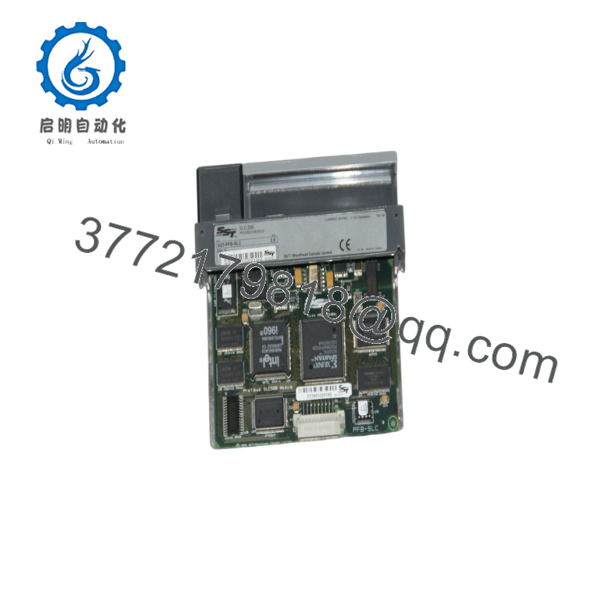
SST-PFB-SLC
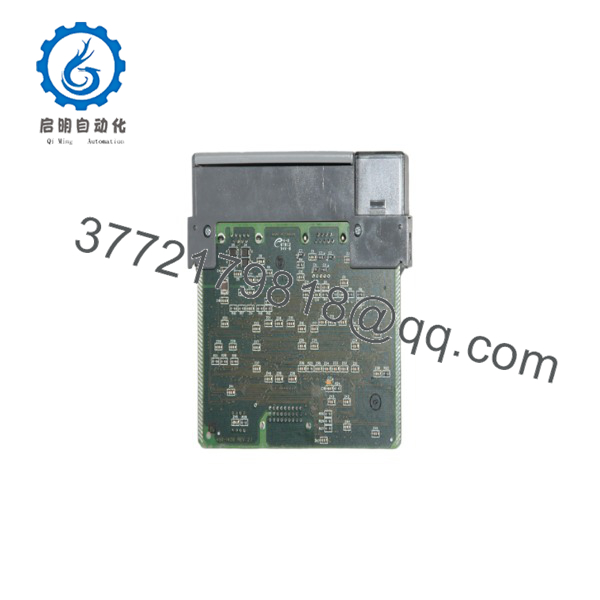
SST-PFB-SLC
Firmware/Software Versions & Upgrade Notes
- Configuration Tool: Configured using the SST PROFIBUS Configuration Software (formerly BradCommunications / Woodhead Console) to generate binary configuration blocks stored in SLC M0/M1 files.
- PLC Programming: In RSLogix 500, configure the card slot as an Other module type (Catalog
1746-OTHERor specialty module ID) with appropriate M-file and I/O buffer lengths assigned. - Network Termination: Ensure standard PROFIBUS RS-485 termination rules are enforced (line shielding grounded at both ends, termination switches active on end nodes) to prevent 12 Mbps signal reflection faults.
Frequently Asked Questions (FAQ)
Is this SST-PFB-SLC unit guaranteed to be New Surplus and not refurbished?
Yes. This module is 100% Brand New Surplus stock in original factory packaging. It has never been installed in an active PLC rack, exposed to factory environmental stress, or repaired.
Why is buying New Surplus critical for specialty communication cards like the SST-PFB-SLC?
Specialty network cards rely on high-speed RS-485 transceiver chips and onboard microprocessors. Refurbished modules frequently suffer from thermal aging, signal noise susceptibility, and worn backplane contacts, leading to intermittent node drops on 12 Mbps PROFIBUS networks. Buying New Surplus ensures full transceiver integrity and long-term operating stability.
Can the SST-PFB-SLC act as both a PROFIBUS Master and Slave simultaneously?
Yes. Depending on software configuration, the SST-PFB-SLC supports Class 1/Class 2 DP Master modes as well as DP Slave mode, allowing flexible integration into existing multi-vendor automation architectures.
What software do I need to map PROFIBUS devices to my SLC 500 data table?
You need the SST PROFIBUS Configuration Tool. This software imports slave GSD files, assigns PROFIBUS node addresses, maps input/output data bytes, and creates a configuration image that is written to the SLC processor using RSLogix 500 block transfers (M0/M1 files).
What warranty protection comes with this New Surplus module?
We support this SST-PFB-SLC New Surplus PROFIBUS module with a comprehensive 1-year replacement warranty. Every unit passes thorough physical inspection, pin integrity checks, and anti-static packaging before dispatch.



